31
Long stitch
the sewing computer sews every second stitch
(max. stitch length 10mm)
applicable for practical and decorative stitches
Exception: buttonholes, alphabets
Mirror image up/down
The sewing computer sews the stitch pattern vertically
mirrored up/down referring to the sewing direction.
Presser foot indicator
█
touch icon
►
the Display is opened showing the optional presser
feet for the selected stitch pattern
█
touch «Back»-icon
►
the Display is closed
Permanent reverse sewing
The sewing computer sews the selected stitch pattern
in reverse.
Balance
Balances forward and reverse stitches.
Pressor foot pressure
The pressor foot pressure is set via the adjustment
wheel on the left side of the headframe.
►
the respective value is visible in the icon
Needle position
█
move the needle position to the left or to the right
touching the arrow buttons left/right or using the
touch pen or with the finger
█
keep arrow button pressed
►
quick moving of the needle
►
the needle position is displayed in the
yellow-framed icon
█
touch yellow-framed icon
►
the needle moves to the middle (position 0)
Mirror image (Left/Right)
The sewing computer sews the stitch pattern horizon-
tally mirrored, left/right referring to the sewing direction.
Security program
█
touch icon
█
touch «Needle»- or «Stitch plate»-icon
Overview Needle:
█
touch desired «Needle»-icon
►
stitch width is limited automatically
►
this prevents the inserted special needle (double
needle etc.) from hitting the presser foot or the
stitch plate = no needle breakage
►
numbers in the needle icons show the needle
distance in mm
█
touch «Standard needle»-icon
►
the standard needle is actived again
►
stitch width limitation is deactivated
Overview Stitch plates:
█
touch the desired «Stitch plate»-icon
►
stitch width is limited automatically
►
this prevents the inserted needle from hitting
the presser foot or the stitch plate = no needle
breakage
The function remains active even when the sewing
computer is turned off and on.
Overview Display
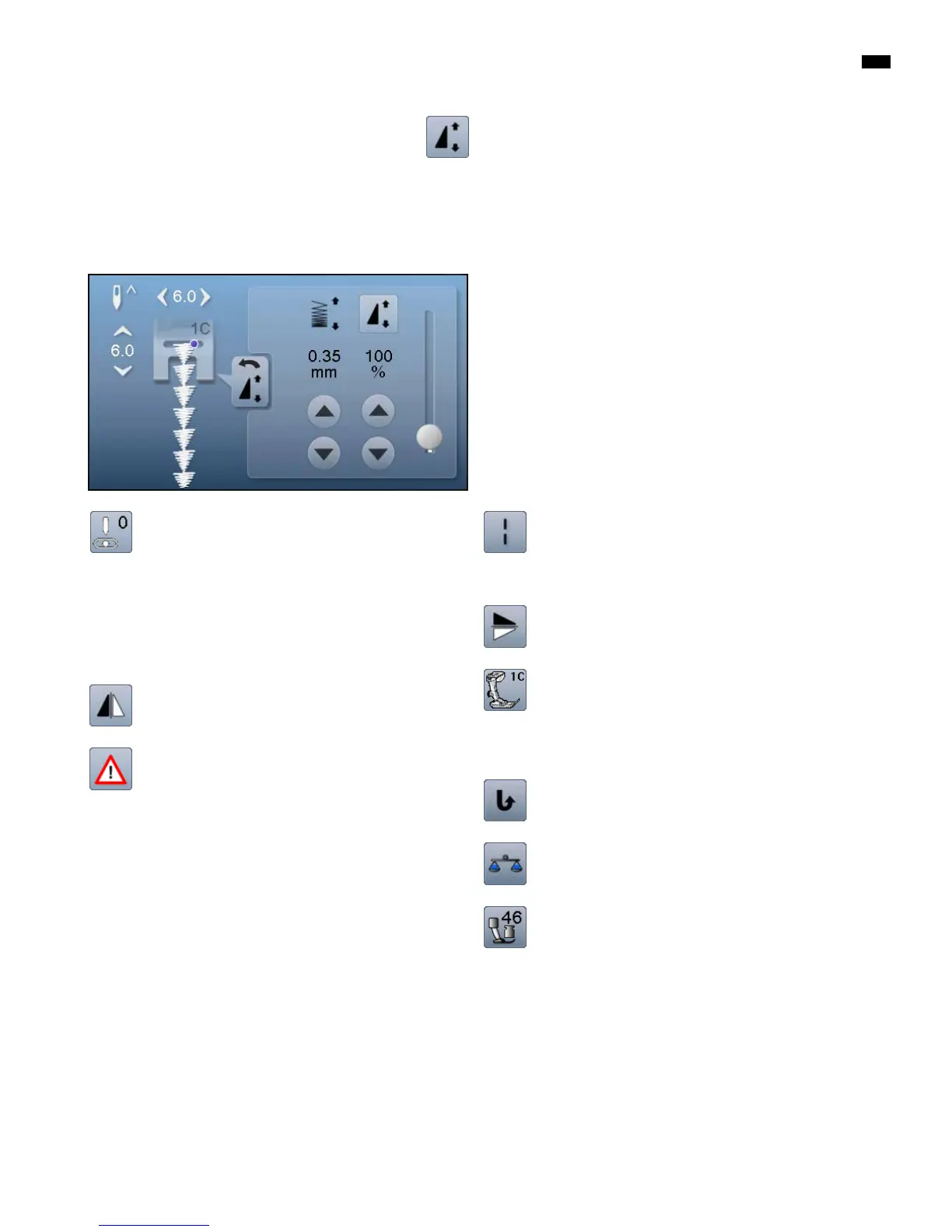
Altering stitch density
Certain decorative stitches (e.g. No. 401) allow an alteration of
the stitch density. The set stitch pattern length will not be affec-
ted.
█
touch arrow icon «up»
►
the stitch density is reduced in 0.05mm steps
►
the stitch distance is enlarged
█
touch arrow icon «down»
►
the stitch density is increased in 0.05mm steps
►
the stitch distance is reduced
Altering pattern length
█
move the round knob in the Display using the touch pen or
the finger
►
pattern length (Standard = 100%) is infinitely variable
█
extend or shorten in 1%-steps using the arrow icons or
█
touch «Pattern length»-icon
►
the pattern length is extended in 100%-steps
Maximum length is 1000%, shortest length is 10%. Some stitch
patterns are limited and cannot be extended to 1000%.



 To Next Page