Stitch length
Adjusting and Setting
Cutting width
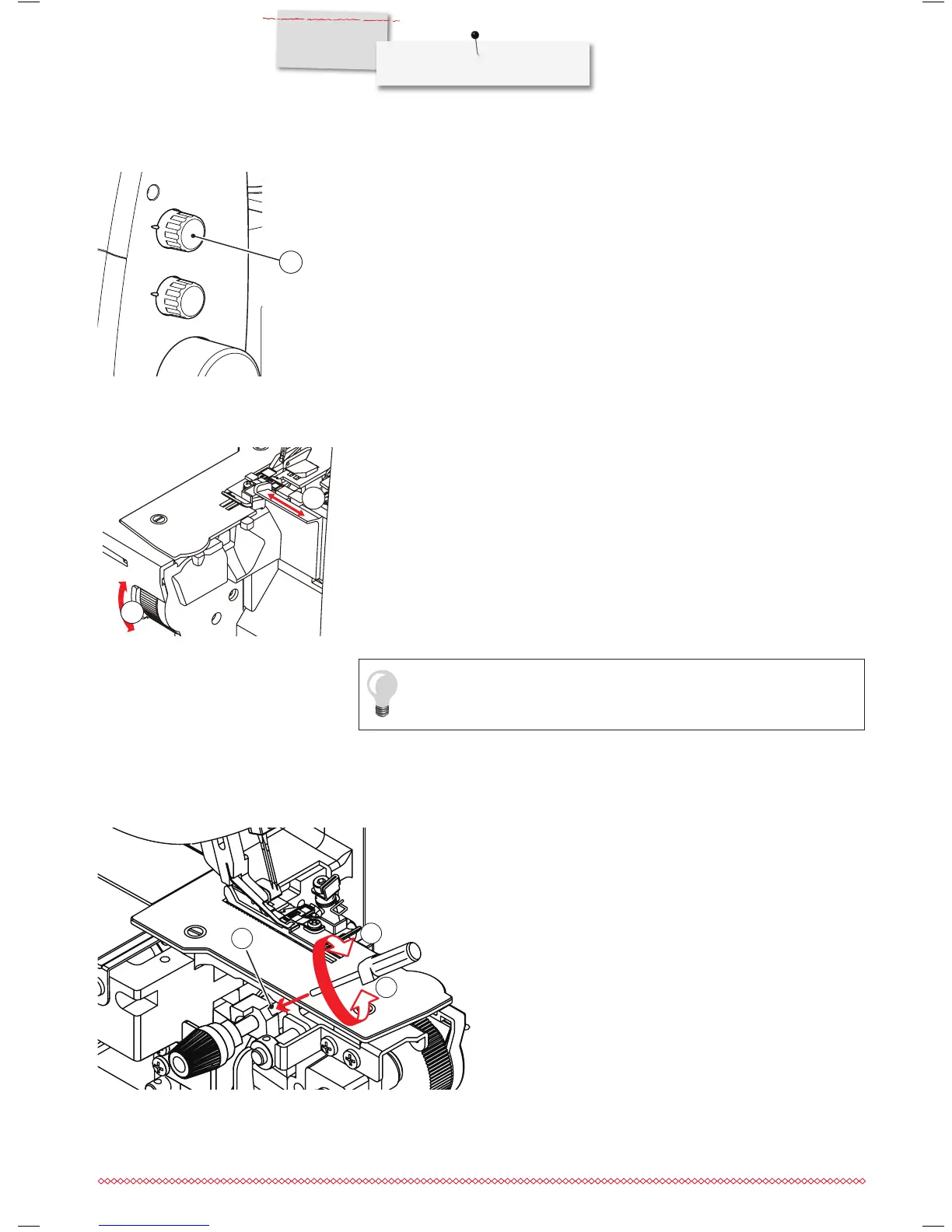
Turn the Stitch Length dial until the desired length is obtained. The higher the number, the
longer the stitch. The stitch lenght is infinitely variable and can be adjusted from 0.8 - 4.0
mm, even while sewing. Adjustments can be made while sewing.
1 Stitch Length dial
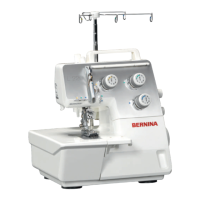
The knife position and as a consequence thereof the resulting cutting width can be
adjusted between 3 - 9 mm by turning the cutting width dial at the front of the sewing table.
The set cutting width is shown on the cutting width indicator (2). The scale indicates the
distance of the knife to the left needle (5 - 9 mm). The distance to the right needle is 2 mm
shorter.
⦁
Turn the dial upwards
►
to increase cutting width.
⦁
Turn the dial downwards
►
to decrease cutting width.
1 Cutting width dial
2 Cutting width indicator
1
1
2
Knife suspension
A wide range of fabric can be processed on this machine. When
sewing extra heavy weight fabrics or multiple layers of fabric, it is
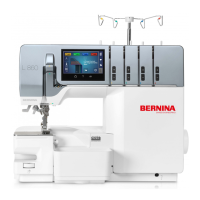
recommended to secure the knife suspension mechanism as fol-
lowing:
⦁
Open the sewing table and tighten (2) the set screw (1) using
the hex screw driver provided in the accessory storage.
⦁
Before adjusting the cutting width, loosen the screw again by
about 1/4 turn (3). Otherwise the fabric may not be cut properly.
In the factory setting this screw is loose.
1 Set screw
2 Locking
3 Releasing
2
3
1
Use wide seams on loosely woven fabric, smaller seams on dense fabric.


 To Next Page