TG 1000 – Digital Diversity Receiver
24
2.9 Monitoring
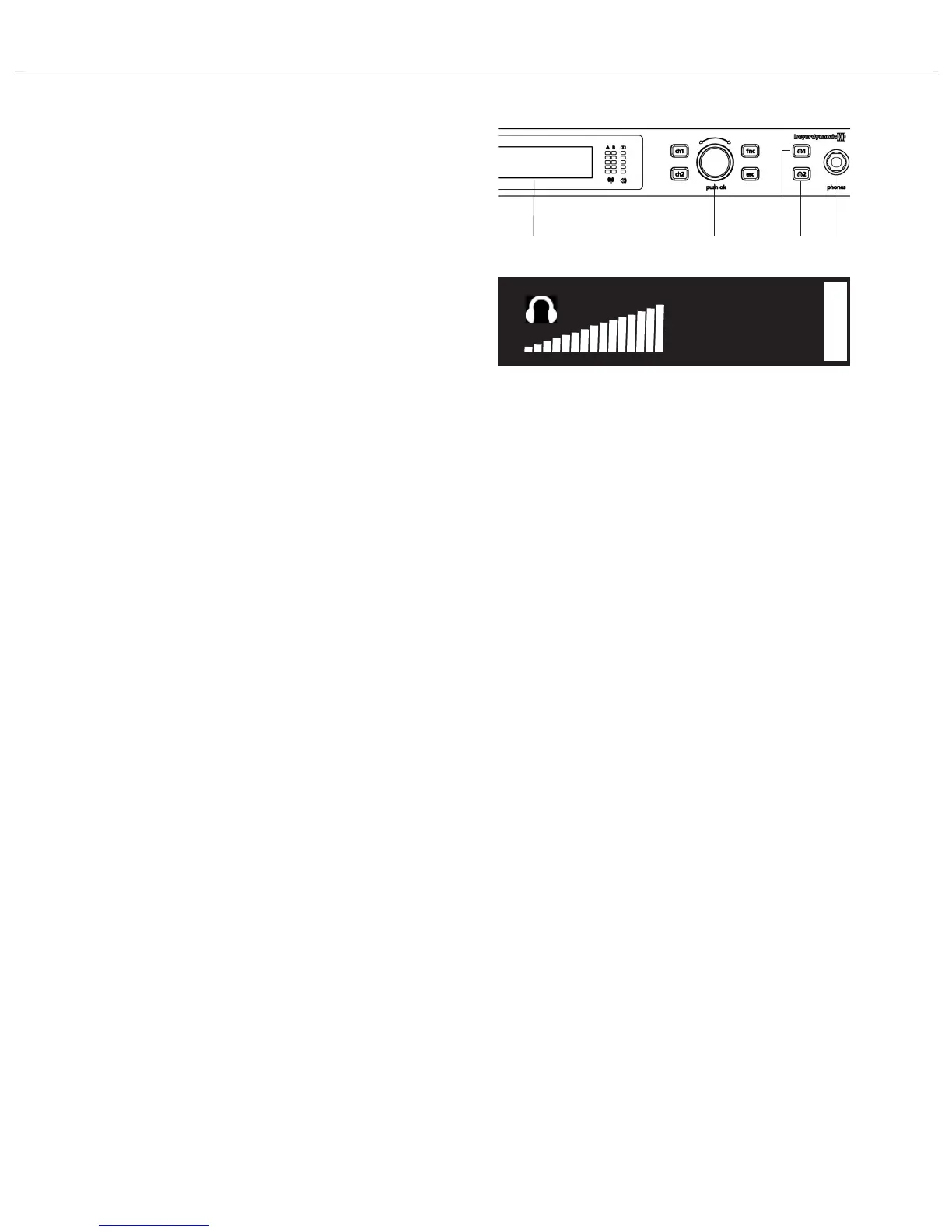
• For monitoring purposes you can listen to channel 1 or 2 with a
headphone.
• Connect a headphone to the headphone connection of the
receiver.
• Press the appropriate button to monitor channel 1 or 2. When
the function is activated, the appropriate button is highlighted
red.
• In the headphone menu you can adjust the volume in 3 dB steps
between -33 and +30 dB with the rotary switch .
Warning: Do not set the volume too high, you can damage
your hearing permanently.
• You can read the volume on the display .
• After a while the display returns to the default screen. The
monitoring function or headphone output is still active.
• To stop the monitoring function, press the appropriate button
again. The headphone menu to adjust the volume is displayed.
Press the appropriate button once again. The display shows the
“OFF” message. The monitoring function or the headphone
output is turned off.
Warning:
We would like to point out that long listening at high volumes can
damage your hearing. A hearing damage always represents an
irreversible impairment. Therefore, please reduce the volume before
use.
Always make sure that the volume is not to high. Rule of thumb: the
higher the volume, the shorter the listening time. According to the
professional association regulations on safety and health at work
(BGV B3) in Germany, noise pollution at workplace must not exceed
85 dB (low volume). This corresponds to an allowed maximum
listening time of 8 hours. If the volume is increased by 3 dB, the
allowed listening time is halved, i.e. at 88 dB the duration is 4 hours,
at 91 dB 2 hours etc.
1
+12dB



 To Next Page