TG 1000 – Digital Diversity Receiver
5
2. Digital TG 1000 UHF Diversity Receiver
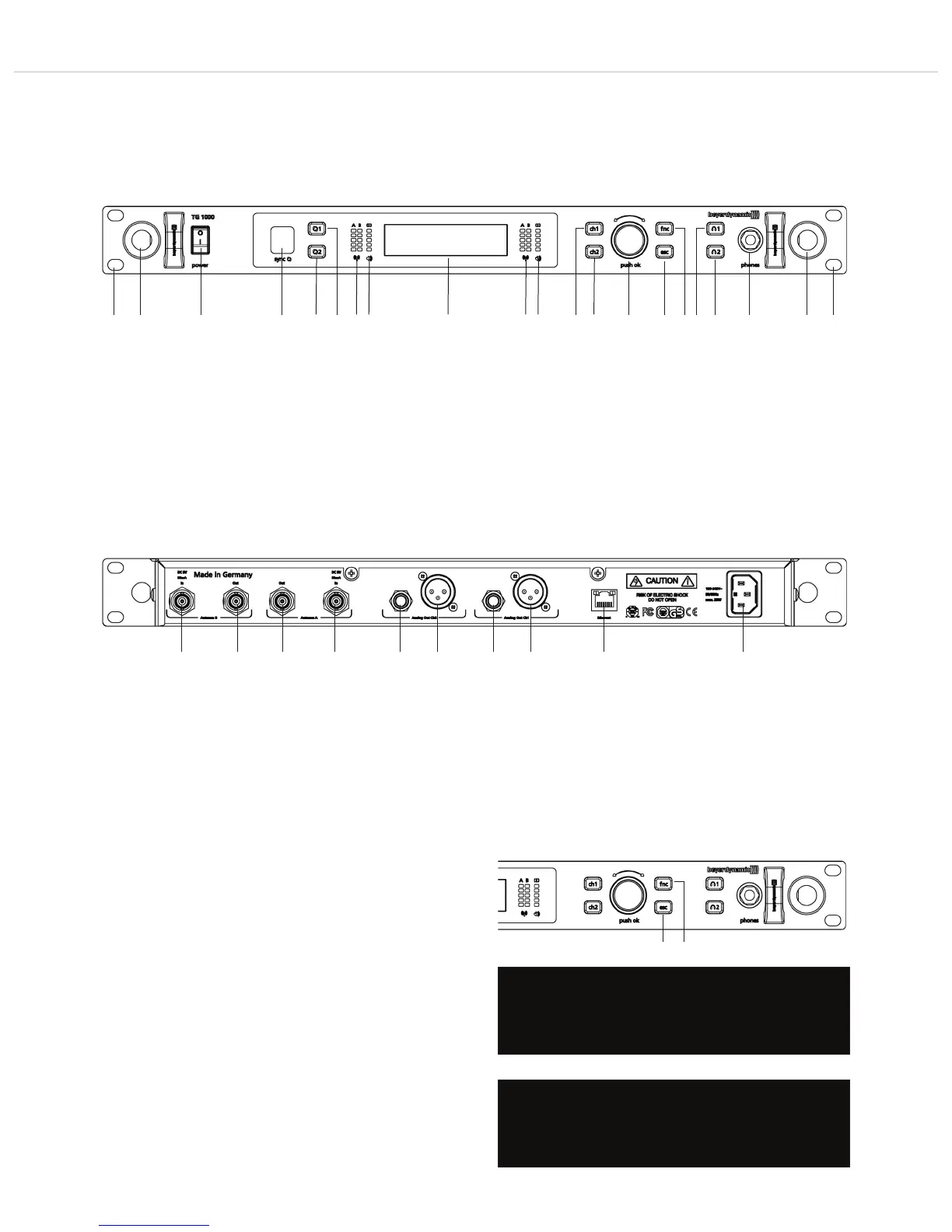
2.1 Controls and Indicators
Hole for 19" rack mounting
Hole for mounting the antennae on the front
On-off switch
Infrared interface for synchronising receiver and transmitter
Button of synchronisation for channel 1 or channel 2
RF indicators channel 1 or channel 2
AF indicators with peak indicator channel 1 or channel 2
Display channel 1 and channel 2
Channel selector button 1 or 2
Rotary switch for selection and settings
ESC button (Escape)
Function button
Button to monitor channel 1 or channel 2 via headphones
Headphone connection, 1/4" stereo jack (6.35 mm)
Antenna input A or B, BNC socket, 8 V DC, 75 mA
Antenna output A or B, BNC socket
Audio output, balanced, 3 pole jack, channel 1 or channel 2
Audio output, balanced, 3-pin XLR, channel 1 or channel 2
Ethernet interface (RJ45)
Mains connection
Front View
Rear View
2.2 How to Lock the Buttons of the Receiver
• With this function you can lock the buttons of the receiver to
prevent any settings from being changed.
• Switch on the receiver. Press the ESC button and the Function
button until the message “Front panel locked.” is displayed.
• The locked state is maintained even when the receiver is turned off
and on again.
• In order to unlock the buttons, press the ESC button and
Function button until the message “Front panel unlocked.” is
displayed.
Front panel locked.
Lock the buttons
Front panel unlocked.
Unlock the buttons



 To Next Page