TG 1000 – Digital Diversity Receiver
8
2.6 Setting up
2.6.1 How to Operate the Receiver
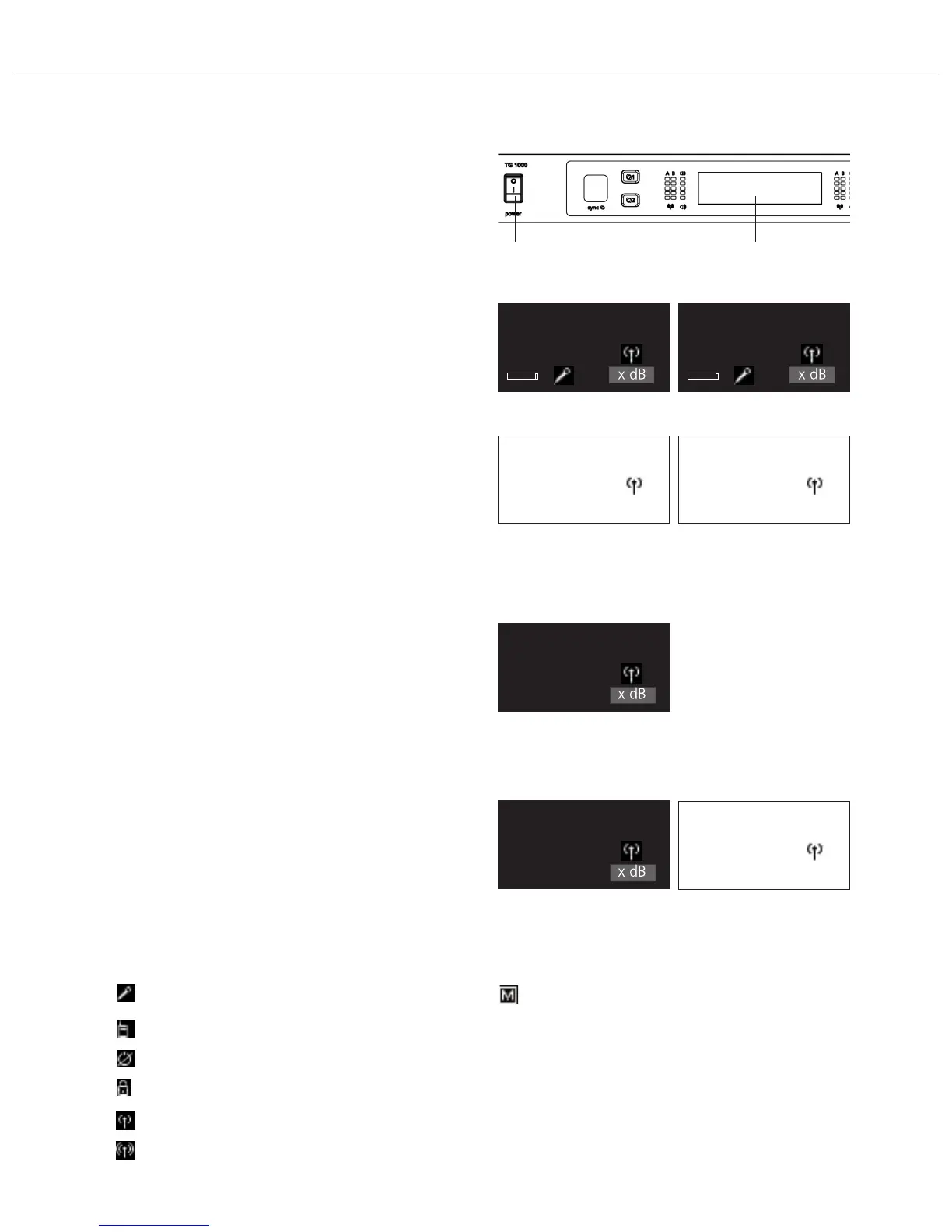
• After having mounted and connected the receiver, turn it on with
the on-off switch .
• Standard Display
The standard display for each of the two channels will be
shown. If a valid transmitter signal is received on the selected
frequency, the display background will be black. If there is no valid
transmitter signal available, the colour of the display background
will turn white. In this case there will be no audio signal.
• By default it is displayed:
1. line: the currently selected name (e.g. name of the artist)
2. line: the currently selected frequency
3. line: the currently selected frequency group and channel
4. line: when valid transmitter signal
is available: Battery status, transmitter type,
microphone capsule and gain in dB
when no valid transmitter signal
is available: No Tx or Enc Err
• All buttons on the front of the receiver are highlighted in white.
When a button is pressed or activated, the highlighted light will
turn red.
• For turning the receiver off, use the on-off switch . The buttons
will no longer be highlighted.
• Should the message “Low Batt” be displayed, then the operating
of the respective transmitter battery is approx. 30 to 40 minutes.
The battery should be replaced.
• If the message “Vers Err” is displayed, the firmware versions of
the transmitter and receiver are not the same. There are two
possibilities:
If the display remains black, the firmware has been changed, but
does not affect the audio processing, i.e. the audio signal is still
available.
If the display turns white, the audio processing has also been
changed, i.e. there is no audio signal available.
In both cases the firmware of transmitter and receiver must be
checked and updated.
• Possible icons of the standard display and their meaning
A handheld transmitter is used.
A beltpack transmitter is used.
The “Power Lock” function is activated.
The “Encryption” function is activated.
“RF Power” has been set to “Standard”.
“RF Power” has been set to “High”.
Name
xxx.xxxMHz
GR/CH --/--
No Tx
Display when there is a valid transmitter signal available
Display when there is no valid transmitter signal available
Name
xxx.xxxMHz
GR/CH --/--
xxx x dB
Name
xxx.xxxMHz
GR/CH --/--
xxx x dB
Name
xxx.xxxMHz
GR/CH --/--
Enc Err
Display when the operating time
of the transmitter battery is 30 to
40 minutes
Display when a firmware version
error occurs; audio signal is still
available
Display when a firmware version
error occurs; audio signal is not
available
Name
xxx.xxxMHz
GR/CH --/--
LOW BAT x dB
Name
xxx.xxxMHz
GR/CH --/--
Vers Err
Name
xxx.xxxMHz
GR/CH --/--
Vers Err x dB
It is possible to mute the transmitter.



 To Next Page