TG 1000 – Digital Handheld Transmitter
31
3.4 How to Operate the Handheld Transmitter
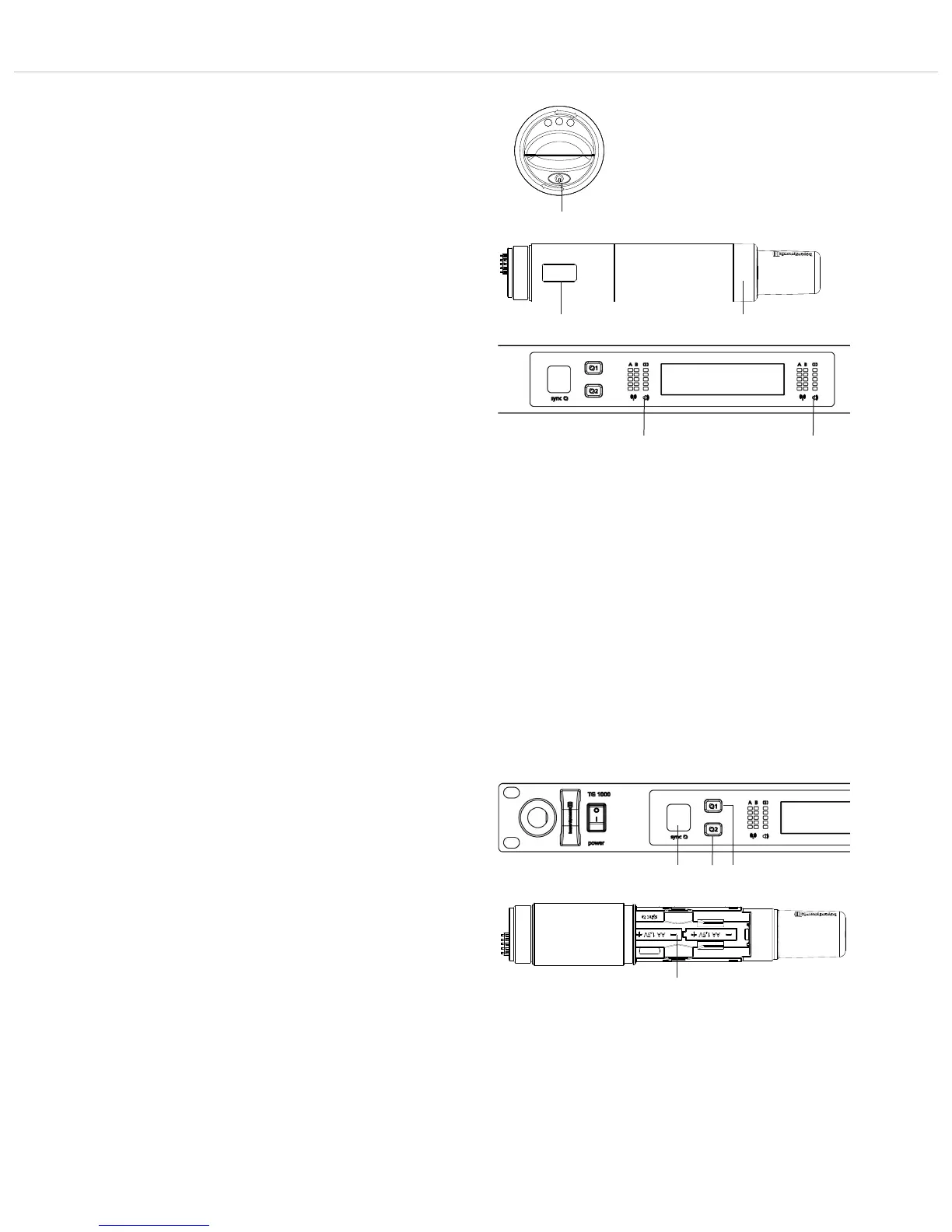
• Turn on the handheld transmitter by holding the on-off button
pressed, until the standard display is shown in the display .
• The display shows the battery status and the name, which has
been entered in the first line of the receiver.
• In the second line, depending on the setting, you will see the
channel and frequency group or the frequency. By pressing the
on-off button briefly several times you can display further
information in the second line.
Further information are: RF power, battery, microphone head and
status of encryption and power lock.
• When you hold the on-off button pressed while turning on,
you can display the region code and version number.
• Make sure that transmitter and receiver operate on the same
frequency.
• The handheld transmitter features a high dynamic range. This is
the reason why it does not have a switch to set the level. With low
signals the audio level can be increased by increasing the “Digi-
tal Gain” on the receiver. Refer also to chapter 2.7 “Menu Set-
tings”, “Digital Gain”.
• To turn off the transmitter hold the on-off button pressed until
the message “Off” is displayed.
• If the “Power Lock” function is activated you can nevertheless
turn off the handheld transmitter. Press the on-off button until
the “Power Locked” message is displayed . Release the button
and press the button unit the “Off” message will be displayed.
Then the handheld transmitter is turned off.
• The transmitter is supplied with a black ring . When using
several transmitters, each transmitter can be equipped with a
different coloured ring for a better differentiation. Pull off the ring
and attach the requested coloured ring so that it clicks into place.
3.5 Synchronisation / How to Transmit the
Receiving Frequency to the Transmitter
• In order to transmit the frequency and other settings to the
transmitter, press the button for synchronisation on the receiver
for channel 1 or channel 2.
• In the battery compartment of the transmitter there is an infrared
interface.
• During the synchronisation hold the infrared interface in the
open battery compartment of the turned on transmitter directly
in front of the infrared interface on the receiver.
• When the message “SYNC successful” is displayed, the process
is finished.



 To Next Page