FP (E1.1) 07/2017 page 50/90
3. Set the number of cycles to infinite in the program start level and start the program
The described example program must be started once at the precise moment of temperature
change (on Monday e.g., at 0.01 or at 7.00). If the program cannot be manually started at the
desired moment, you can program a suitable program delay-time of 99 hs. 59 min. max. After
rundown of this delay time the program starts automatically (chap. 9).
12.3 Proceeding in detail
1. Settings in the user level:
• Set maximum section duration (Prg. Time) to 999 hs. 59 min.
The maximum length of a program section can be set – in common for all program sections – to 99 hs
59 min or to 999 hs 59 min. Select setting 999:59.
When changing the maximum duration setting, pre-existing programs will be deleted in
the program editor.
• Turning off the tolerance limits function
Select setting “0” meaning tolerance limits off. Thus an interruption of the program course during the
heating-up or cooling-down phases during the rapid “set-point step” phase is avoided.
• Inactivating the week program timer
Inactivate the week program timer before entering a program (factory setting). Otherwise, any setting
of the operation lines in the program editor is ineffective.
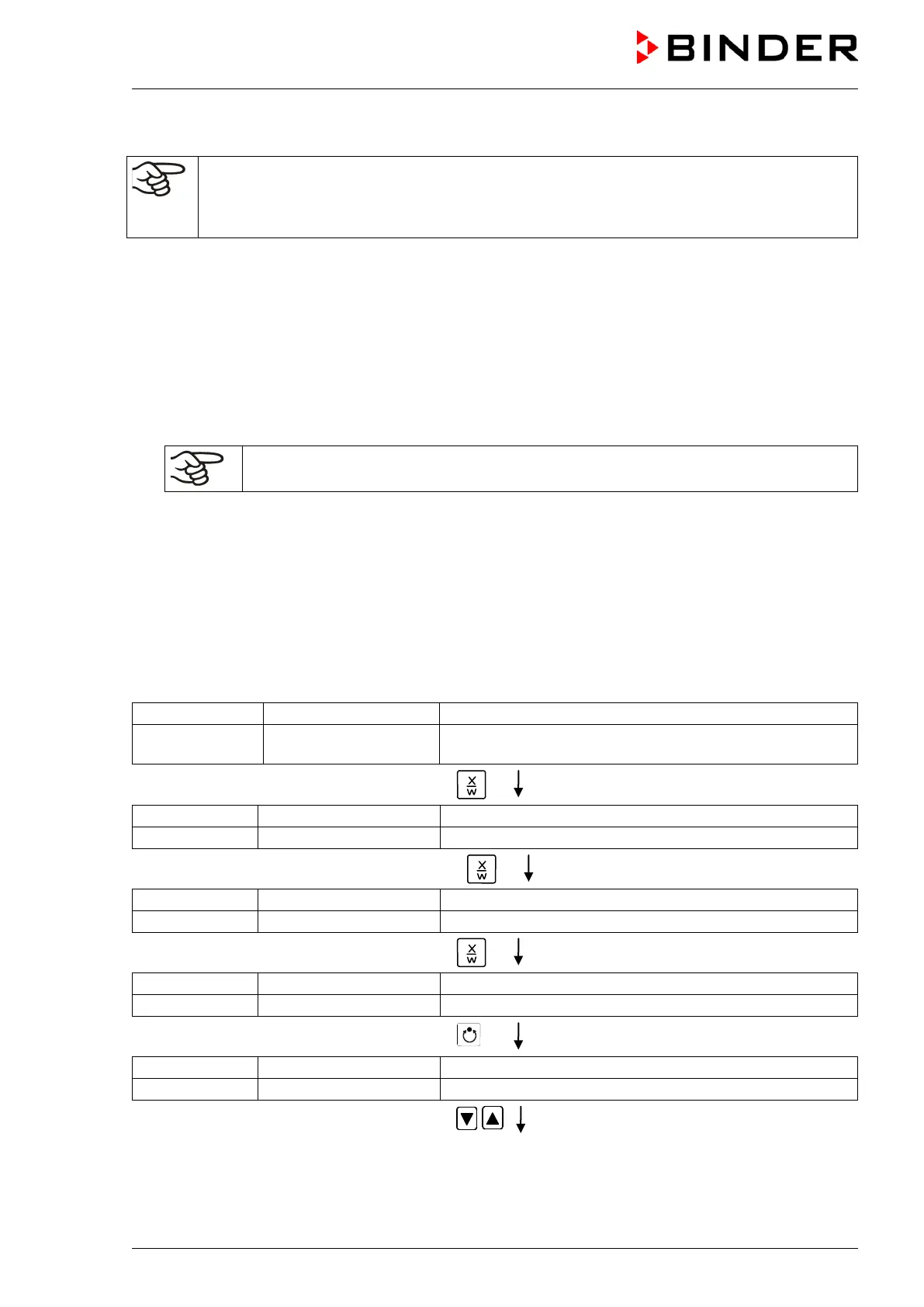
Normal Display
(actual temperature value)
Display 2 shows e.g. 15.05.06 13:52 - -
(actual date and time, actual state of week program timer
channel 1: Off, channel 2: Off)
Hit key
for 5 sec
(you are in the program editor)
it key
for 5 sec
Menu visible only if week program timer is activated
(you are in the week program editor)
Hit key
for 5 sec
(you are in the user level)
Hit program key
(enter user code, display flashes)
Enter the user code with arrow keys
e.g. 0001 (basic setting,
or the valid code in case it has been
previously changed in this menu).
Value is displayed in both displays.
Automatically forward after 2 sec



 To Next Page