BD-S / BD-S-UL, ED-S / ED-S-UL, FD-S / FD-S-UL (E1) 03/2022 page 20/60
• FD-S / FD-S-UL: Do not place the power cable over the door gap when the chamber is hot after opera-
tion.
• Pollution degree (acc. to IEC 61010-1): 2
• Over-voltage category (acc. to IEC 61010-1): II
See also electrical data (chap. 16.4).
To completely separate the chamber from the power supply, you must disconnect the power
plug. Install the chamber in a way that the power plug is easily accessible and can be easily
pulled in case of danger.
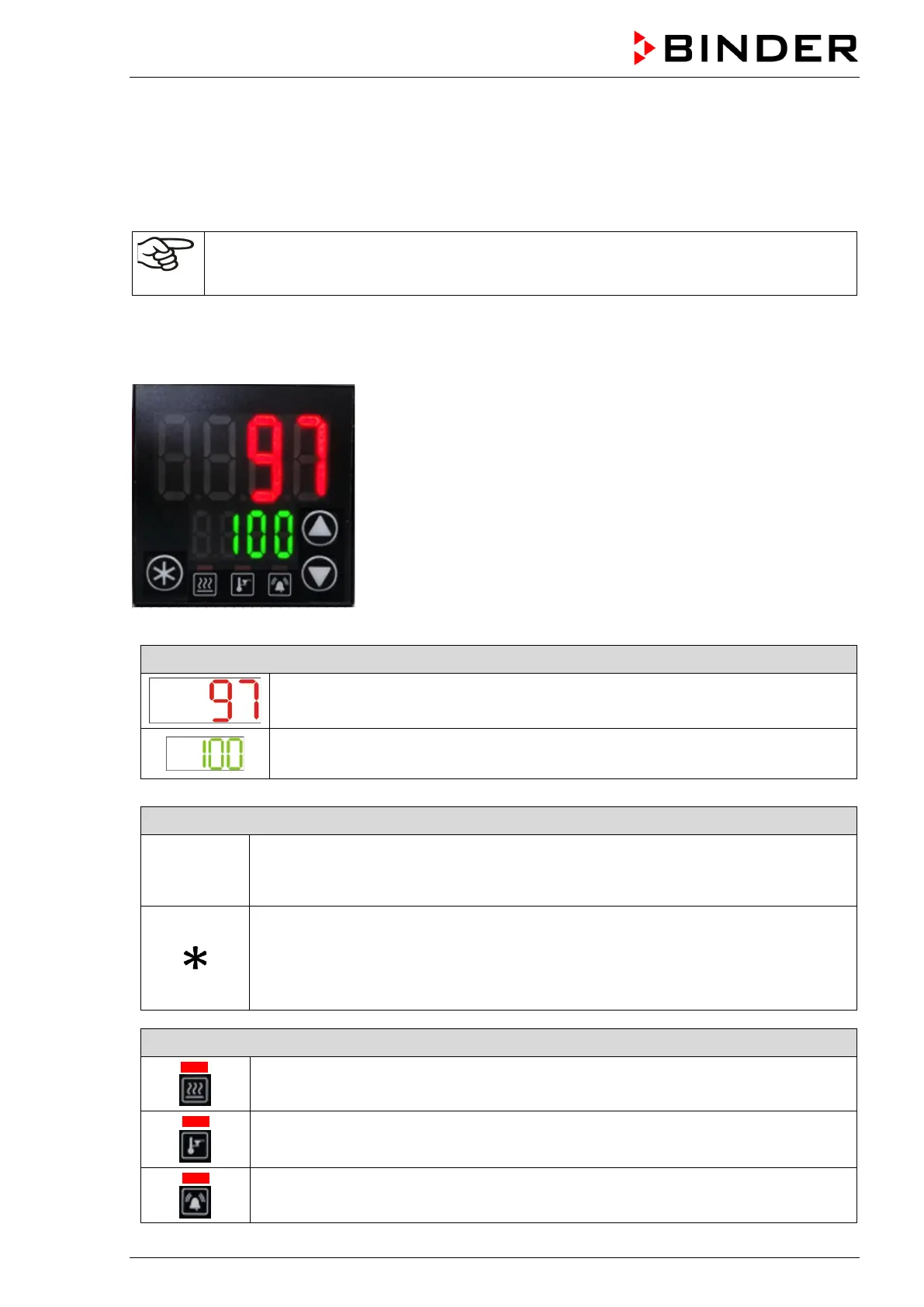
5. R-S controller overview
Figure 7: Normal display (sample values)
Displays of menus or value setting (example)
Upper display (red): Function depending on the menu.
In Normal display: Actual temperature value.
Lower display (green): Function depending on the menu.
In Normal display: Temperature set-point.
Buttons to navigate the menus and enter the values
The arrow buttons serve to navigate and to enter the values
The confirmation button serves to select a menu point and to confirm the entered
value. The confirmation must be made within 60 seconds.
If in Normal display the confirmation button is pressed down for approx. 3 seconds,
the display changes to standby mode (the lower display in Normal display shows
“OFF”).To activate the display, press down the standby button again.
Status-LEDs for information about chamber conditions
Heating active
Safety controller active
Collective alarm


 To Next Page