BD-S / BD-S-UL, ED-S / ED-S-UL, FD-S / FD-S-UL (E1) 03/2022 page 24/60
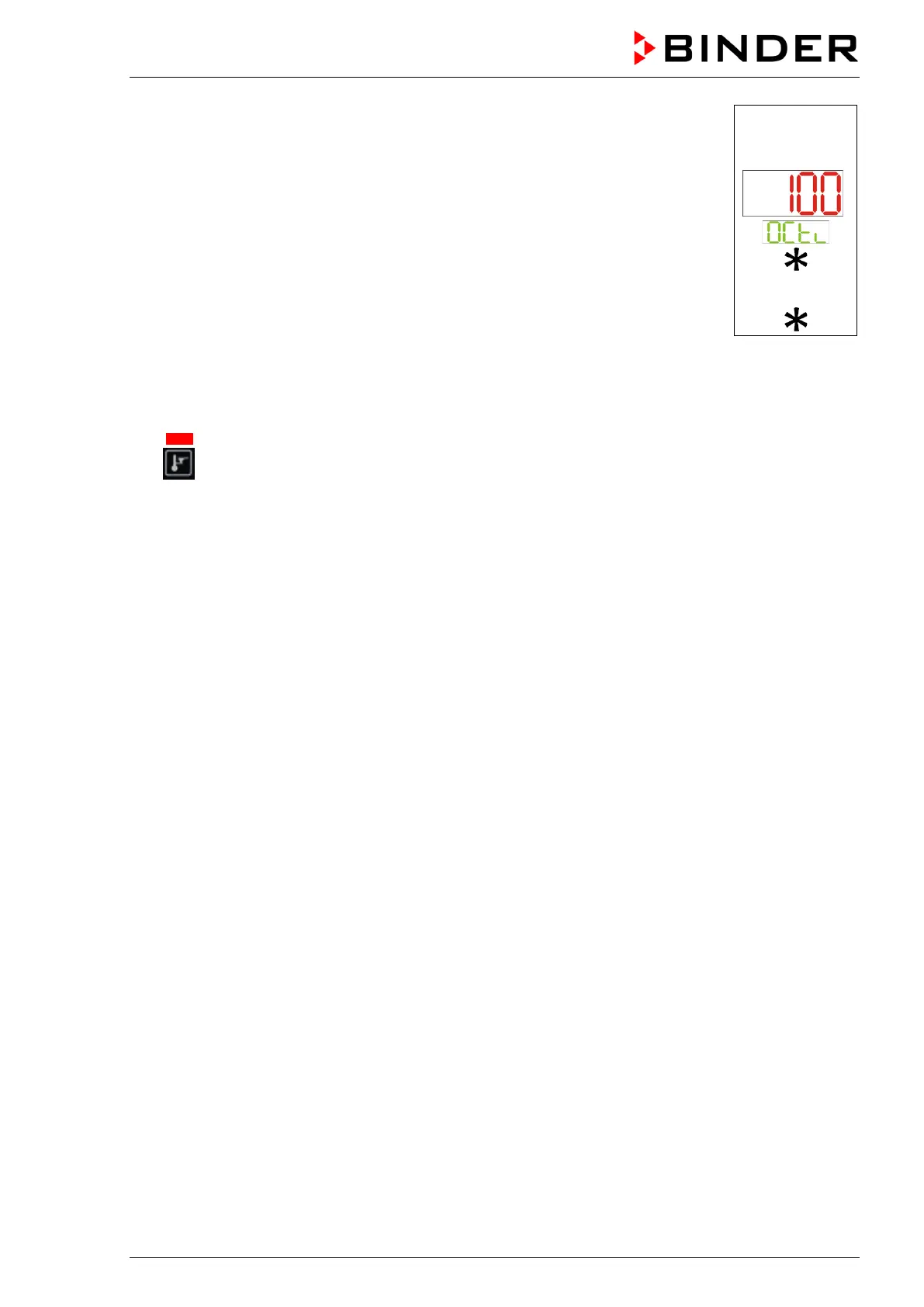
In Normal display press the arrow-up button to access the “OCtl” (safety control-
ler) setting menu.
The current safety controller value is shown (upper display)
Press the confirmation button. The display “OCtl” flashes.
Enter the desired safety controller value with the arrow buttons and confirm with
confirmation button.
The new safety controller value is activated.
Press the arrow-down button to return to Normal display.
Example:
or
9.2.2 Alarm message and proceeding in case of an alarm
The status LED “Heating active” is lit.
• BD-S / BD-S-UL: Safety controller class 3.1
The safety controller keeps control of the chamber until the chamber temperature cools down below the
entered safety controller value. First the heating turns off. As soon as the inner chamber temperature
has cooled down below the safety controller set-point, the heating is released and temperature control
is resumed by the controller.
If the safety controller class 3.1 has repeatedly taken over control, we recommend proceeding as fol-
lows:
• Disconnect the chamber from the power supply.
• Have an expert examine and rectify the cause of the fault.
• Restart the chamber
• ED-S / ED-S-UL, FD-S / FD-S-UL: Safety controller class 2
The heating turns off.
As soon as the inner chamber temperature has cooled down below the safety controller value, you can
reset the alarm message on the controller. Press the confirmation button. The heating is then released
and temperature control is resumed by the controller. The status LED “Heating active” is off.
If the safety controller class 2 has turned off the heating, we recommend proceeding as follows:
• Disconnect the chamber from the power supply.
• Have an expert examine and rectify the cause of the fault.
• Restart the chamber
• Reset the alarm message with the confirmation button


 To Next Page