IV. SETUP AND OPERATING INSTRUCTIONS- cont.
27
2727
27
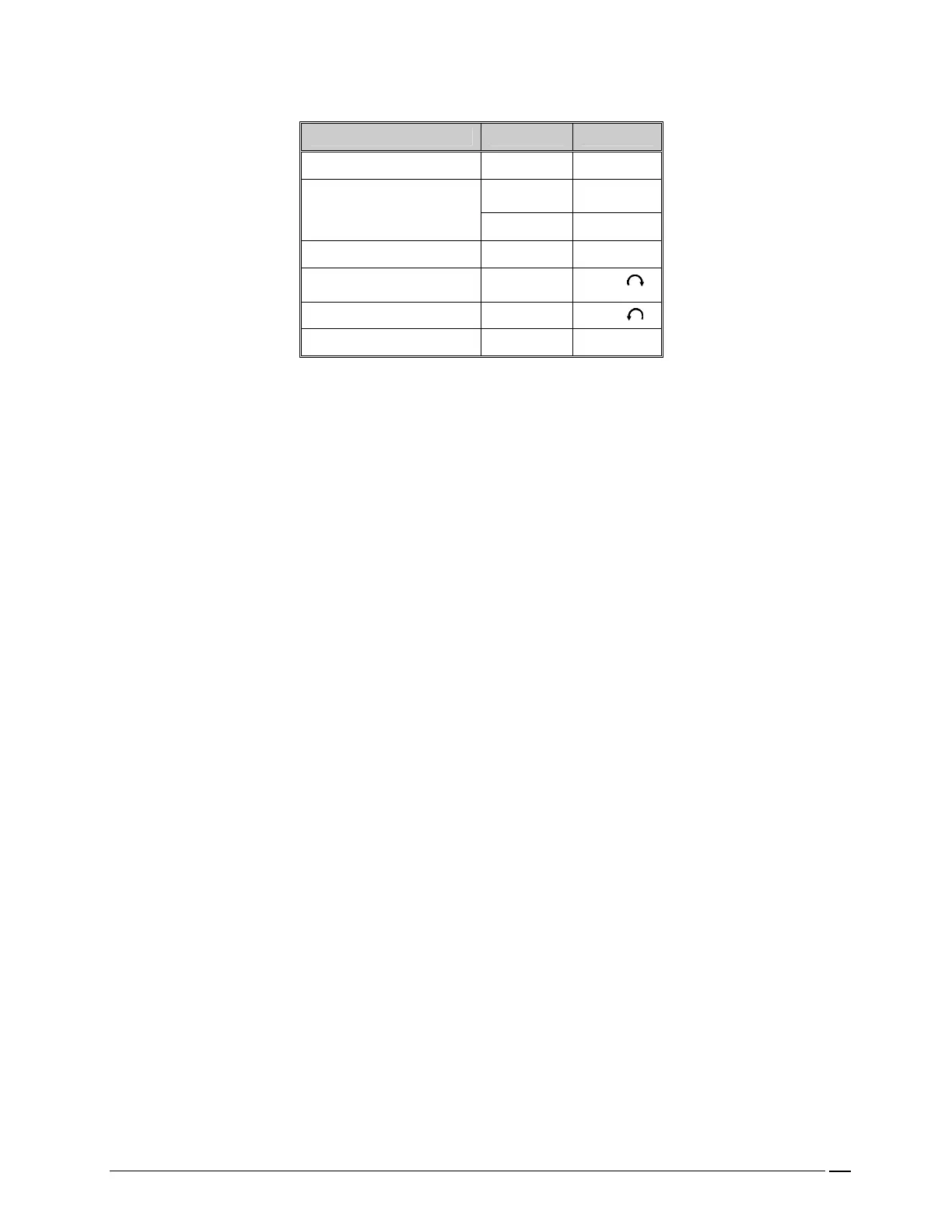
The CROSSVENT-3+ primary function keys and control knobs should be set to the desired initial values,
for example:
CONTROL METHOD SETTING
RATE ARROWS 20 BPM
ARROWS 700 ml TIDAL VOLUME or
INSP, if displayed
ARROWS 1 sec.
FLOW KNOB 30 LPM
MAX PRESSURE (PIP) KNOB High “ ”
PEEP/CPAP KNOB Zero “ ”
PRESSURE TRIGGER ARROWS 1 cmH
2
O
NOTE: Highlighted field indicates that a parameter has been selected and may be adjusted using the arrow
keys.
Set the alarms as desired in the ALARM1 and ALARM2 menus.
Verify proper operation.
Connect the ventilator to the patient.
Adjust PRESSURE TRIGGER and/or other controls for the particular patient. Observe operating
parameters and make fine adjustments.
Press the Alarm1/Alarm2 key until the desired alarm menu is displayed. Select the desired alarm parameter
you want to set, e.g., the HIGH PEAK PRESSURE key. This will change color. Use the arrow keys to
select the desired value. This sequence of keys, i.e., alarm parameter limit and then arrow keys must be used
when entering all limits. Once the limit has been entered into memory, it may be changed at any time by
repeating the sequence.
WARNING: It is imperative to verify that clinically appropriate alarm limits are fully
operational following connection of the ventilator to a patient.
WARNING: It is important to note that once a sensor has been turned off, the
alarms for that sensor are inoperative.
NOTE: If it is desired to deactivate an optional alarm, select it and scroll the lower limit down to OFF. It is
now inoperative. The function may be reactivated at any time by pressing it and scrolling the low limit up. It
will now be reactivated. This allows the ventilator to be used without this particular alarm. When a sensor
alarm is off, that sensor may be disconnected while the ventilator is in use, without causing an alarm.
3
33
3-
--
- SUMMARY OF OPERATING INSTRUCTIONS
SUMMARY OF OPERATING INSTRUCTIONS SUMMARY OF OPERATING INSTRUCTIONS
SUMMARY OF OPERATING INSTRUCTIONS
Turn on.
Select mode.
Set primary functions in MAIN Menu.
Verify proper operation.
Connect to patient.
Make patient appropriate adjustments to settings.
Adjust alarm limits if desired.
IMPORTANT
NOTE
:
Flashing I, E or I/E Ratio display indicates a timing limit violation and can be
permanently silenced only by adjusting the settings to bring them into permissible ranges.


 To Next Page