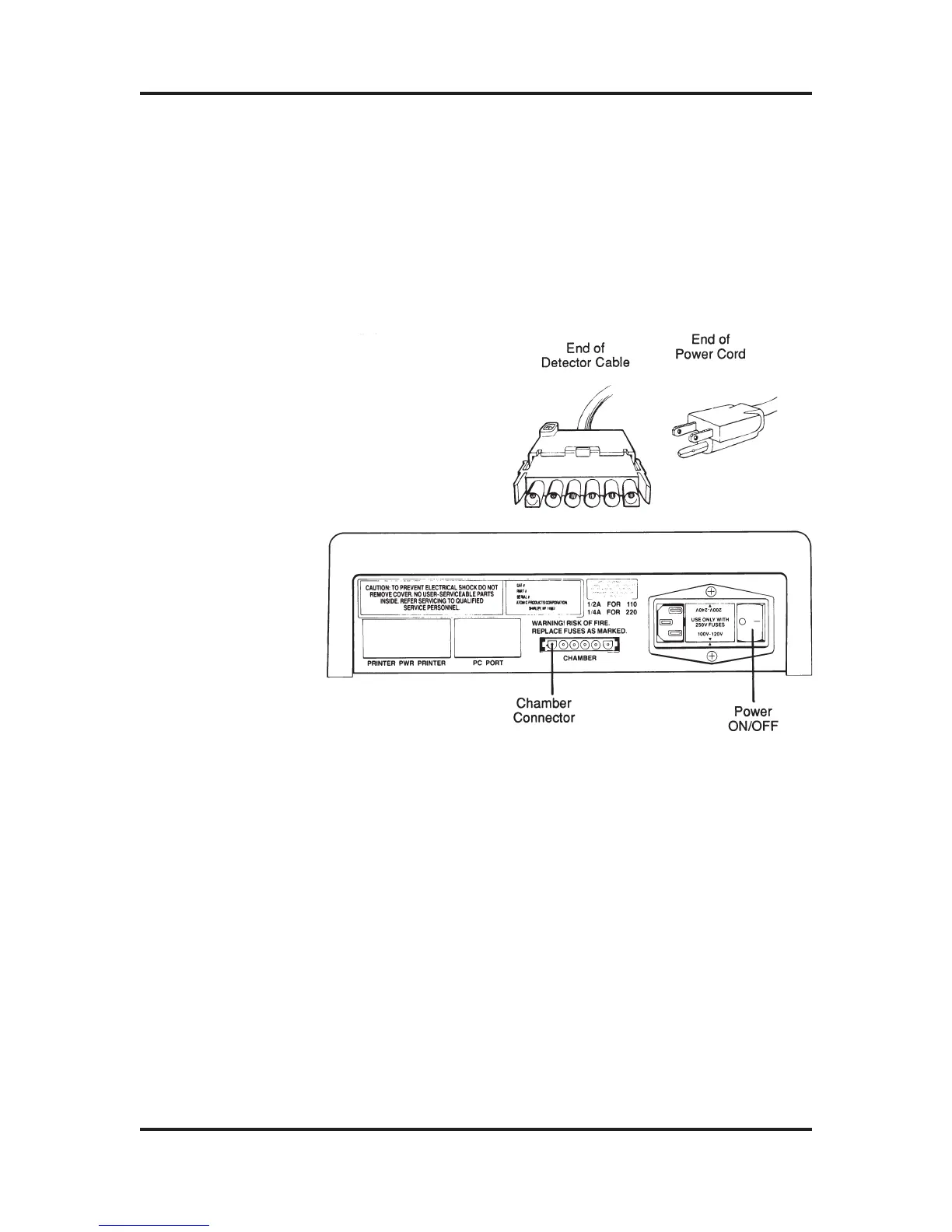
2) Take the connector on the free end of the Detector Cable,
orient it so that it matches the openings on the connector
of the Display Unit, and then insert the connector firmly
until you feel it click. Do not force the connector, it is
self-locking! Gently pull on the connector to make sure it
is firmly secured.
Figure 2-3: The rear panel of the Display Unit with Chamber
Connector, the end of the Detector Cable, and the Display
end of the Power Cord.
1) Rotate the Display Unit so that you are looking at the
rear panel. Directly to the right of the connector labeled
CHAMBER, locate the Fuse Holder. This is labeled USE
ONLY WITH 250V FUSES, with 100-120 read upright,
and 200-240 read upside down.
2) The orientation of the Fuse Holder determines the
power your dose calibrator requires. When the label
100-120 and its corresponding arrow points to the arrow
directly below the Fuse Holder, you can plug your unit
into an 100 VAC power source.
ATOMLAB Dose Calibrator Operation Manual Chapter 2
Biodex Medical Systems 2-5 Release 2.0
Power Cord
Connection



 To Next Page