THE DISPLAY UNIT-FRONT PANEL
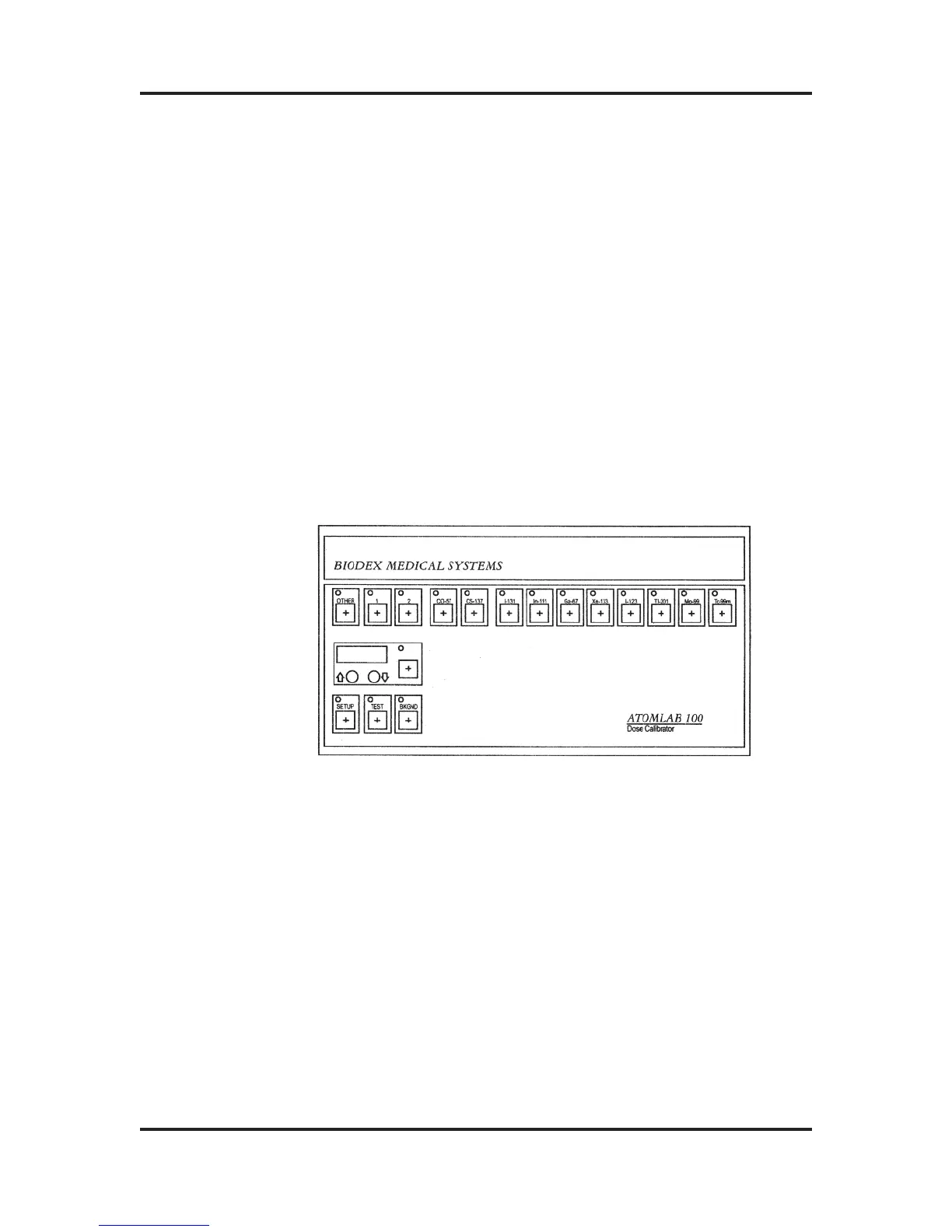
To familiarize yourself with the location of the displays and
various keys on the front panel, refer to Figure 4-1
The four-digit LEDs which make up the Activity Display always
display measured activity, except during the Self-Test.
To the right of the Activity Display are the four display unit indi-
cators: µCi, mCi, MBq, and GBq. If you select Ci as the display
units, the LED behind either µCi or mCi will come ON, depend-
ing on the range automatically selected by the Atomlab Dose
Calibrator; if you select Bq, MBq or GBq will be indicated.
If the Detector Well is empty, the display units
should be in the lower range, either µCi or MBq.
Figure 4-1: The Atomlab 100 Front Panel
These keys allow you to select which radioisotope you will
be measuring. When, for example, you press the key
marked Tc-99m, the dose calibrator will be calibrated to
accurately measure the activity of Tc-99m. The LED on the
key you press will come ON so that you will always know for
which radioisotope the system is currently calibrated.
The standard radioisotope (Isotope Selection) keys for the
Atomlab 100 include: Co-57, Cs-137, I-131, In-111, Ga-67,
Xe-133, I-123, Tl-201, Mo-99 and Tc-99m.The Co-57 and
Cs-137 keys are primarily used for accuracy and Constancy
Tests while the Mo-99 key is used for the Moly
Breakthrough Test.
ATOMLAB Dose Calibrator Operation Manual Chapter 4
Biodex Medical Systems 4-5 Release 2.0
Activity Display
Isotope Selection
Keys
Standard
Isotopes



 To Next Page