E30 Digital Electrocardiograph User’s Manual
1-5
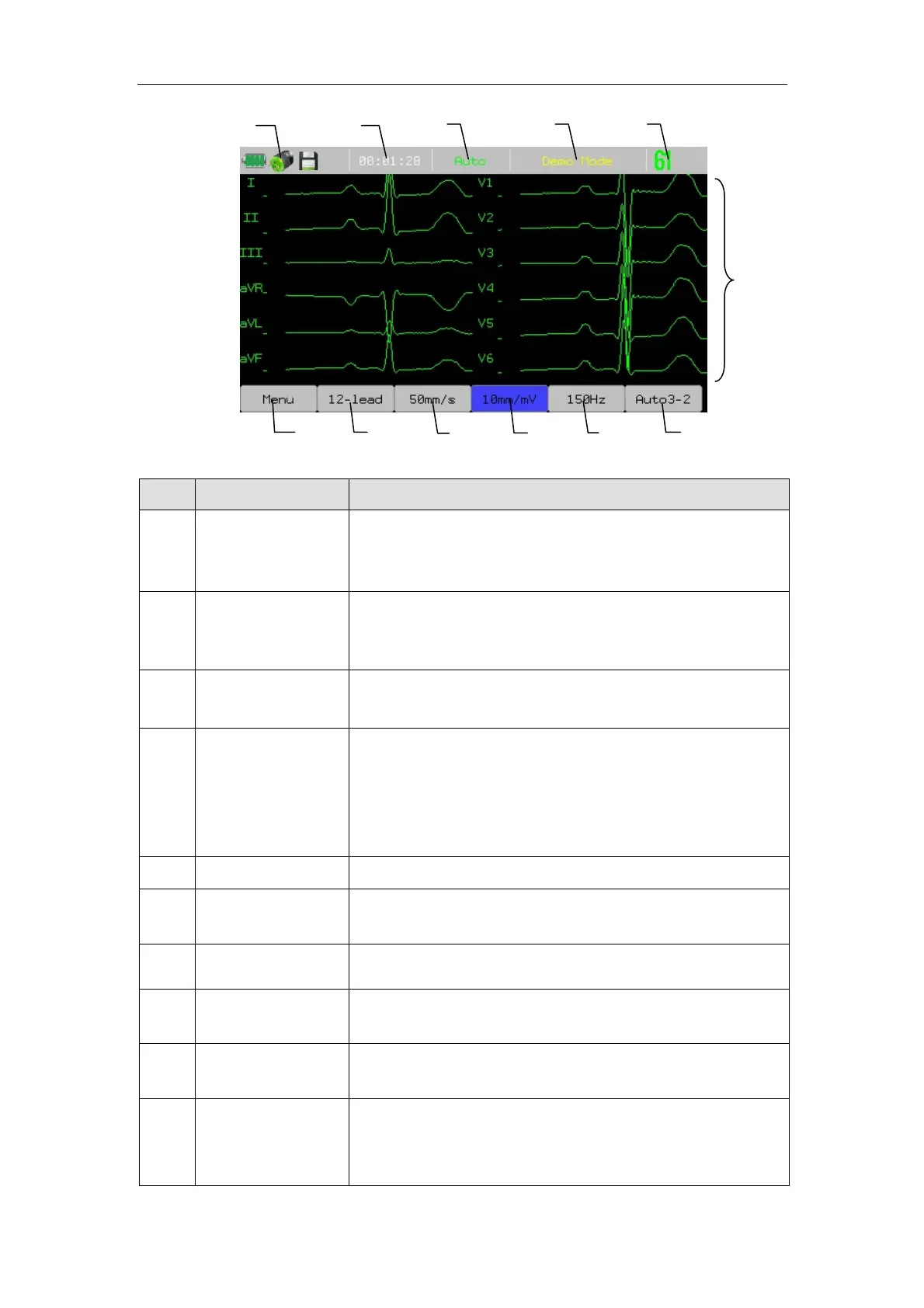
No. Display Note
1 System info area
Including: saving medium prompt, battery capability
indicator, AC power on/off prompt and network
access prompt.
2 Current time
The current time of the system is displayed. In the
system setup, the current time and display format
may be set.
3 Working mode
The current working mode is displayed, i.e. Auto,
Manual, Rhythm.
4
Prompt info area
/Demo mode
Under the normal working mode, systemic info
is displayed, i.e. no paper, lead off, print head
overheating etc.
Under the Demonstration mode, “Demo” will be
shown here.
5 ECG info Heart beat and heart rate values are displayed.
6
Waveform
display area
ECG waveform is displayed.
7 Auto3-2 Press to select the format of record report.
8 150Hz
Press to adjust the bandwidth of filter. 150Hz,
100Hz, 75Hz, 45Hz, 35Hz or 25Hz is optional.
9 10mm/mV
Press to adjust the waveform gain. 2.5mm/mV,
5mm/mV, 10mm/mV, 20mm/mV is optional.
10 50mm/s
Press to adjust the waveform scanning speed and the
paper moving speed of recorder. 50mm/s, 25mm/s,
12.5mm/s, 10mm/s, 6.25mm/s or 5mm/s is optional.
12
11
10
9
8
7
6
1 2
3 4 5



 To Next Page