E30 Digital Electrocardiograph User’s Manual
4-3
4.4 File Management
4.4.1 File Management Interface
Electrocardiograph can store and manage more than 300 shares of patient
data. It can review, edit, record, delete or transmit patient data in file
management window. Data stored including the ECG waveform, analyze
conclusion and ECG report with patient info.
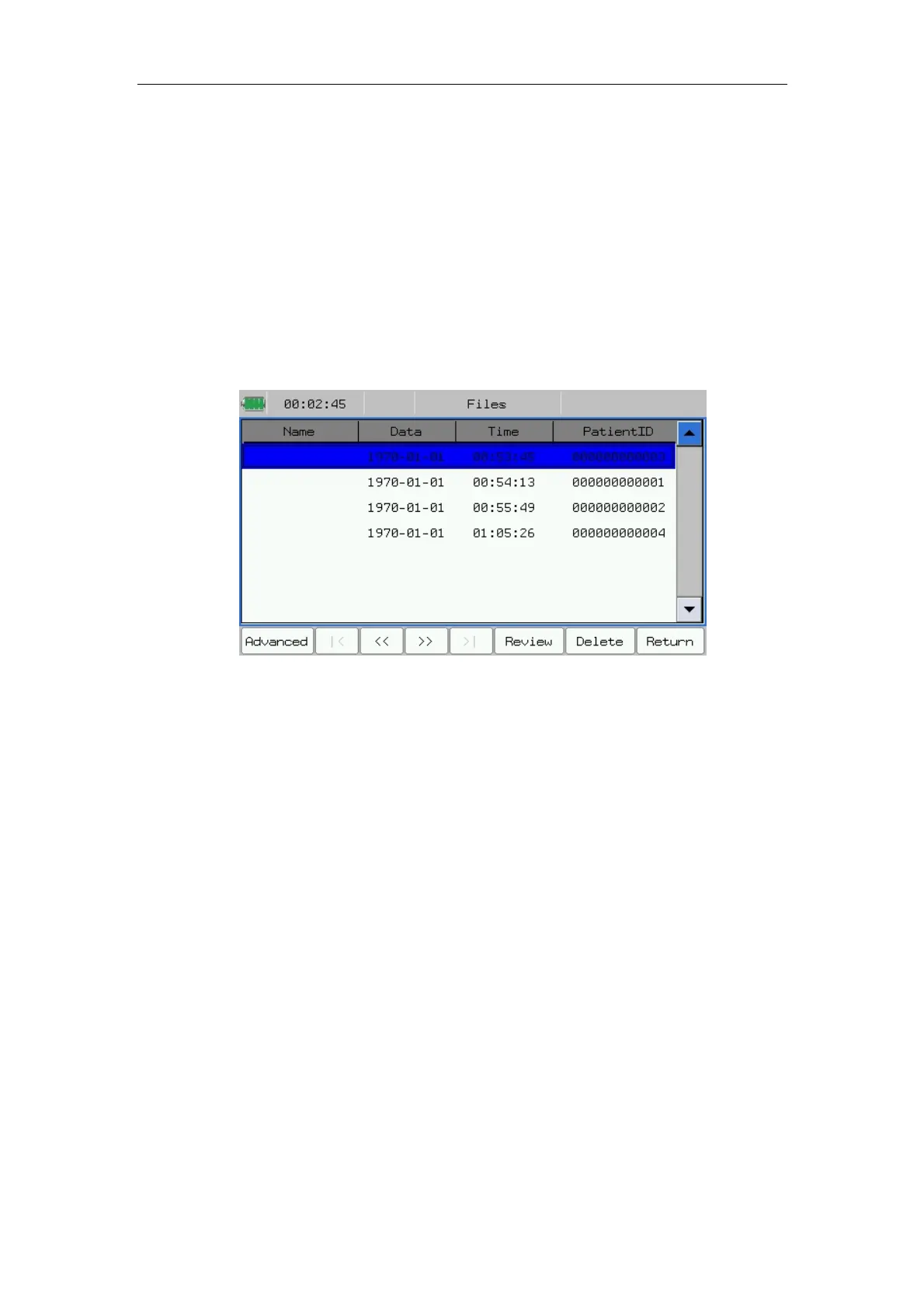
Press 【Files】 in main menu to enter file management interface. Shown as
follows:
Fig.4-3: File management interface
In the interface, you may conduct the following operations:
——Select【Advanced】: Prompt the following sections, Turn up one page of
contents displayed by interface. Includes: Query, List All, Delete All, File
Transmit. (Select the 【File Transmit】 to transfer the selected patient data to
the save medium such as SD card, U disk or Flash.)
——Select【|<】:Turn up one page of contents displayed by interface.
——Select【>|】:Turn down one page of contents displayed by interface.
——Select【<<】:Move the cursor to select the previous case.
——Select【>>】: Move the cursor to select the next case.
——Select【Review】:Enter the review interface.
——Select【Delete】:Can delete the selected content. After you choosing a
patient data, press this key, the system can spring a dialog box, and then you
can choose 【OK】 to delete the data.
——Select【Return】:Back to the main menu.



 To Next Page