E30 Digital Electrocardiograph User’s Manual
3-6
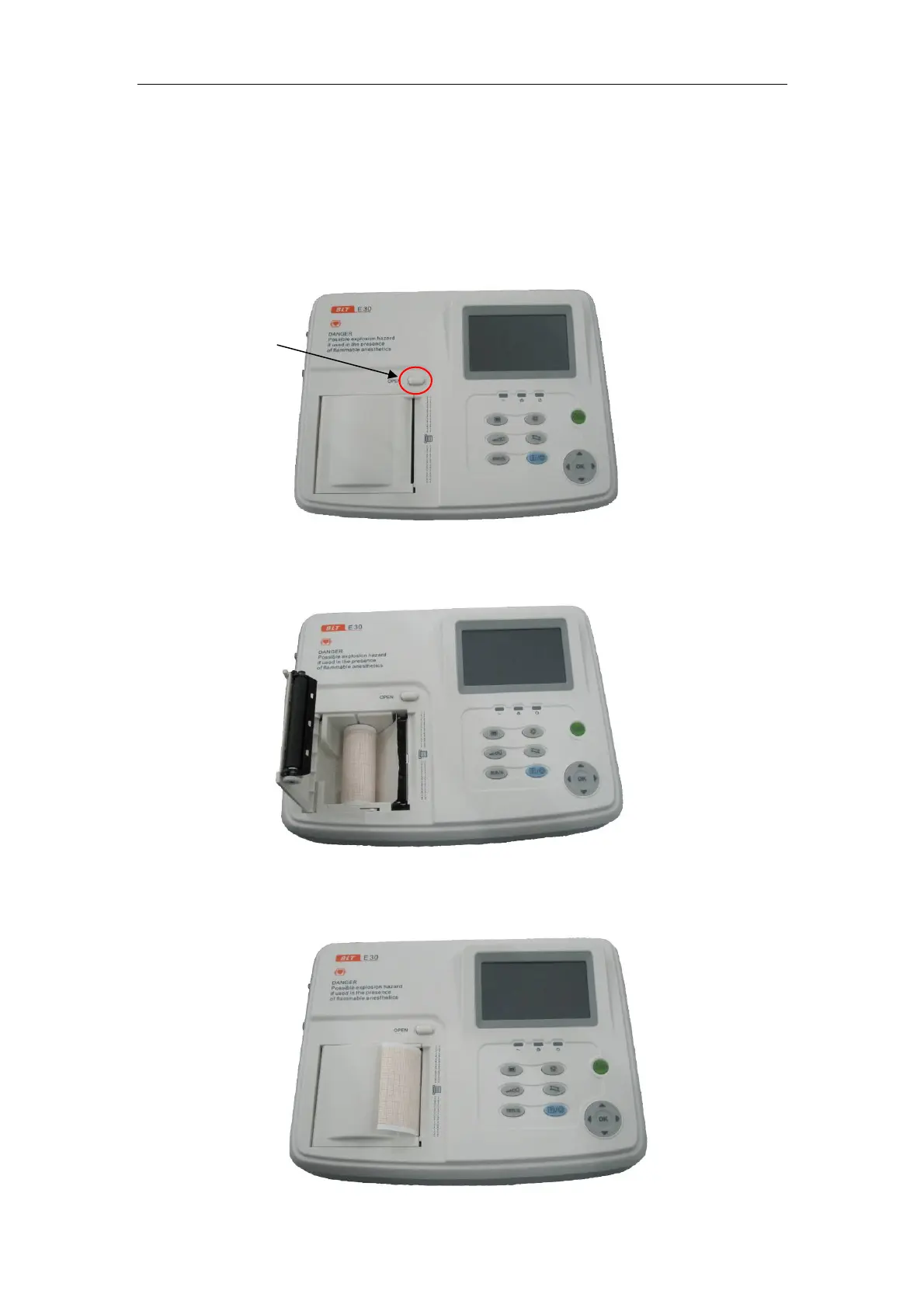
3.5 Install the chart paper
When the chart paper is not installed or is used up, “no paper” will be
shown on the screen of Electrocardiograph to remind the users of installing or
replacing the chart paper. Refer to the following steps during installation.
1) Press down the paper pin open button to open the paper pin:
2) Remove the packaging of new chart paper, and then place the chart paper
into recorder box.
3) Pull out about 2cm chart paper from the paper outlet of recorder, keep the
thermosensitive side (printed with grids) downward.
Press this key



 To Next Page