E30 Digital Electrocardiograph User’s Manual
4-2
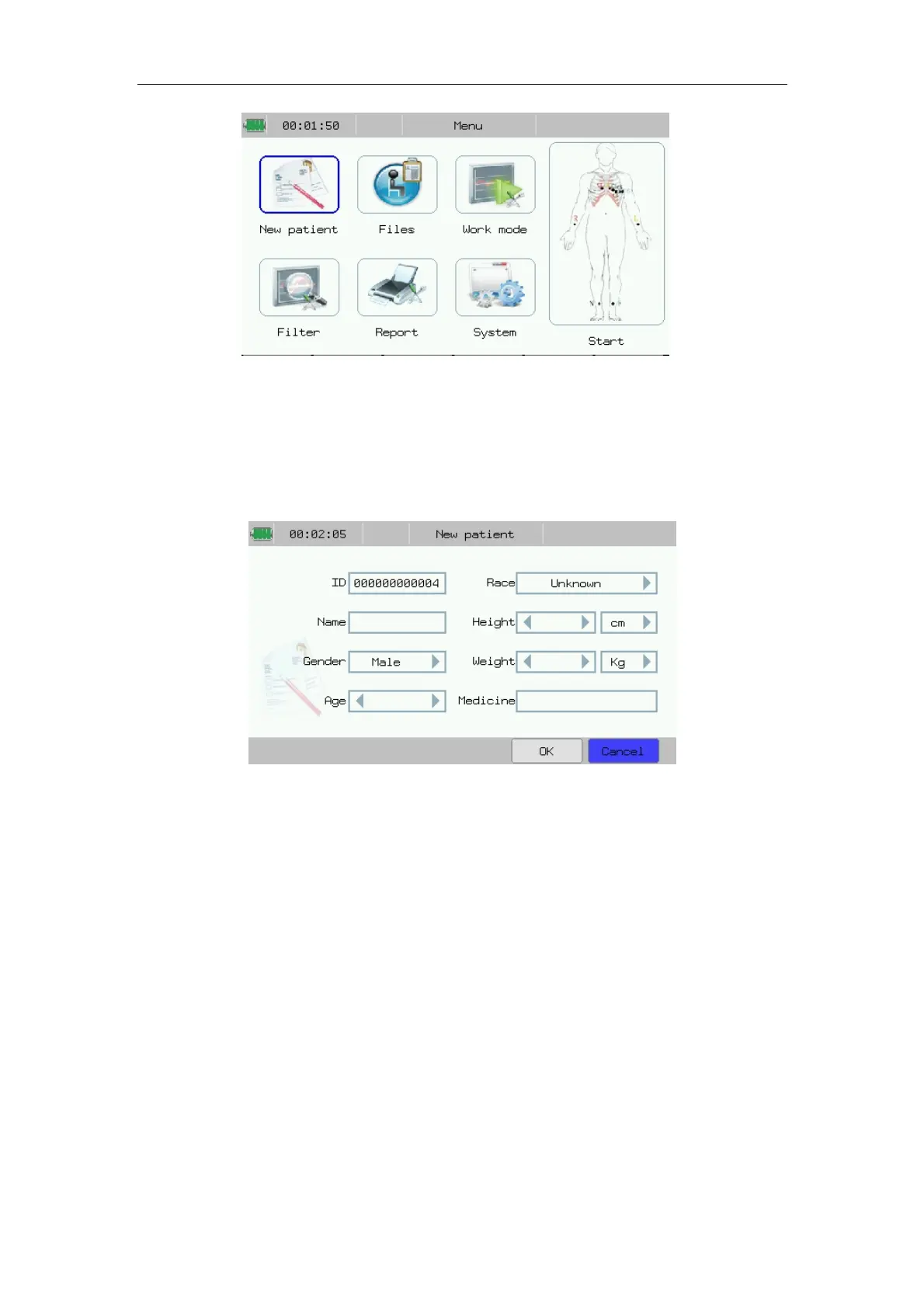
Fig.4-1: Main Menu
4.3 Patient Info Setup
Press 【New patient】 in main menu to enter patient info setup interface.
Shown as following chart:
Fig.4-2: Patient info setting
In the interface, you may conduct the following operations:
——【ID】: Input patient ID.
——【Race】: Select patient race.
——【Name】: Input patient name.
——【Gender】: Select patient gender.
——【Age】: Input patient age. (Range: 0-200)
——【Height】: Input patient heights. Unit: “cm” or “inch”
——【Weight】: Input patient weight. Unit: “Kg” or “pound”
——【Medicine】: Input medicine patient taken.
After setting patient info, select 【OK】.
Patient ID has a default value which indicates after the current case, the
patient ID will plus one automatically.



 To Next Page