User’s Guide
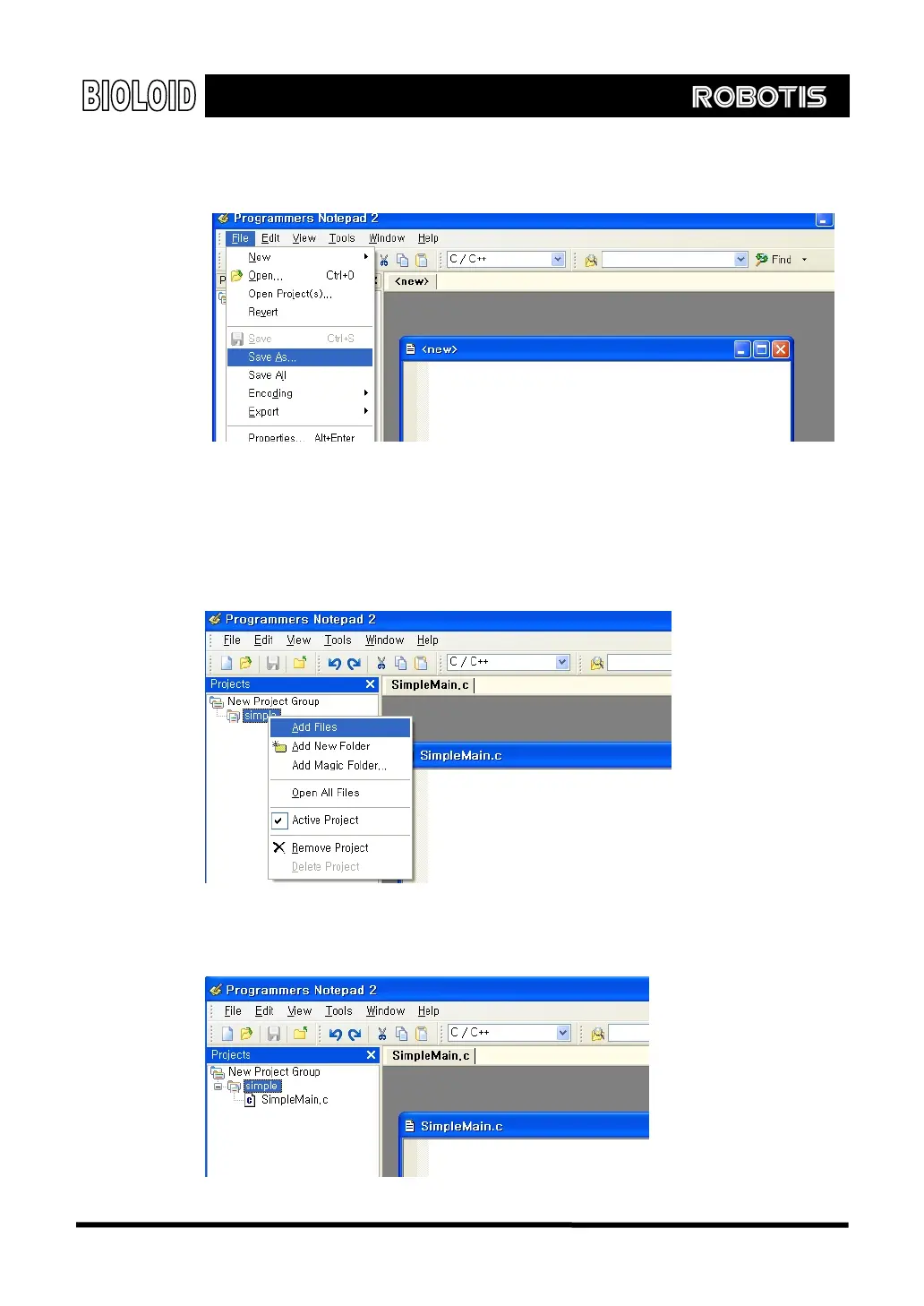
C Source File Next, we open the C source code file which is a lower-level file. Select “C/C++”
from the “New” menu item under the “File” menu.
To assign a name, select “Save As…” from the “File” menu and give it any
name as you wish. Here, the C source file is named “SimpleMain.c.”
Next, the source file named “SimpleMain.c” needs to be added to the project
file named “simple. On the left side of the project window, right click on
“simple” then click “Add Files” to select “SimpleMain.c”
Now, a project named “simple” is created which includes a source file called
“SimpleMain.c.”
122



 To Next Page