User’s Guide
Is the COM port on your PC set up properly?
This is how to set up the COM port on your PC.
With the serial cable disconnected, click on the COM port set up button, which is
on the bottom left corner of the program download screen.
Select the correct COM port that the cable is connected, such as COM1 and COM2.
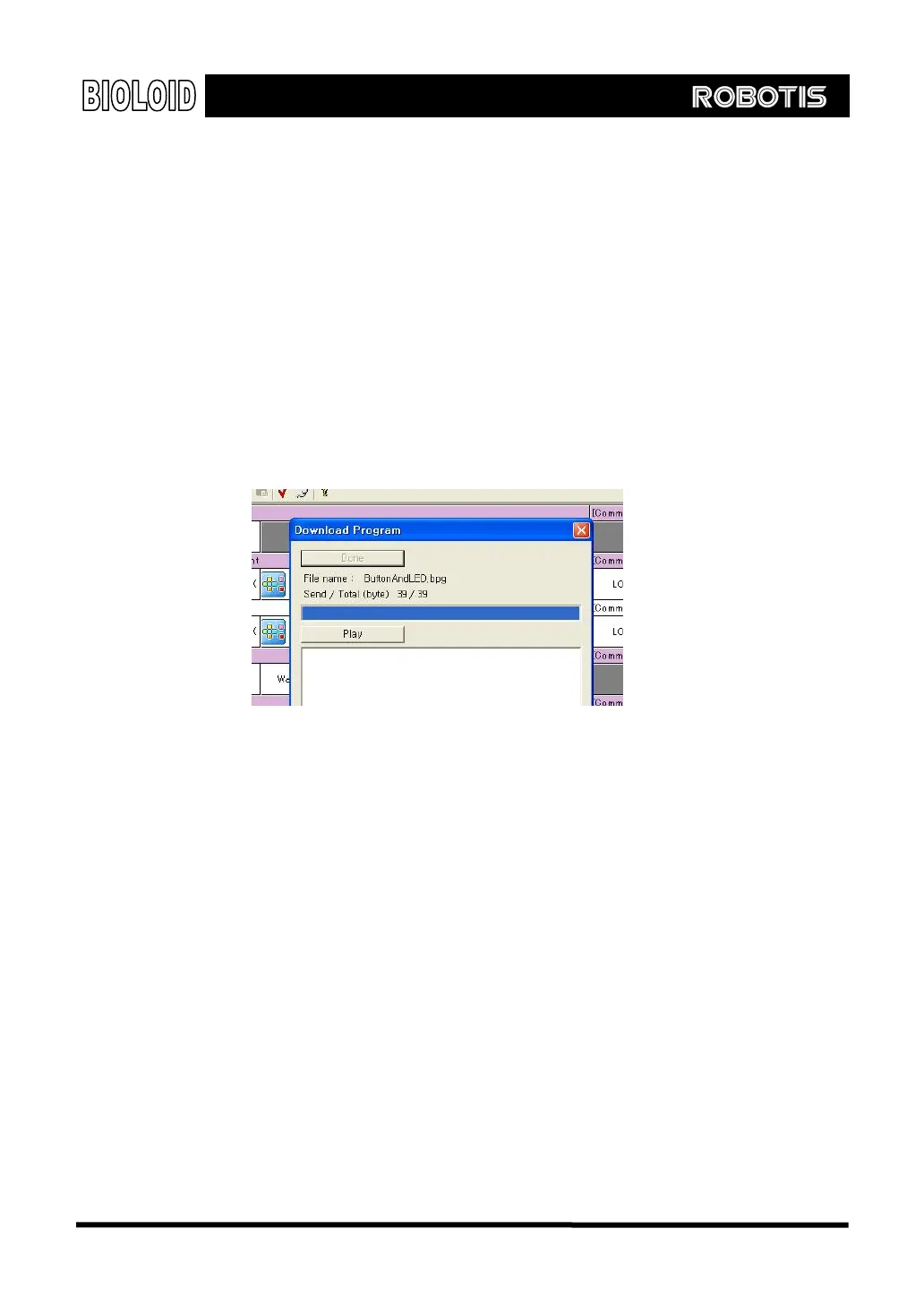
Finish If the download is finished successfully, the following screen will appear and the
robot will be in standby mode. If you press the play button, the behavior control
program that was just downloaded will execute.
How did the program run?
It may seem like the program didn’t run at all and the robot is still in standby
mode. But actually, the robot did indeed enter the play mode for a very short
period of time and then exit back to the standby mode.
Program Editing
If you think about it carefully, you should realize that this is exactly what was
supposed to happen. After the “START” command, two “IF” statements were
executed and then the program was terminated.
Jump For the program to work properly, the two “IF” statements need to be repeated
continuously. For the second statement (the first “IF” statement), type in an
appropriate name in its label. Then, insert a line between the third statement (the
second “ IF ” statement) and the fourth statement ( “ END ” ) and create a
“JUMP” command. In the parameter after the “JUMP” command, type in the
name of the item of the line you want the program to jump to.
25



 To Next Page