User’s Guide
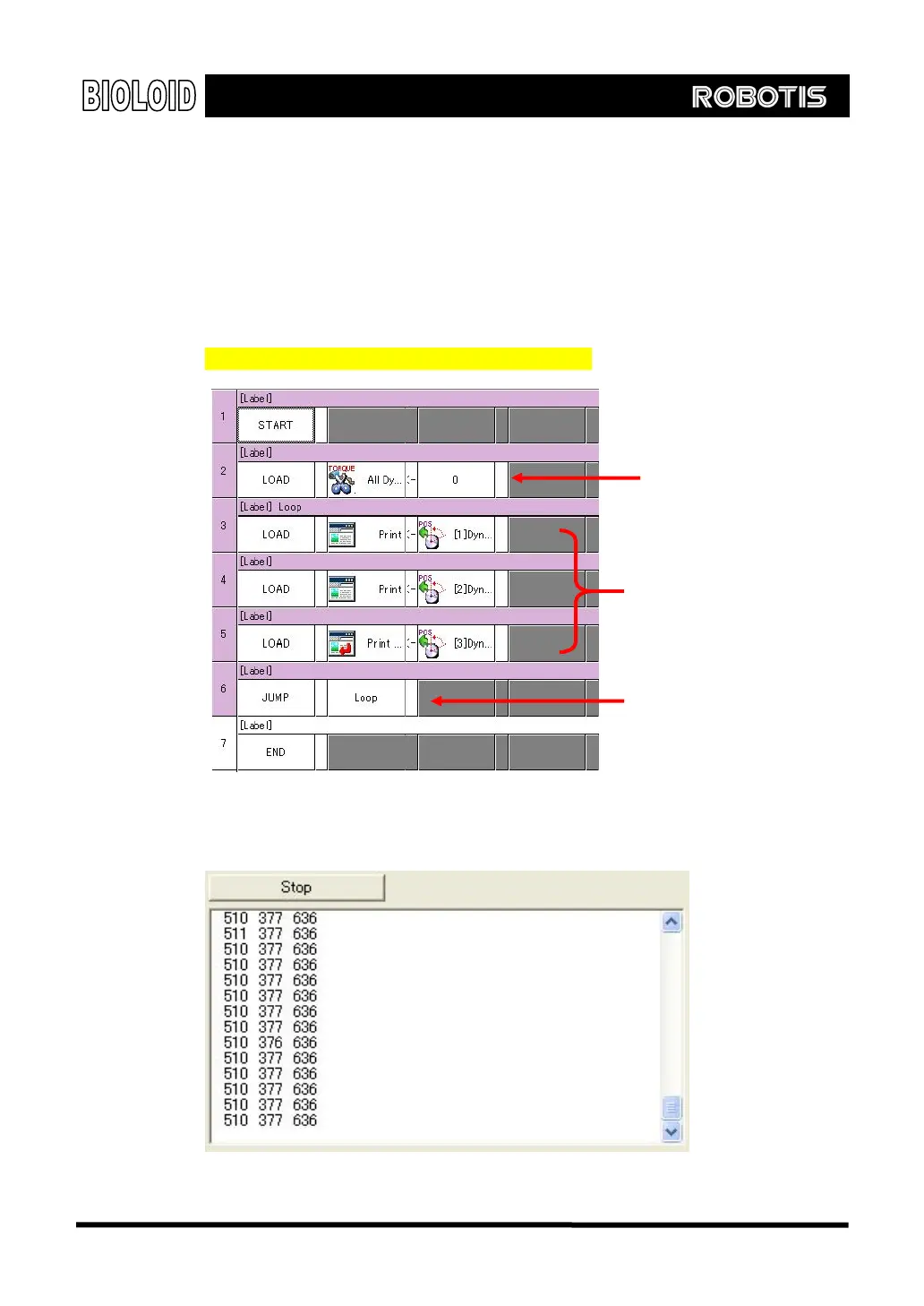
Now, let’s make a program that prints the value of joint of robot arm on screen.
Follow the following steps.
Set the torque limit to 0.
Display the present position of a joint on screen continually.
The following figure shows how this is done. Refer to the
“Examples\Example(Joint position(Robot Arm).bpg)
Download the program and run it. Moving the robot arm will output the value for
the joint position. With this program, you can select the appropriate values for
moving the arm up and down.
All value of joint’s
torque set at 0.
Load the value of joints to
print screen item.
Continue print out the
changed value on screen
41



 To Next Page