User’s Guide
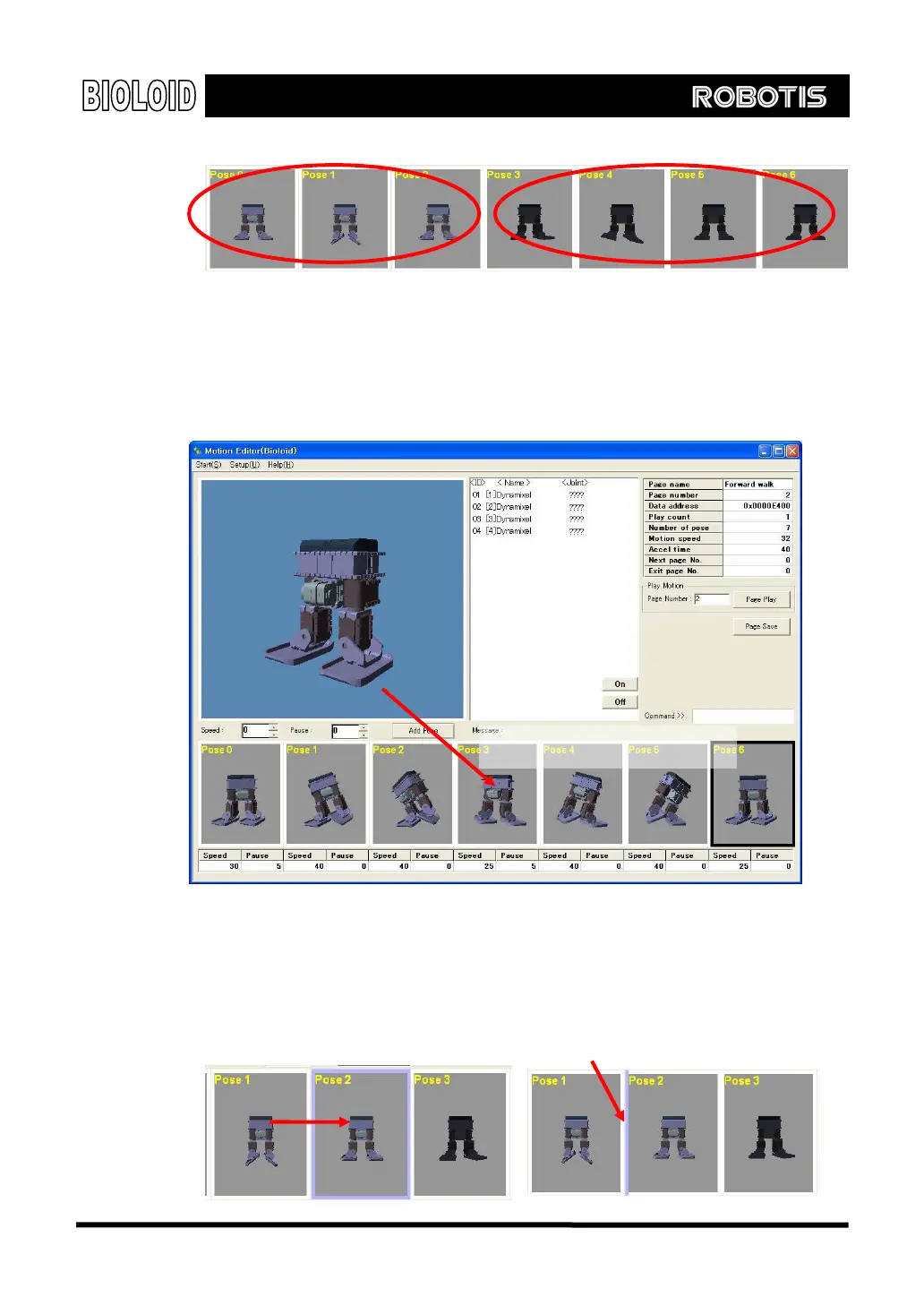
Valid poses Invalid poses
Pose Save
Addition of pose always goes in the end of pose save window. If you want to put
the pose in particular place, however, you can drag and drop as shown below.
Take note however that the previous pose will be overwritten.
Drag & Drop
Pose Move and Insertion
As you can see from the pictures shown below, you can move the pose by
dragging to applicable place. Also, if you want to insert the pose, just move it
between appropriate poses.
This function is also possible when you want to move pose from the pose window.
80
Pose insert
Pose move



 To Next Page