Biomagnetic Separation - Magnetic Bead Assays| 61
The "In use" checkbox/option lets you specify and retain
a height setting. Set the value once and then use the control to switch it on and off: fill
the checkbox (keypad users: say Yes) when using a magnet, empty the checkbox
(keypad: No) to disable the offset.
LHC Touch screen
1. Tools> Instrument Utilities> General
2. Fill the In use checkbox and set the
Magnet Adapter height to the correct
offset.
3. Click the Send link.
1. Instrument >Options
2. Fill the Magnet in use checkbox
and enter the Height offset value.
Remove the checkmark to turn off
the offset.
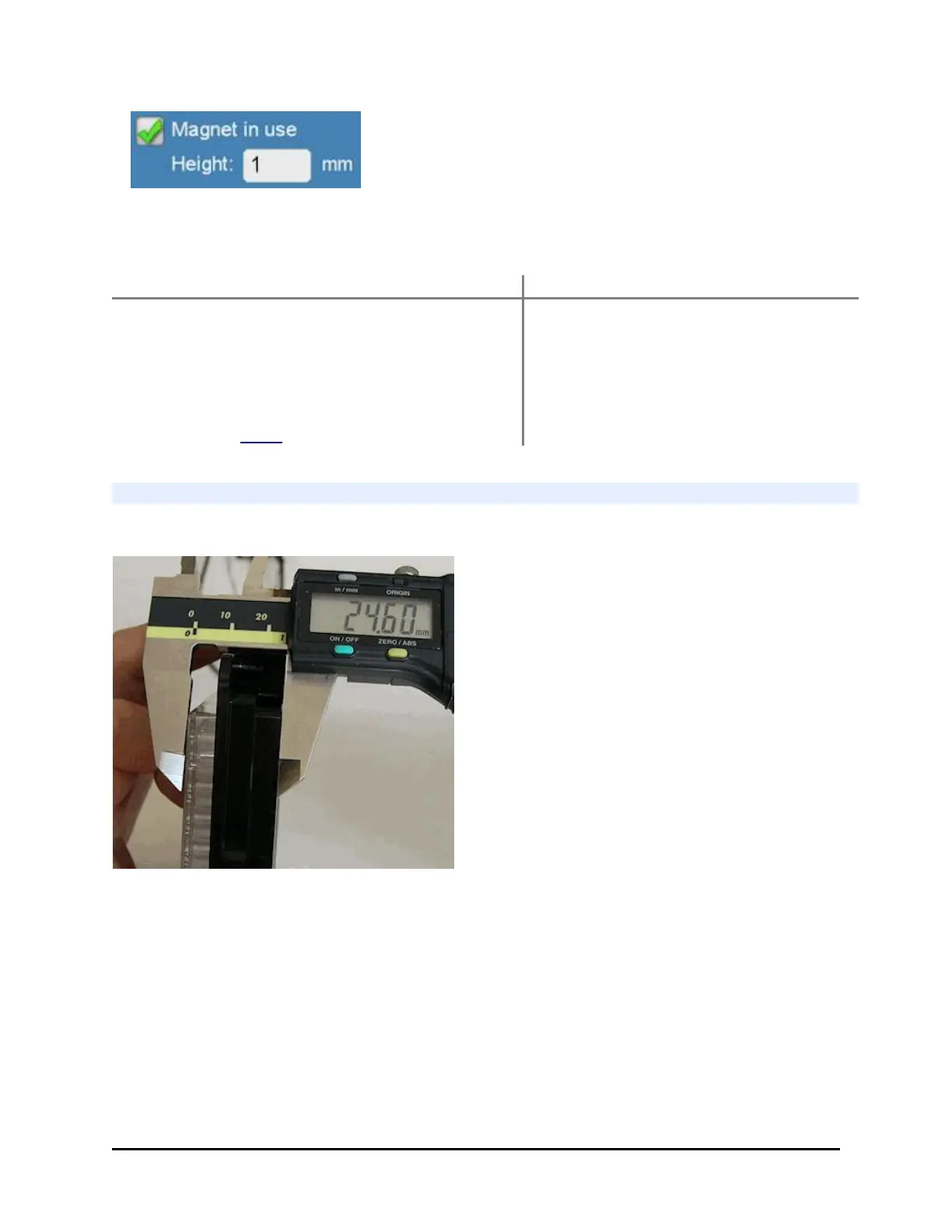
Determine Magnet Height Offset
Use a caliper for the best results or another measuring device.
1. Measure the combined height of the
plate, magnet, and carrier in
millimeters.
2. Measure the plate and the carrier.
3. Calculate the offset: (plate + magnet +
carrier) - (plate + carrier) = Magnet
Height Offset
1. Remove the carrier from the washer.
2. Put a magnet in the carrier and the type of plate you will be using on top of it.
3. Measure the distance from the bottom of the carrier to the top of the plate in
millimeters (mm).
4. Remove the magnet, and measure the plate and carrier combined.
5. Subtract the plate and carrier measurement from the measurement value of the
total combined elements. This is the offset value to use.
BioTek Instruments, Inc.



 To Next Page