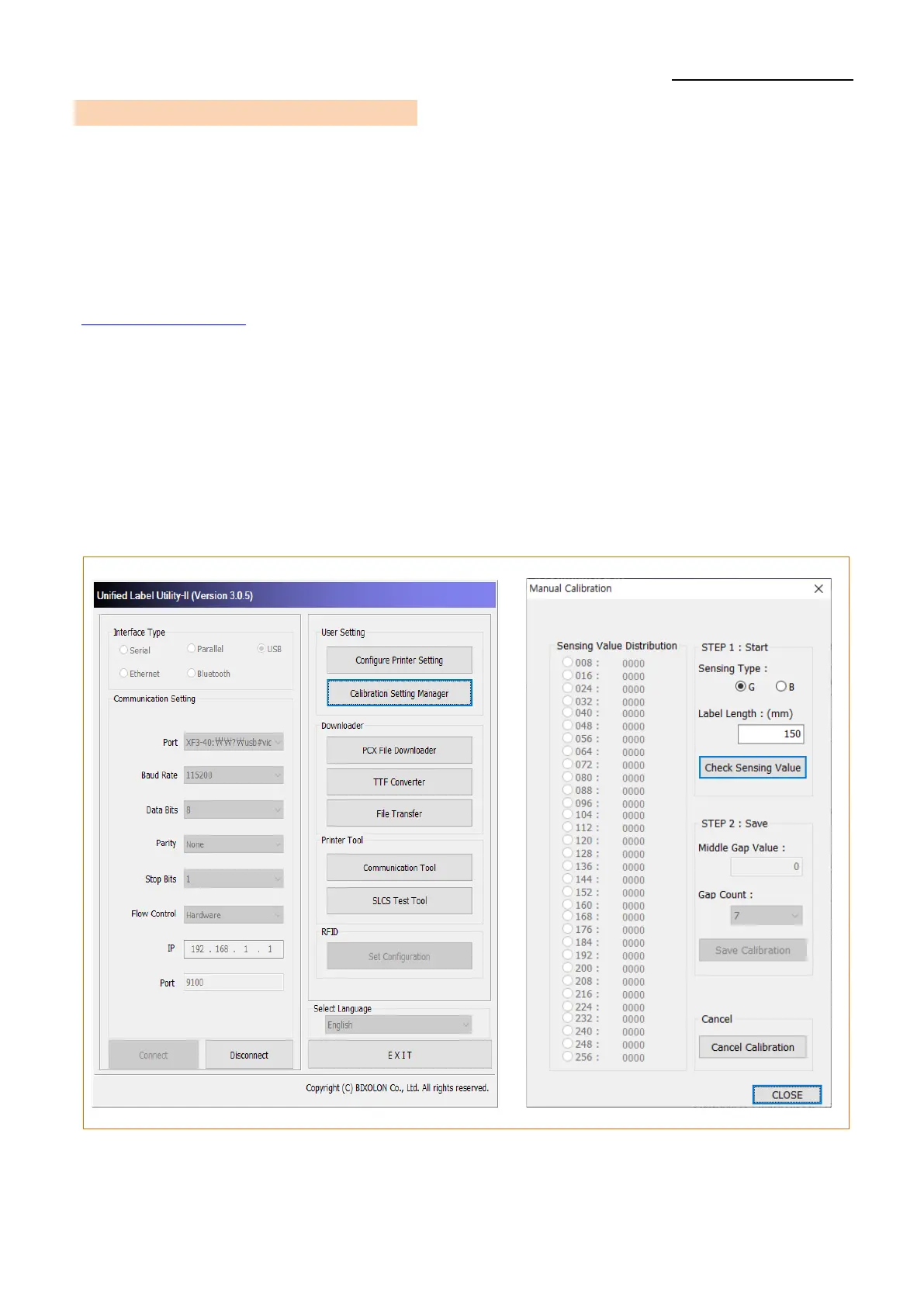
5-6 Media Sensor Manual-Calibration
• Manual-calibration of media detection can be used when the printer cannot detect a
media gap (or black mark) even after auto-calibration has been executed.
Users can calibrate sensor parameters in detail by using the Unified Label Utility-II
program provided by the manufacturer.
The Unified Label Utility-II can be downloaded from the BIXOLON website.
(www.bixolon.com/)
Users can calibrate printer to detect gap (or black mark) manually by using the Unified
Label Utility-II.
For More information, please refer Unified Label Utility-II manual.
Please make sure the printer is connected and execute the Unified Label Utility-II
program. Please the “Calibration Setting Manager” Button after setting the interface
type.












 To Next Page