EasyManua.ls Logo

BIXOLON XD5-40DK - Printer Controls and Menus

BIXOLON XD5-40DK
66 pages
Print Icon
To Next Page IconTo Next Page
To Previous Page IconTo Previous Page
Loading...
Ver. 1.02
- 21 -
XD5-40d Series
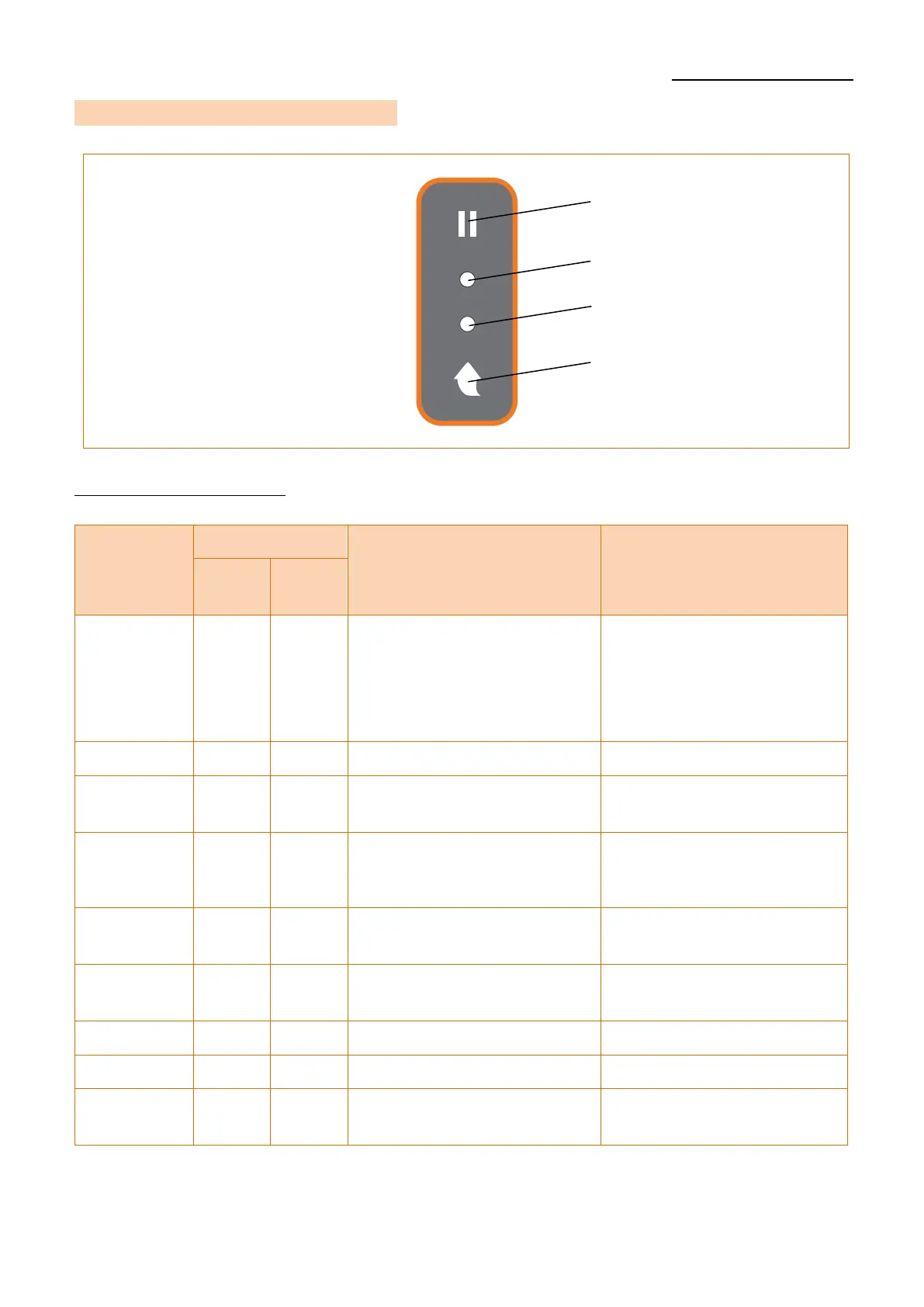
3-5 Button & LED (Standard Model)
3-5-1 Button Operations
Printer state
before
operation
Button
Operation procedure
Printer operation mode
Feed/
Cancel
Pause
Power OFF
Press
-
Apply power while
pressing the button
(Hold the button until the
printer starts self-test
printing)
Self-test Printing
Print Ready
Press
-
Press the button
Feed
Print Ready
Press
-
Press the button for three
seconds
Execute SWC
(Refer 5-9)
Print Ready
-
Press
Press the button for two
seconds
Stand-alone
Configuration Mode
(Refer 5-1)
During
Printing
-
Press
Press the button for two
Seconds
Pause mode
During
Printing
Press
-
Press the button for two
Seconds
Cancel mode
Pause mode
-
Press
Press the button
Print Resume
Pause mode
Press
-
Press the button
Print Cancel
Cancel
mode
Press
-
Press the button
Print Cancel
LED 1
Feed/Cancel Button
LED 2
Pause Button

Table of Contents