3-2 Power Connection
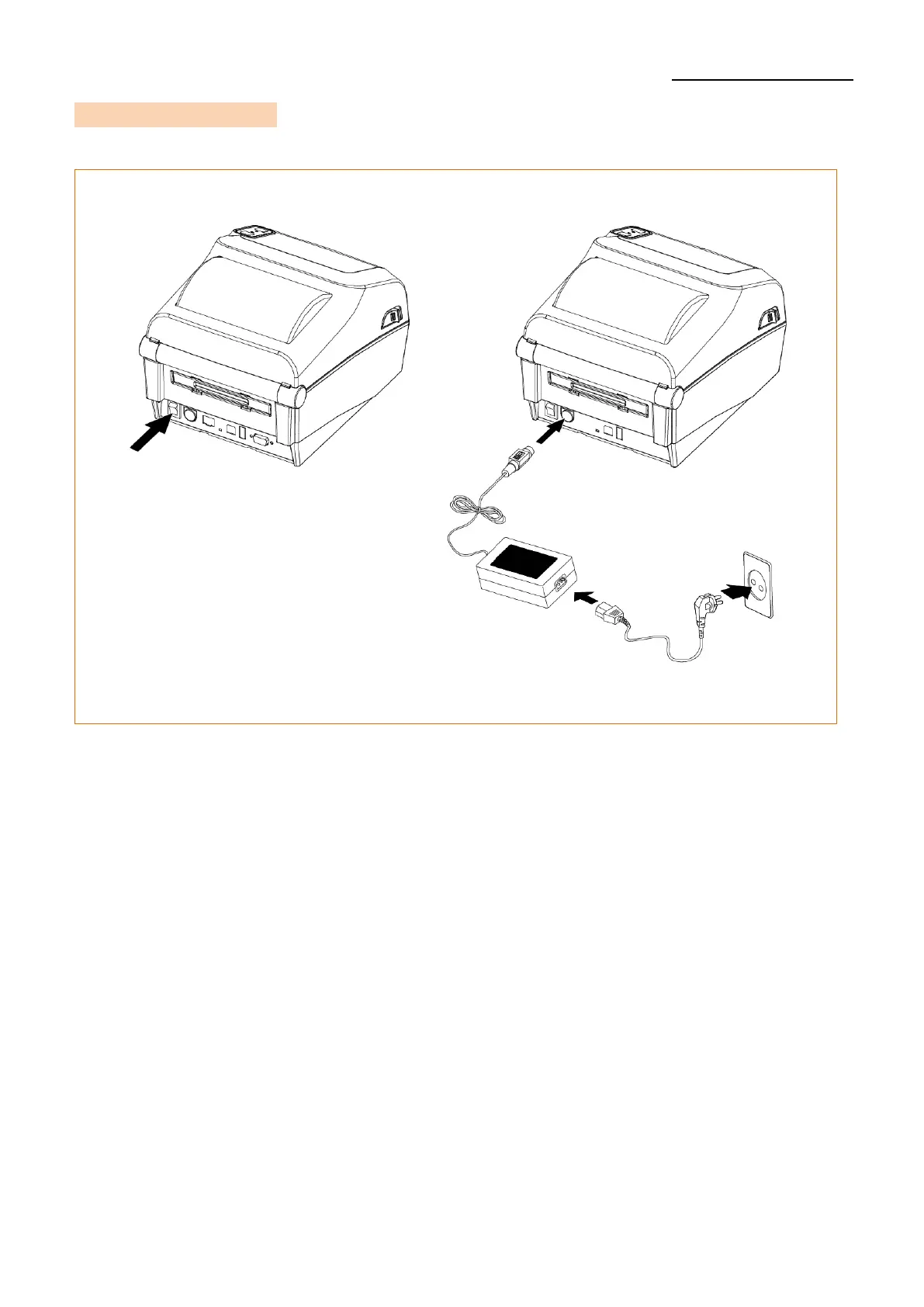
• Connect power to the printer as shown below.
1) Turn off the printer power switch.
2) Check to see that the AC/DC adapter voltage matches that of the power source.
3) Connect the AC/DC adapter jack to the printer power port.
4) Connect the power cord to the AC/DC adapter.
5) Connect the power cord to a power source/outlet.












 To Next Page