Enigma™ M4 Manual - Rev A Page 16 (c) 2020 Blizzard Lighting, LLC
4.2.6 Fan Eects
Fan eects are widely used in Pan and Tilt attributes, but they can also be applied to other attributes such as Color Mix. If
xtures with tri-color channels are used, you can apply a rainbow eect.
We suggest that you not to use less than 4 xtures, to get a better scene.
1. Select the xtures.
2. Select an attribute key, for example: Tilt/Pan.
3. Press [Fixture Open/Full].
4. Press [Fixture Align=O].
There are several modes to align xtures:
• Mid 1 — Alignment based on middle xtures, with normal alignment.
• Mid 2 — Alignment based on middle xtures, with ne alignment.
• Mid 3 — Alignment based on middle xtures, with greater alignment.
• Left — Alignment based on xtures located on the far left.
• Right — Alignment based on xtures located on the far right.
5. Set the fan eect by using the Wheels A, B or C.
4.2.7 Clear Options
After you nish manually operating xtures, you can use the Clear key to manually clear out operation data.
• Clear Selected Fixtures — A single press of the Clear key will clear any selected xtures.
• Clear All Fixtures — Double tapping the Clear key will clear all xtures.
• Clear All Presets — Press and hold down the Clear key, and then select the [Clear All Presets] soft key.
• Clear All Eects — Press and hold down the Clear key, and then select the [Clear All Eects] soft key.
If the Clear key is pressed/held, then let go (without selecting either soft key), this is the same as Clear Selected Fixtures.
4.3 Groups
One or more xtures can be grouped for quick selection.
The group soft key will turn brown when it is saved. The group number and name will be
shown on the relevant soft key.
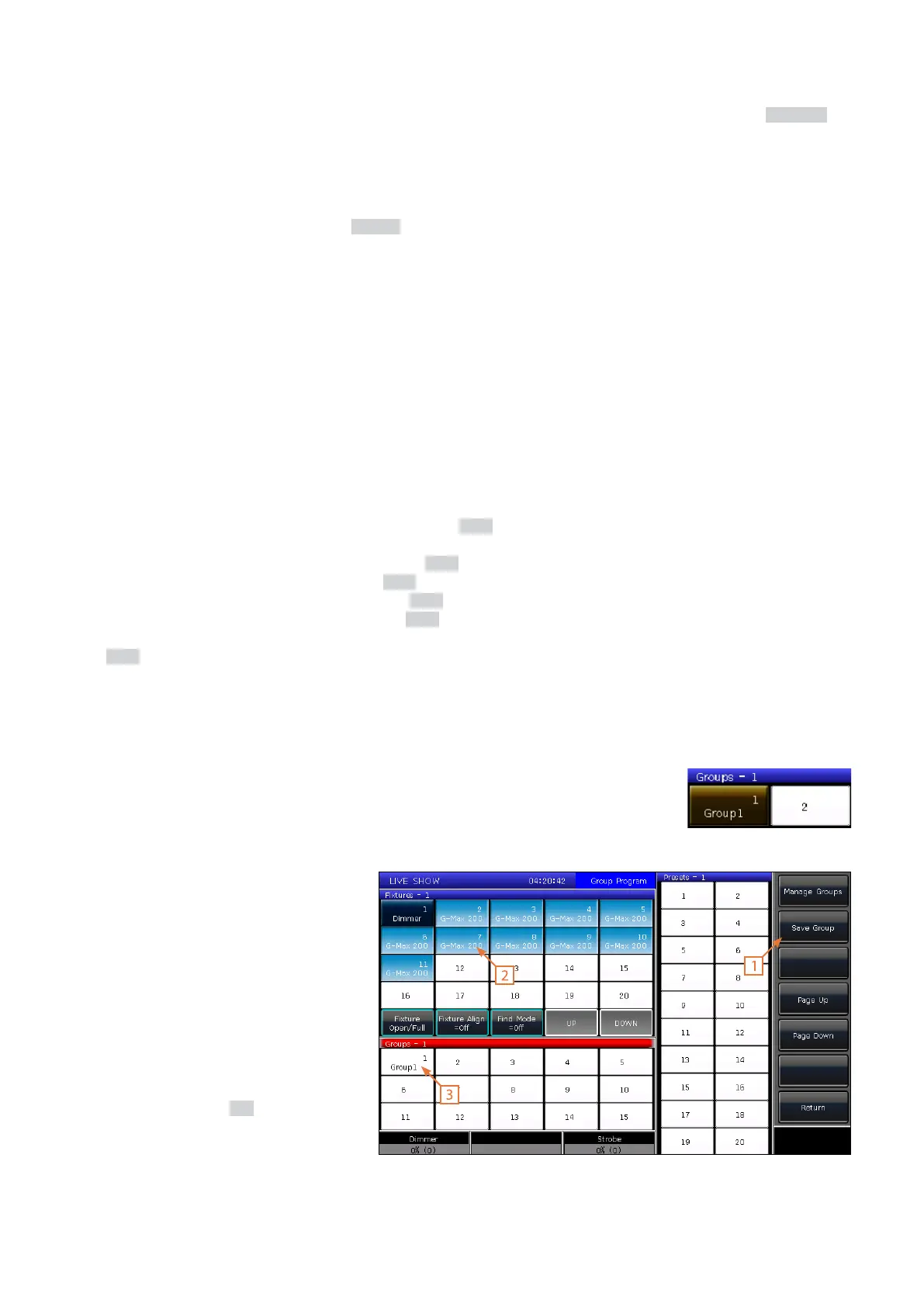
4.3.1 How to Create a Group
To create a group, press [Group] on LIVE
SHOW, then follow these steps:
1. Press [Save Group].
2. Select the xtures.
3. Select a soft key on the Groups
section. If there was an already
existing group, it will ask you if you
want to overwrite it.
4. To edit or create more groups, you
can repeat these steps.
5. Press [Return] or Exit to quit.



 To Next Page