Enigma™ M4 Manual - Rev A Page 23 (c) 2020 Blizzard Lighting, LLC
6.3 Eect Parameters
Shape eects each have their own parameters with default values. You can modify these parameters to achieve various
eects. Any eect in the Current Loaded Eects window can be individually selected to edit its parameters.
6.3.1 Eect Size, Speed, and Spread
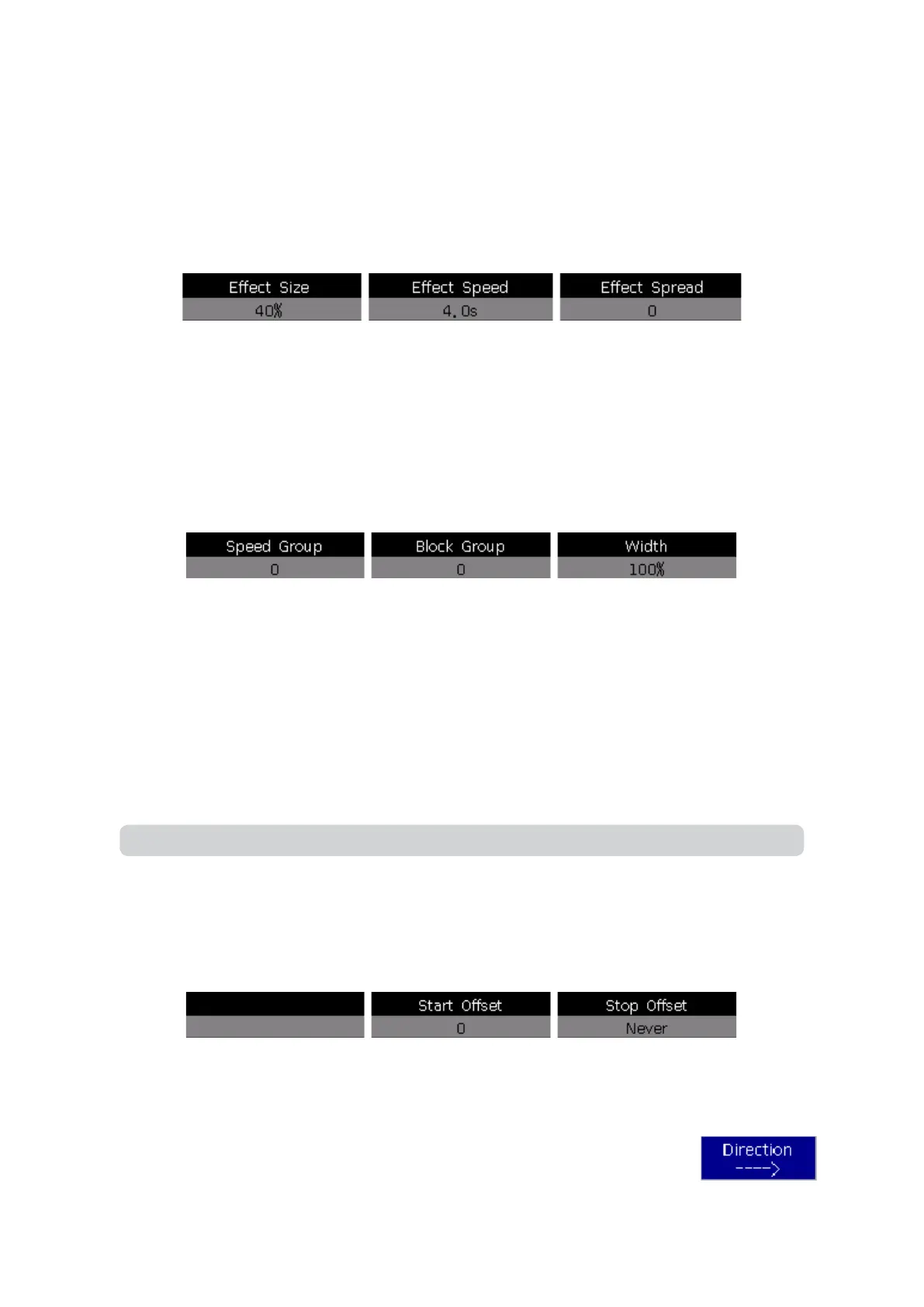
When you select an eect, pressing [Eect Attribute 1] will oer you the Eect Size, Eect Speed, and Eect Spread
parameter settings that you can adjust.
• The minimum Eect Size or Eect Speed is 0. It can stop the xtures, however the eect is still active.
• The Eect Speed can be shown in seconds or BPM. You can change this by tapping on the frame.
• Adjusting the Eect Spread can make your eects more impressive by changing the distance the eect is spread
out over a selection of xtures.
6.3.2 Speed Group, Block Group, and Width
Press [Eect Attribute 1] to switch to [Eect Attribute 2], which oers Speed & Block Groups, and Width settings.
The Width controls the time a full cycle should occupy. If the width is set at 50%, the cycle will occupy only the rst half.
Pressing [Eect attribute 2] again will switch to [Eect attribute 3], which oers you Start Oset, and Stop Oset
settings that you can adjust.
• The Start Oset option allows you to set the origin of the eect, with a range of 0~360.
• Stop Oset allows you to set how many loops to execute the eect, and where to stop. “Never” is default.
6.3.4 Eect Direction
The [Eect Direction] can run eects in dierent directions as: →, ←, ‘←.→’ or ‘→.←’.
Note: Speed and Block groups both create groups based on selection order, not their xture numbers.
The Speed Group can divide selected xtures into groups, based on every “nth” number of your selection. Each group of
xtures will run with the same velocity and be oset by a specic number of degrees along the shape using the formula:
degrees = 360/n . When using Speed Groups, the Eect Spread will be disabled. For example, if you select 8 xtures (1-8)
and choose speed group 2, every 2nd xture (2,4,6,8) will be 180° out of phase from xtures (1,3,5,7).
The Block Group can divide selected xtures into groups based on an input number, with each group moving together as
one. However, you’ll rst need to adjust the xture spread or they will continue moving as a single group. For example, if
you have 8 xtures selected (1-8) and you set the block group to 3, the xtures will be grouped as (1,2,3), (4,5,6), (7,8).
*Block groups that will not divide evenly into the group number will always have a smaller group of xtures at the end.



 To Next Page