Enigma™ M4 Manual - Rev A Page 8 (c) 2020 Blizzard Lighting, LLC
2.2.4 Audio Input
On the rear panel of the console there is a 1/4” mono audio input. When an audio input line is plugged into the socket, the
rhythm of the music can trigger Cue-lists.
2.2.5 Power Supply
This console can adapt to a wide input voltage range (100-240V AC, 50-60Hz), so it can be used worldwide. If you need to
change the fuse, please disconnect the power cord for safety.
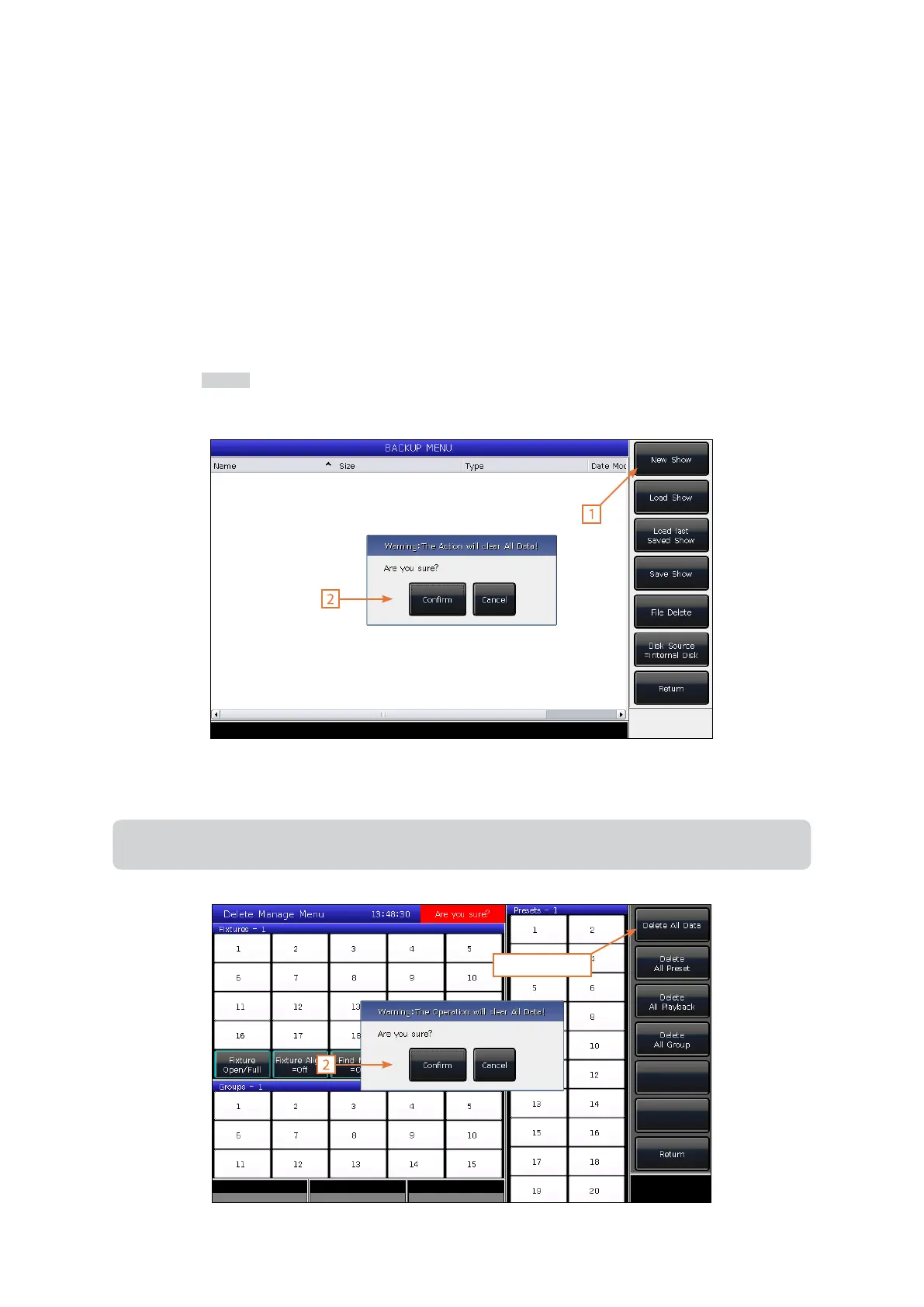
2.3 Clear All Data
We highly recommend that you clear all data on your new controller before using it to avoid any unpredictable errors
when programming.
1.) Press the Backup key to enter the BACKUP MENU.
2.) Then press [New Show].
3.) Pressing the [Conrm] key will clear all data and return to the LIVE SHOW window automatically.
Note: Clearing all data will permanently delete any data created by users (including patched xtures, presets,
and playbacks). But all the system libraries and user libraries will be saved.
1. Press Twice



 To Next Page