Enigma™ M4 Manual - Rev A Page 50 (c) 2020 Blizzard Lighting, LLC
10. Touch Screen Options
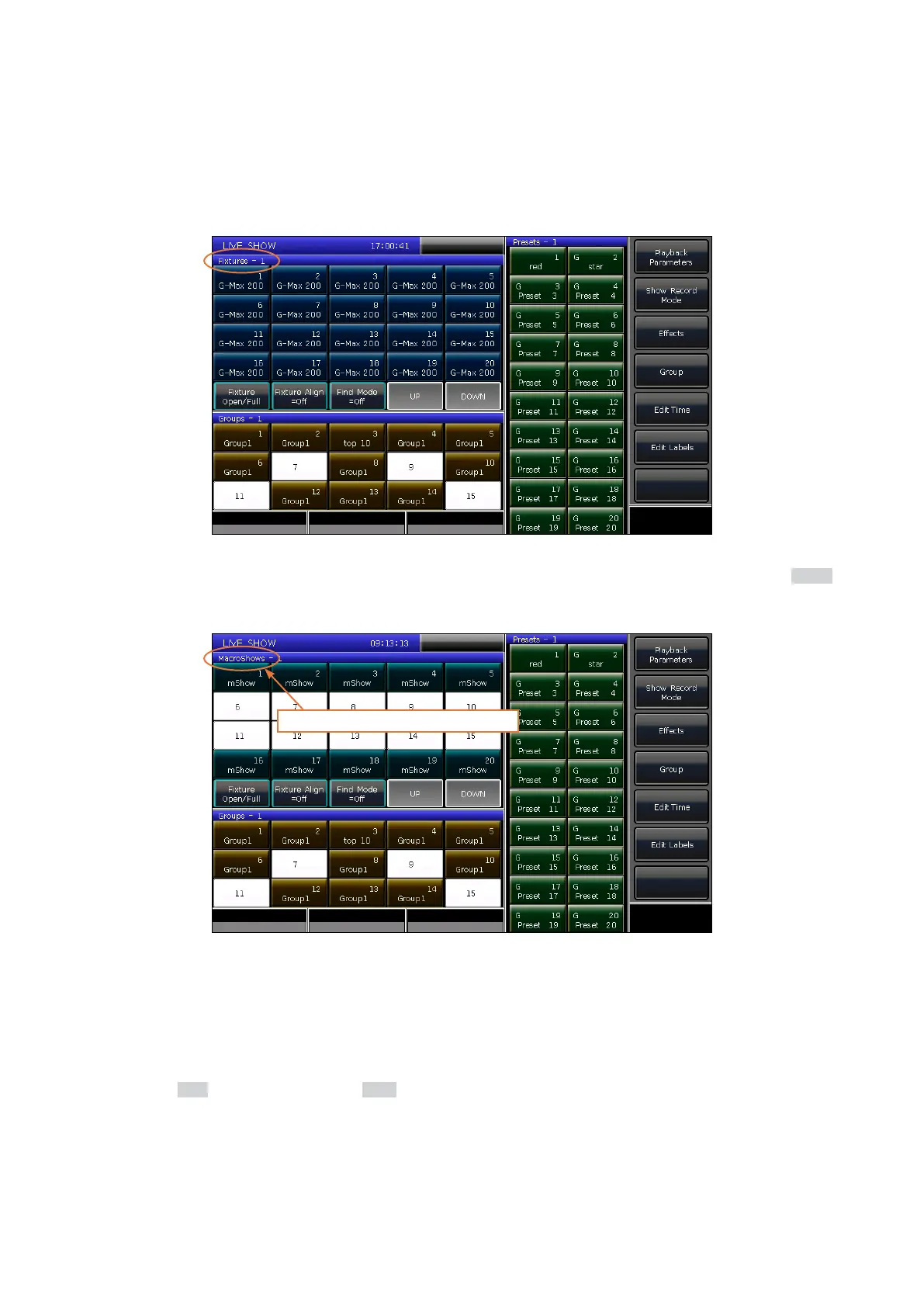
You can setup other options to view in the selection area of the touch screen. For example, if you hold down the Macro
key and touch the heading name Fixtures on the blue bar, you will then see MacroShows.
Hold the Macro key and select here.
10.2 Screen Captures
If you would like to save a screen capture of any currently displayed view on the touch screen:
1. Insert the USB disk to the console.
2. Hold the Shift key, and then press the Store key.
3. A captured image will be saved to the drive.
There are three default window selection options on the touch screen, which are Fixtures, Presets, and Groups.
10.1 Customize Windows



 To Next Page