Enigma™ M4 Manual - Rev A Page 44 (c) 2020 Blizzard Lighting, LLC
9.1.2 Select Language
You can set the display language of the controller to English or Chinese.
9.2 Miscellaneous Settings
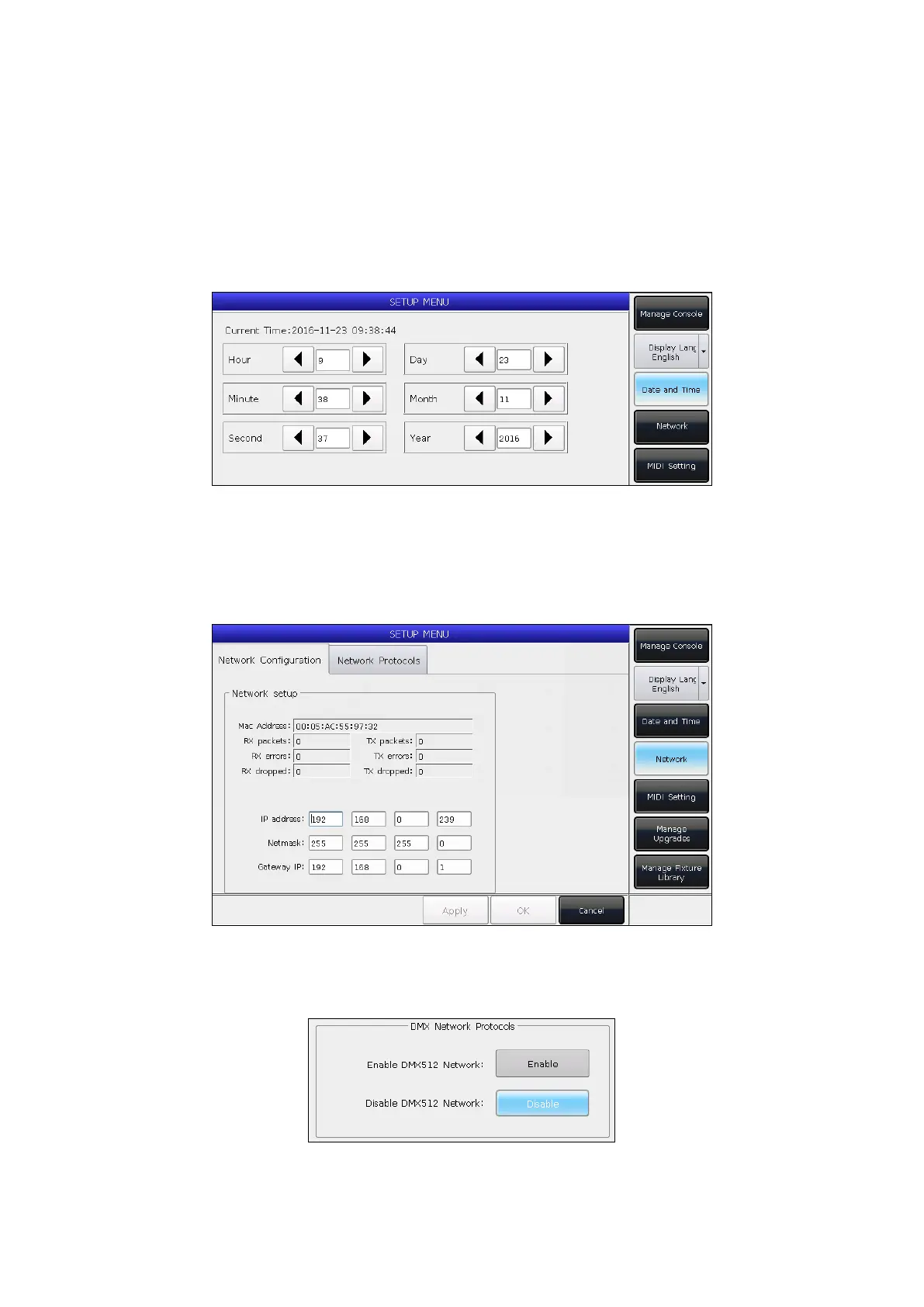
9.2.1 Date and Time
The local time can be set and will display on the top of the touch screen.
9.2.2 Network Setting
1. Network Conguration: You can setup the network conguration for output on the controller. The default IP
address of the controller is 192.168.0.239.
2. Network Protocols: Under this tab, you can choose to enable or disable the DMX network output.



 To Next Page