Enigma™ M4 Manual - Rev A Page 22 (c) 2020 Blizzard Lighting, LLC
6. Shape Eects
An eect generator is available for you to quickly create exciting light shows with minimum programming.
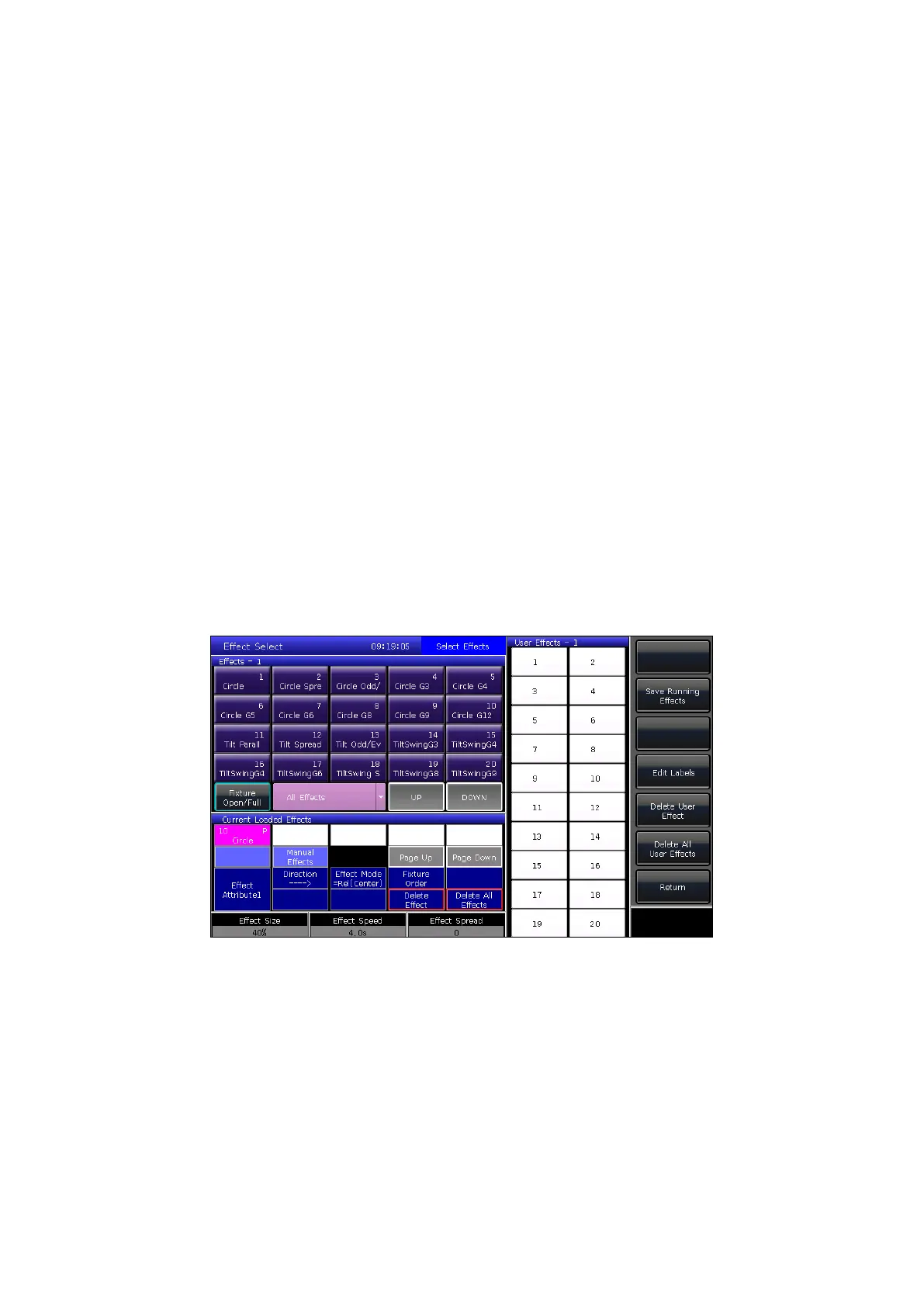
6.1 Eects Generator
An eect is a series of sequenced repeated movement programs. The eects represented are circle, square, spiral, etc.
These are non-repeated, random eects. For example, light beams can move in a circular motion on stage. When you run
an eect, the xtures can work according to present setup. If an eect is applied to a pan and tilt attribute of xtures, the
center of the eect will depend on the present location of the pan and tilt. By the changing pan and tilt positions, the
center position of the eect will change on stage.
The eect generator can also be applied to other attributes of xtures. You can use the eect generator to create various
colors, gobos, irises, and many other changes. Each eect can be used to produce a regular change for one attribute.
6.2 Using Eects
Below are instructions for implementing eects using the eect generator.
1. Select some xtures and light them up.
2. Press [Eect].
3. Select eects using the soft keys. The default selection type is [All Eects], but you can also nd more specic
types of eects by using the eect type drop-down list. For your convenience, any presently selected eects will
display in the Current Loaded Eects window section.
The selected eects in the Current Loaded Eects window will show the quantity of each selected xtures on the top left
corner of the soft key, and the attribute type of the eect will show on the top right corner.
Attribute types of these eects will be abbreviated as: Intensity (I), Position (P), Color (C), and Beam (B).
Base points of eects can be altered by changing their attributes. Setting the size and speed to “0” will return them to the
basic position of the eect.
Each of the built-in eects are designed to work with a specic attribute type, but will only work if the xtures themselves
have the attributes needed to accomplish the eect.



 To Next Page