Enigma™ M4 Manual - Rev A Page 30 (c) 2020 Blizzard Lighting, LLC
7.4.2.5 Fixture Order
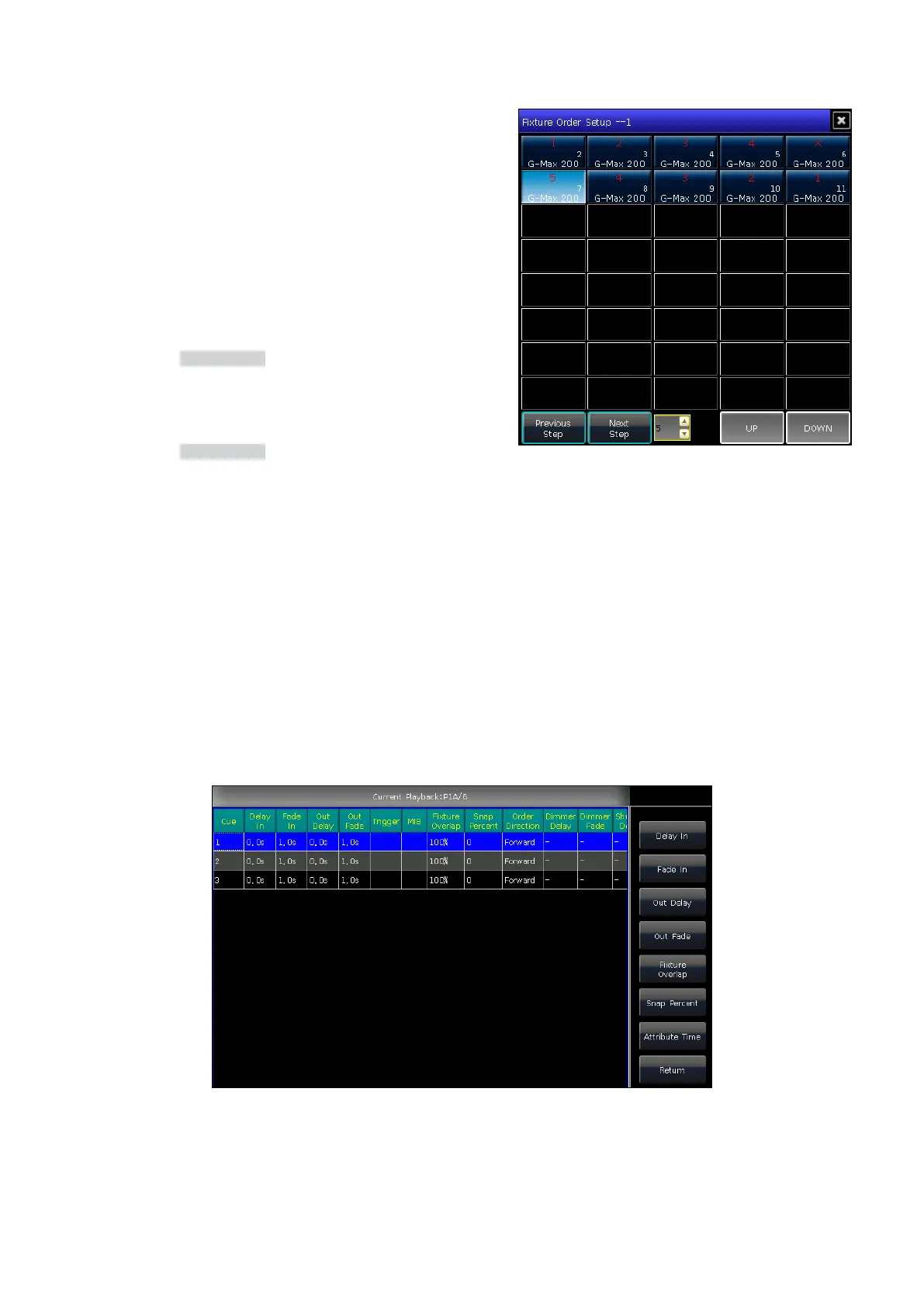
The [Fixture Order] in the Cue-lists should run with xture
overlap or an eect. You will not nd the eects if you did not
setup xture overlap or eect in advance.
For steps to setup xture order, please refer to chapter 4.3.2.
However, you may close some of xtures if you don’t want them
run with xture overlap. The closed xture(s) will start to run as
soon as the rst xture(s) begin, and nish at the same time as
last xture(s) ended.
7.4.2.6 Delete a Cue-list Step
1. Press the Edit Playback key in LIVE SHOW.
2. Select a Cue-list to be edited.
3. Select a step to be deleted.
4. Press [Delete Cue].
5. Press [Renumber] to realign the number.
6. Press the Edit Playback key to quit.
7.5 Time for Playback
Each playback has its own running time. There are 4 types of global times for Cue-list playbacks, and 3 types of global
times for Cue playbacks.
• Cue-list Playback: Delay In, Fade In, Delay Out, and Fade Out.
• Cue Playback: Delay In, Fade In, and Fade Out.
The playbacks oer individual attribute times and snap percentage settings. You can also set the xture order and xture
order direction for each step on this menu.
7.5.1 Set the Global Times



 To Next Page