Enigma™ M4 Manual - Rev A Page 49 (c) 2020 Blizzard Lighting, LLC
9.3.2.5 Import External Library File
You can import a previously saved user library or an R20 library le to the controller via the USB port.
1. Insert a memory stick with a saved a library le into the USB drive.
2. Press [Import From External File].
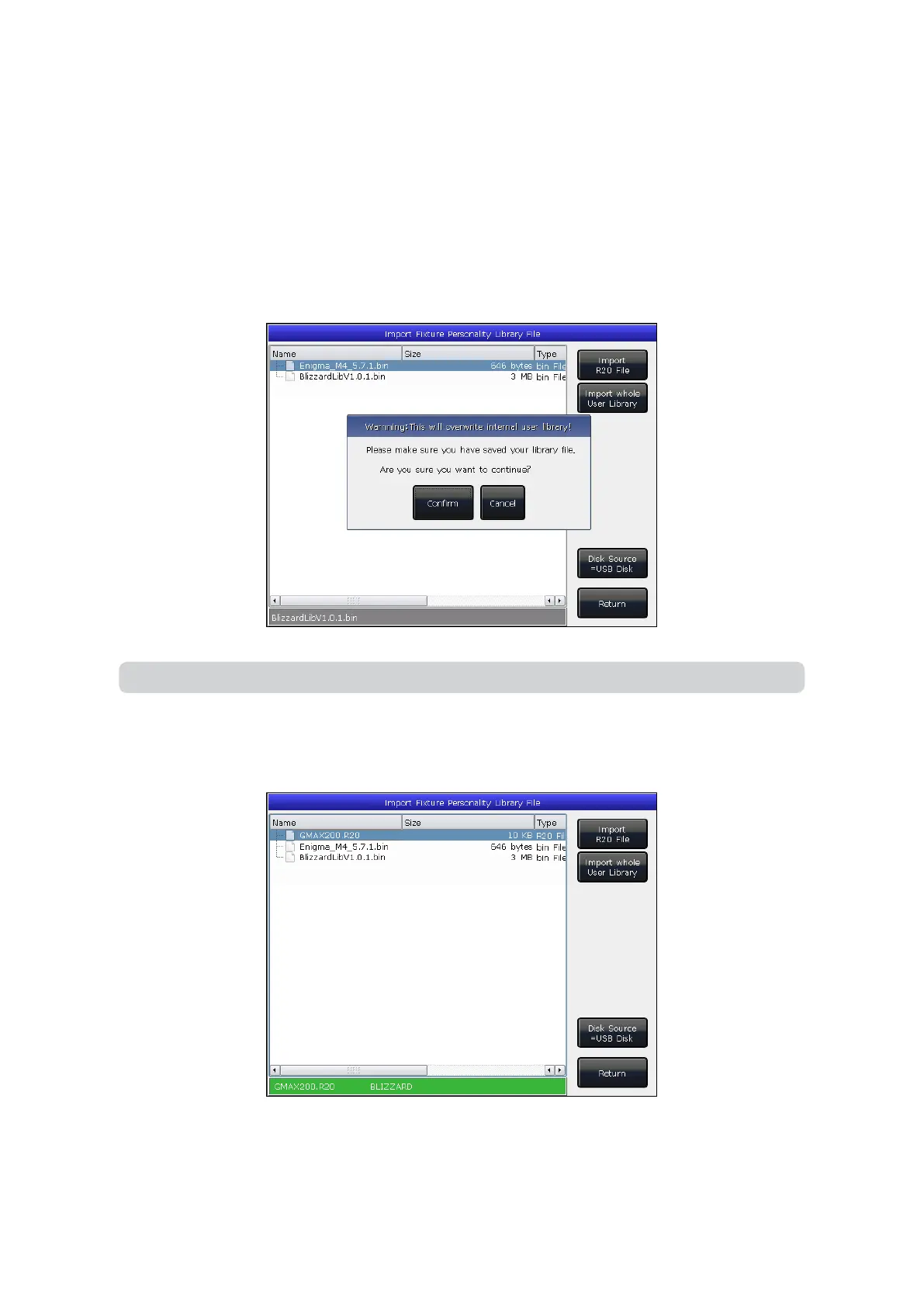
3. The system will read the USB drive automatically, and the window will list all les. Pressing [Disk Source] will allow
you to switch to the internal storage drive.
4. Select the le you want, and press [Import whole User Library] to initiate a user library import.
5. Press [Import R20 File] if you want to import the library le in R20 format. The information bar at the bottom will
turn green if an R20 le is selected.
6. Press [Return] to quit and return to List of User Fixtures.
Note: All user libraries in the list will be replaced if you import whole User Library.



 To Next Page