Enigma™ M4 Manual - Rev A Page 28 (c) 2020 Blizzard Lighting, LLC
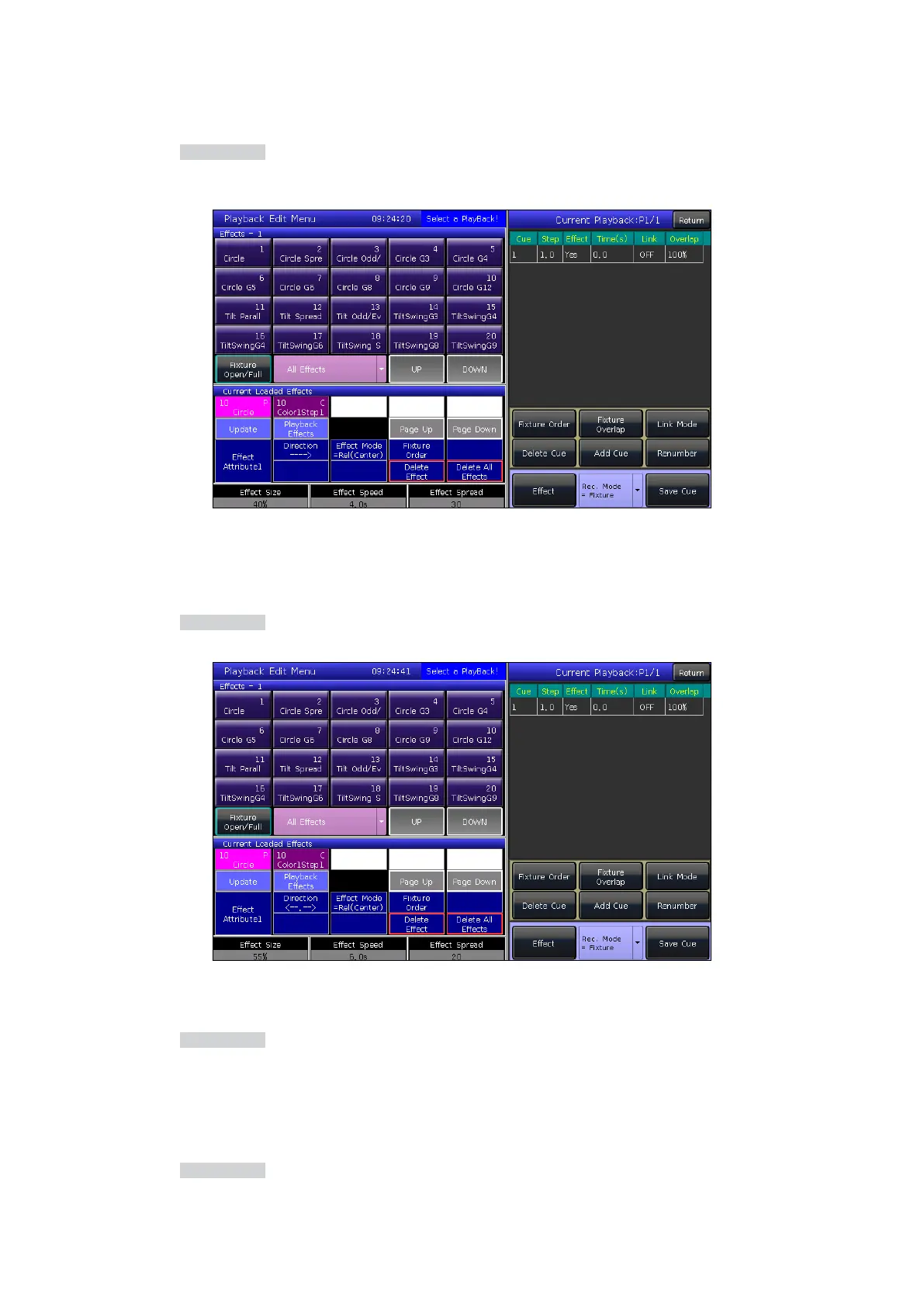
7.4.2.2 Edit Eects
You can adjust an eect which has been saved as a playback.
1. Press the Edit Playback key in LIVE SHOW.
2. Select a Cue-list that you want to edit.
3. Press [Eect] to enter the eects menu.
4. Fade in the fader which corresponds to the step of the eect.
5. Select the eect that needs to be adjusted.
6. Press [Update] after adjusting the eect parameters.
7. Press the Edit Playback key to quit when nished.
7.4.2.3 Insert a Cue-lists Step
1. Press the Edit Playback key in LIVE SHOW.
2. Select a Cue-list that is needed to be edited.
3. Select the needed xtures.
4. Set a scene by using the attribute keys and wheels.
5. Select a step that you want to insert. For example, if you want to insert into the 2nd step, then select step 2.
6. Press [Add Cue]. The number of this step will then display as 1.5.
7. Press [Renumber] to realign the numbers.
8. Press the Edit Playback key to quit when nished.



 To Next Page