Bjong – User Manual – V1.0 - pg.31
11.2 Installation and update
The installation file is provided directly by the sales network or by the assistance service. EasySetup is pre-
installed if a tablet for configuration is purchased together with Bjong.
Download (copy) the APK installation file to a folder of the tablet's internal memory or SD card (if any).
Once the file is located, tap on it to start the installation or update and follow the instructions.
EasySetup will then be ready for use immediately.
Tap: same meaning as “click”.
Press with your finger on the tablet’s display.
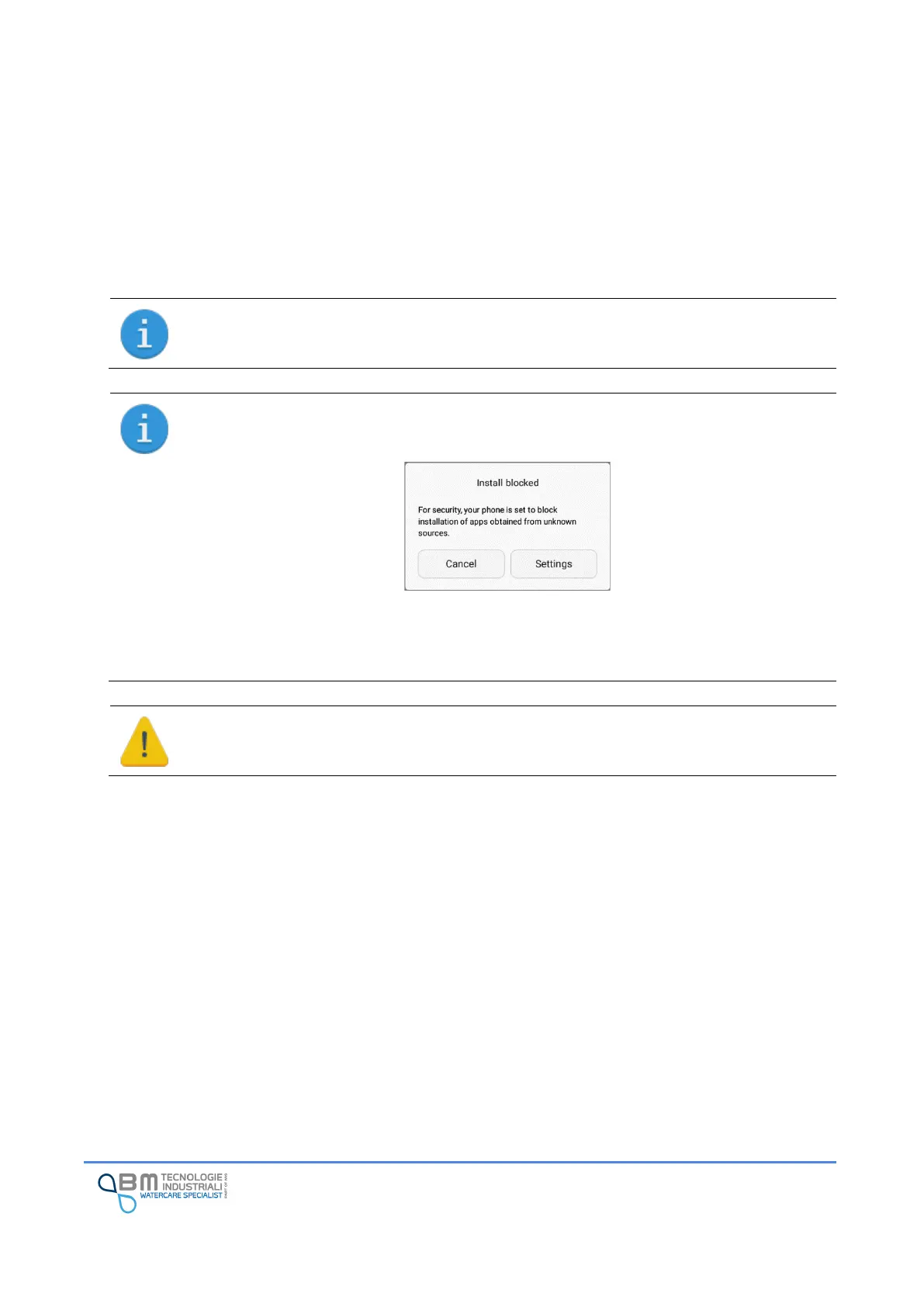
EasySetup is not available in Play Store, so installation could be forbidden as the tablet could
not install software from an unknown source.
To solve this problem, enable installation form unkn own sources by following these steps:
Settings
→
Advanced settings
→
Security
→
Unknown sources
Or follow instructions displayed by your Android
TM
system.
For safety reasons, keep disabled installations form unknown sources once EasySetup
installation is complete.
11.3 Authorizations
The App requires some authorizations in order to work properly. Particularly:
• Access to Wi-Fi and GPS to manage and access available Wi-Fi networks
• Reading/writing files in the tablet memory to export data
Authorizations will be requested as soon as necessary and it will be essential to provide them in order to
proceed with correct operation.


 To Next Page