Bjong – User Manual – V1.0 - pg.63
12.11.3 SIM
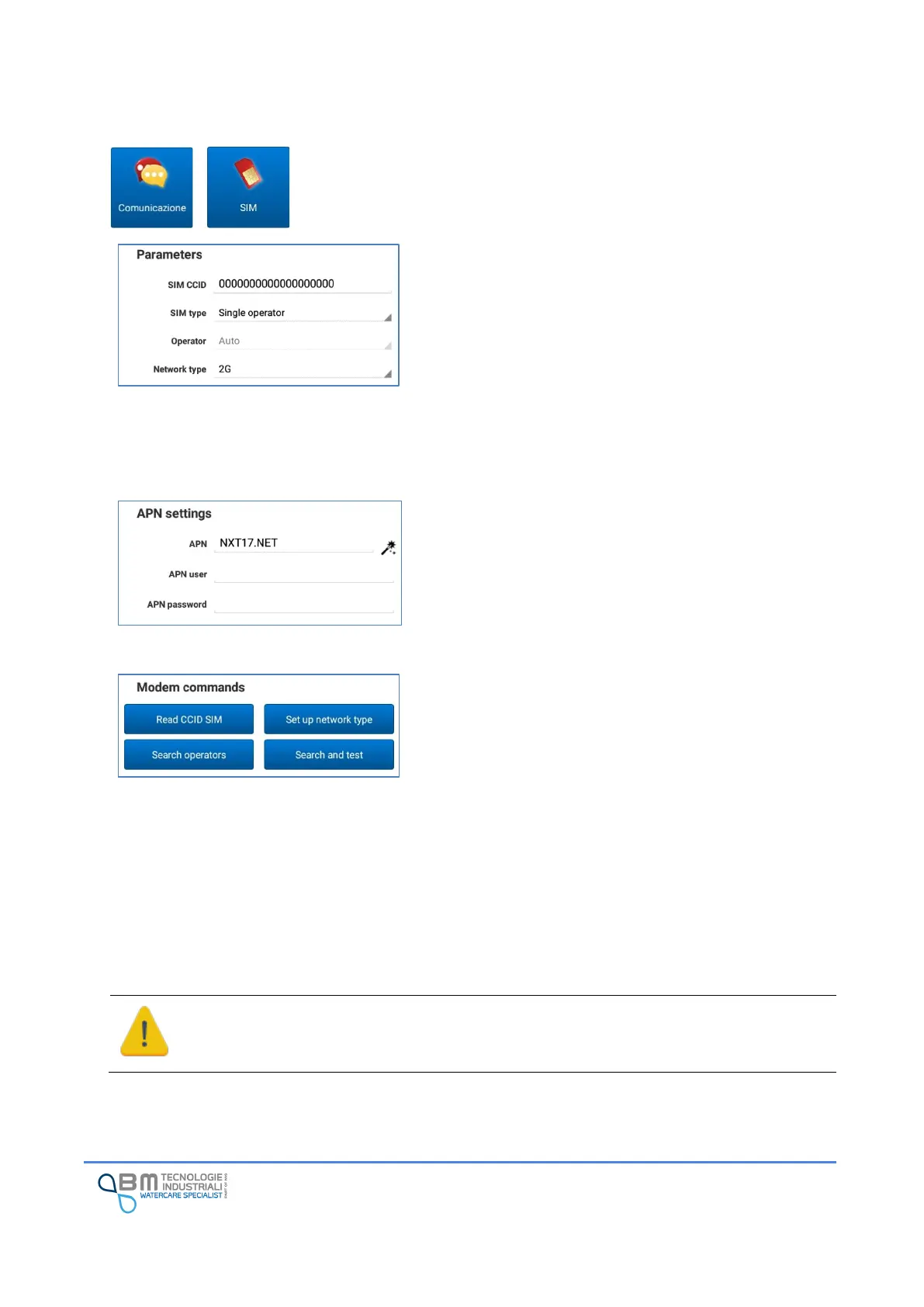
In this section it is possible to set the parameters relating to the SIM installed,
to the access point (APN). Some modem commands are also available.
SIM CCID: it is an uneditable value that indicates the SIM
identification code. If not present or if the SIM is replaced, it
is essential to use the appropriate button to read the correct
value.
SIM type: it is possible to choose the type of SIM installed.
Check with your SIM supplier if it is a single-operator or
multi-operator type.
Operator: operator used for the internet connection.
Network type: actually it is possible to select 2G net only.
APN: it is the name of the access point (Access Point Name).
It is specific for the SIM used. Through the magic wand you
can choose one of the preset APNs. Refer to your SIM
provider.
APN user, APN password: username and password (iìf
requested) to connect to the access point. Refer to your SIM
provider.
Read CCID SIM: allows the user to read and update the SIM
ID.
Set up network type: this function is used to change from
different net type. Actually it is not used because is not
possible to select from different net type.
Search operators: available only in case of a multi-operator
SIM, it allows the user to search for the available operators,
in order to create a list of operators that can be used in the
place of installation of the instrument.
Search and test: it performs the search operators and than
starts a modem test session.
To ensure correct access to the mobile network and optimize transmission, operators must
be searched each time the instrument is moved or when there is frequent difficulty in data
transmission.


 To Next Page