Bjong – User Manual – V1.0 - pg.65
12.12 Alarms
In this section it is possible to set the thresholds that trigger alarms, users and numbers for
sending warning SMS and managing alarm events.
Each alarm triggered generates an "alarm event" which is stored on the instrument and
possibly transmitted to the server or via SMS, depending on the configuration chosen.
12.12.1 Thresholds
Thresholds are the conditions under which one or more alarms are triggered.
Bjong has a maximum of 8 thresholds that can be set on as many variables
read.
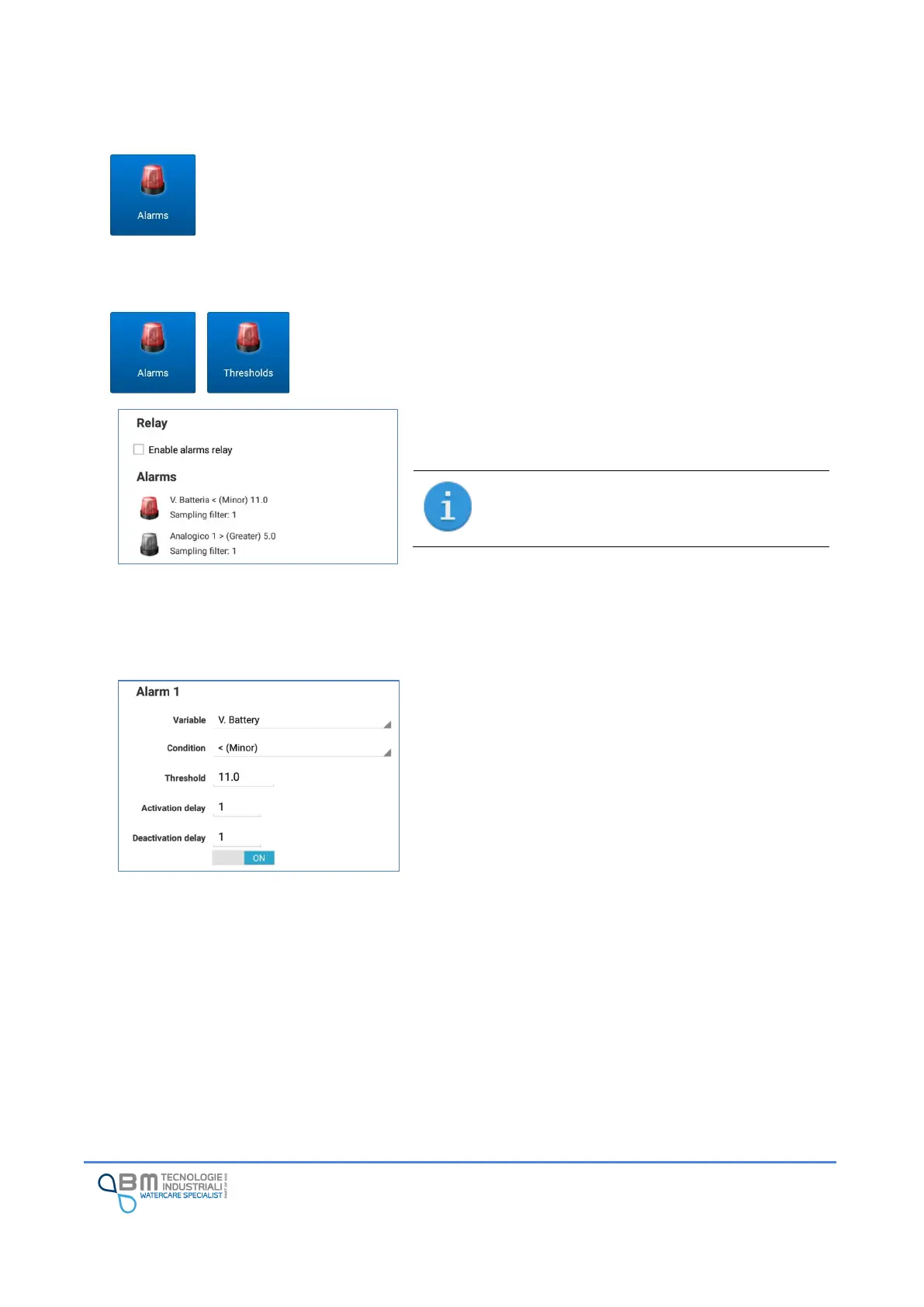
In the screen you can enable or disable the alarm relay and
the list of settable alarms.
The alarm relay is relay 2. See the wiring
diagram. The relay remains active as long as
there is at least one active alarm.
Referring to the figure, the first alarm (enabled) is set to
trigger when the battery level falls below the 11V value.
The second (disabled) is set to trip if the value of analog 1
exceeds the threshold of 5.
By tapping on an alarm you access the configuration screen.
Variable: name of the monitored variable.
Condition: it is possible to select whether minor or major
(numeric type variables) or ON or OFF (coil type variables or
discrete modbus input).
Threshold/bit: it is the reference value for triggering the
alarm (numeric threshold) or the bit of the coil/discrete
input of the specified variable.
Activation/deactivation delay: it indicates for how many
consecutive samplings the exceeding of the threshold must
be satisfied before the alarm is triggered.
The alarm remains triggered until the value drops below the
threshold again for the number of consecutive samples set.
The filter function is useful to prevent consecutive
oscillations near the threshold value from creating the
sending of different alarms.


 To Next Page