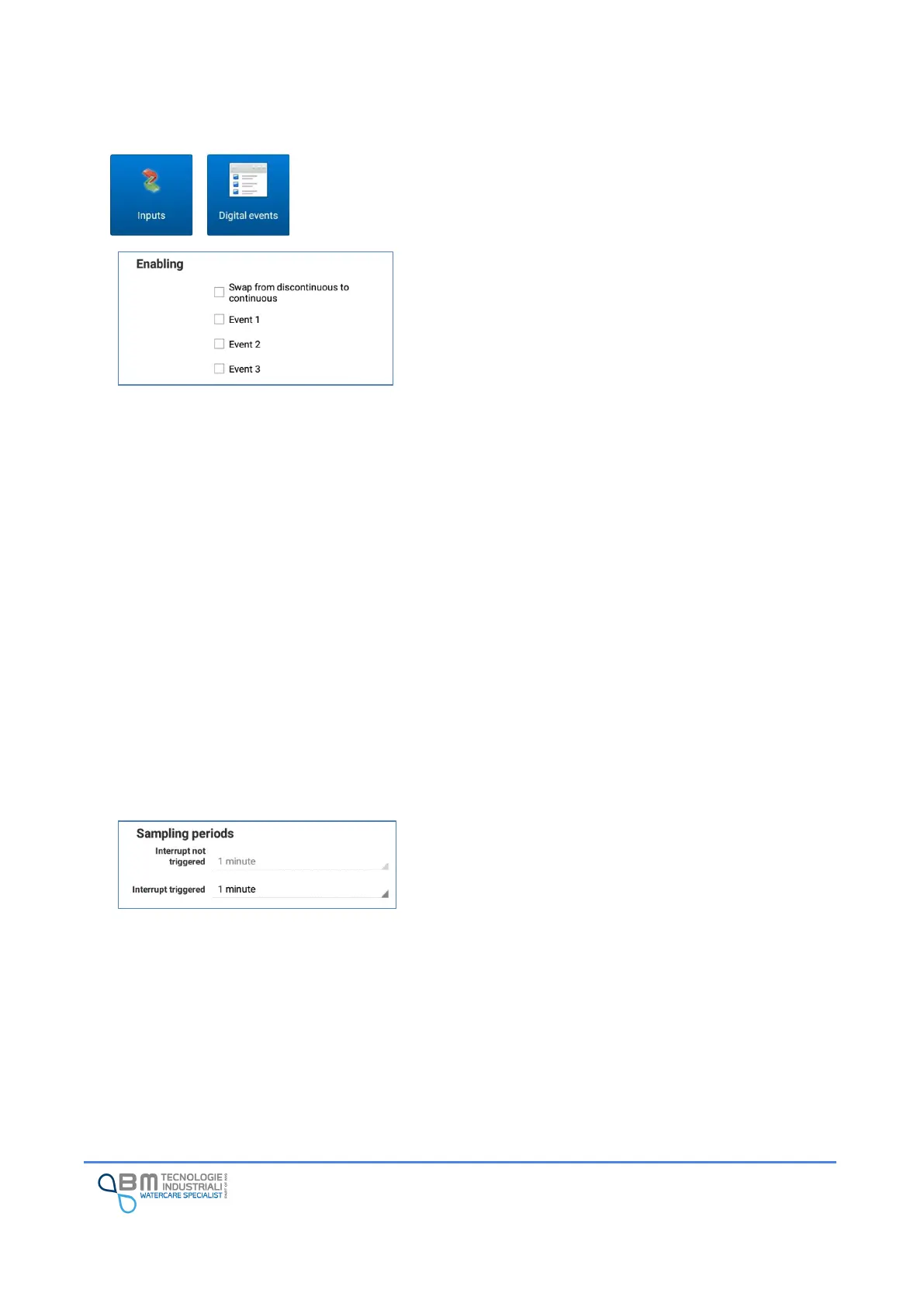
Event 1, Event 2, Event 3: they allow the user to enable the
storage of the occurrence of external digital events.
Events 1 to 3 can enable a sampling period change in the
event of an active alarm.
The default sampling period is that of the sampling period
menu, the sampling period in case of active alarm is the one
in the events menu.
In the event of multiple alarms enabled to change the
sampling period, the instrument returns to the default
sampling period after all the alarms on the event have been
disabled.
The status of the event is saved to the log.
In case of alarms set on events 1 to 3: the alarm is sent when
the threshold is exceeded (alarm ON) and on return (alarm
OFF).
In case of an alarm delay (no. Of samples), the alarm is reset
after n consecutive samples below the threshold.
Swap from discontinuous to continuous: this is a particular
function that allows the user to change the way the
instrument works when a certain external event occurs
(think, for example, of an activated overflow sensor). The
instrument switches to continuous mode as long as the
external event exists, and then returns to discontinuous
mode when the event ends.
Interrupt not triggered: it displays (cannot be changed) the
sampling period in normal operating conditions. For the
modification, the setting in “Variable Log” must be used.
Interrupt triggered: allows the user to set a sampling period
different from that normally used by the instrument when
at least one of the digital events occurs.


 To Next Page