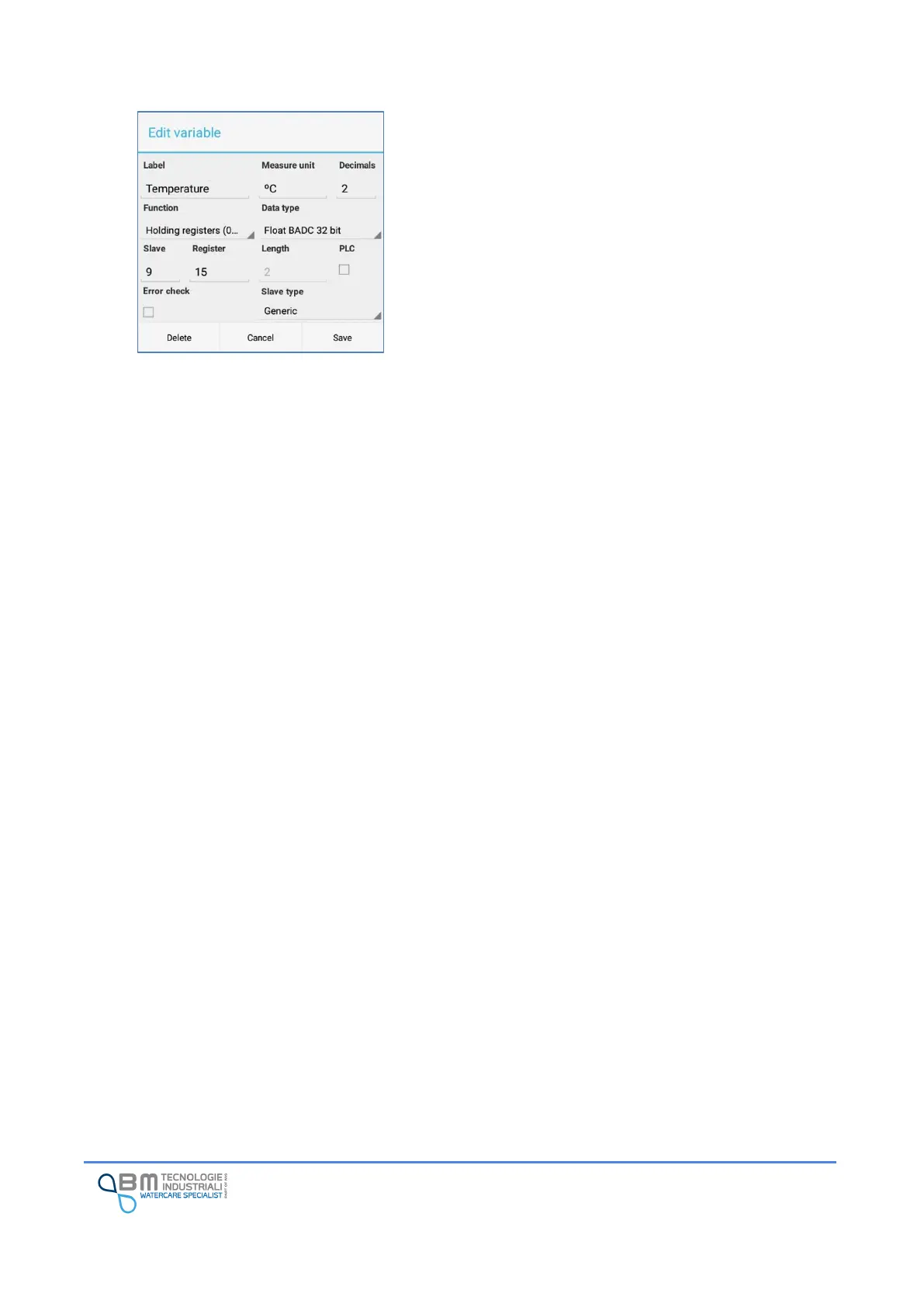
Using the “+” button it is possible to insert the definition of
a new variable. By holding down on an existing variable, you
can edit or delete it. In both cases, the variable
management window will appear similar to the one shown
in the figure.
Label: defines how the variable will be displayed, for
example, in real time data or in alarms.
Measure unit: allows you to specify a unit of measurement
to be associated with the variable.
Decimals: for float data, indicates the number of decimal
places in use. In other cases it has no meaning.
Function: this is the modbus function used for reading. You
can choose one of the available ones in the list.
Data type: allows to indicate the interpretation of the data
read by Holding registers (0x03) and Input registers (0x04).
It is possible to choose between integers with and without
sign, long and float with different configurations of bytes.
Slave: it is the unique identifier of the slave sensor to be
read. Multiple sensors with the same identification cannot
be present on the same modbus network.
Register: indicates the register number to be read.
Length: for reading coils and discrete inputs it represents
the number of coils or inputs that must be read starting
from the specified register. In the other cases it is a fixed
value that cannot be changed depending on the type of data
selected.
PLC: indicates how the numbering of the registers is to be
interpreted. If not selected, the first register has address 0.
If selected, the first register has address 1.
Error check: if selected, in case of error in reading the
variable, the Bjong will generate and store an error event.
Slave Type: in case of particular sensors, it is necessary to
select the type. If you have no indication, leave “Generic”
selected.


 To Next Page