Bjong – User Manual – V1.0 - pg.58
Starting the data download, a copying process is started starting from the data most recently stored by
the instrument and going back in time. The waiting window provides evidence of the start and end dates
of the currently copied data. The copying process can be stopped at any time.
By downloading the data from Bjong into the App, they are copied and remain in the device
internal memory.
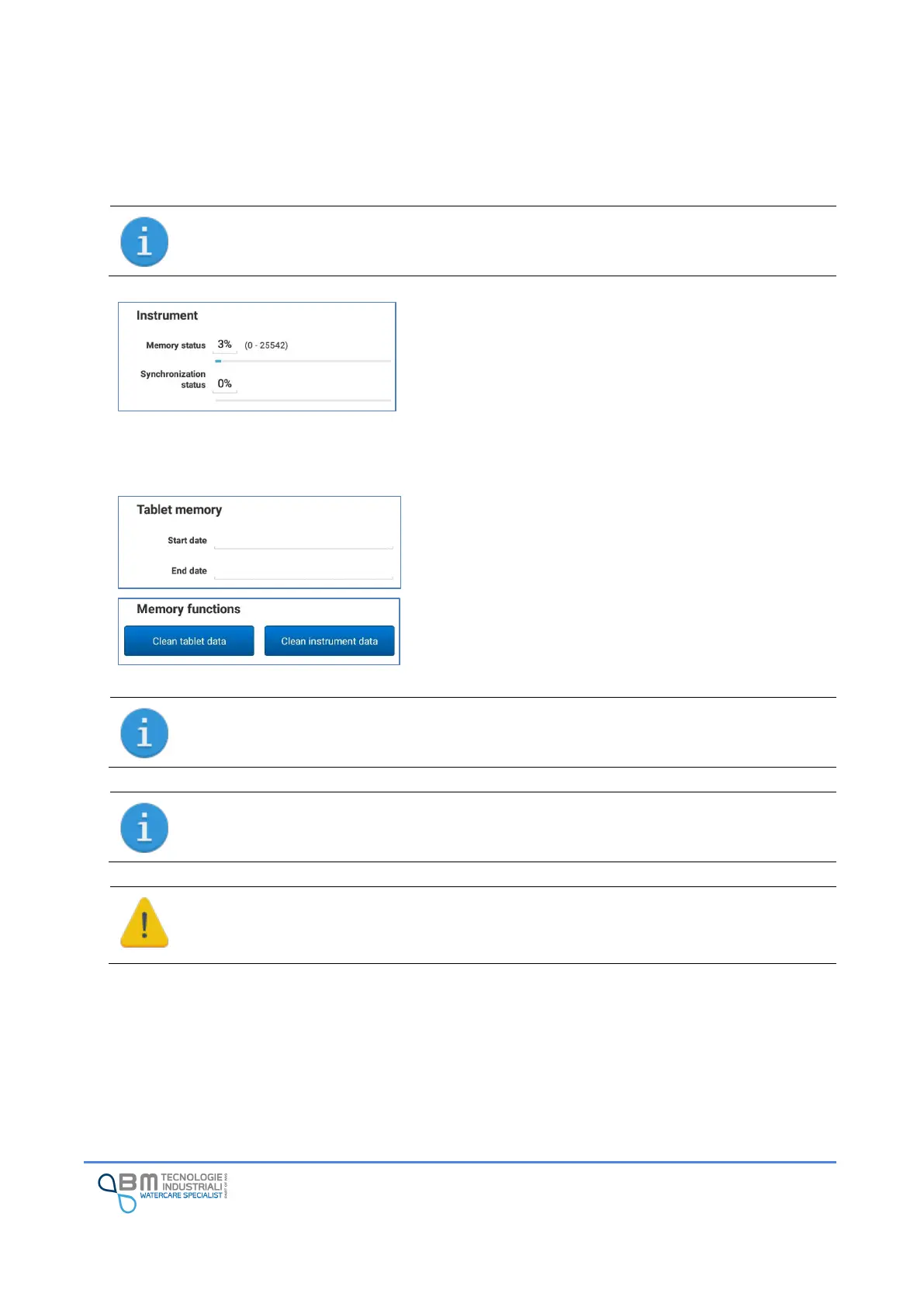
Memory status: information is provided on the percentage
of memory used on the instrument and, in brackets, the
indexes of the records actually used.
Synchronization status: indicates the amount of memory
that has been synchronized with the server. If data
transmission is not active, it is normal for 0% to be indicated.
On the other hand, a value of 100% indicates that all the
acquired data has already been synchronized.
Start/end date: after starting the data download, the two
dates represent the interval of the logs copied and available
on the tablet.
It is possible to carry out data deletion operations both on
the tablet and on the Bjong using the appropriate buttons.
To proceed with the deletion of data on the instrument, EasySetup asks for a code to ensure
that the deletion of data is not done accidentally. When prompted, enter the code 1234.
Once exported to CSV, the tablet memory is cleared.
It is possible, if necessary, to download the data from the instrument again.
Deleting data from the instrument is an irreversible operation!
Make sure that the data of interest has been transmitted to the server or a copy has been
made via the App.


 To Next Page