67
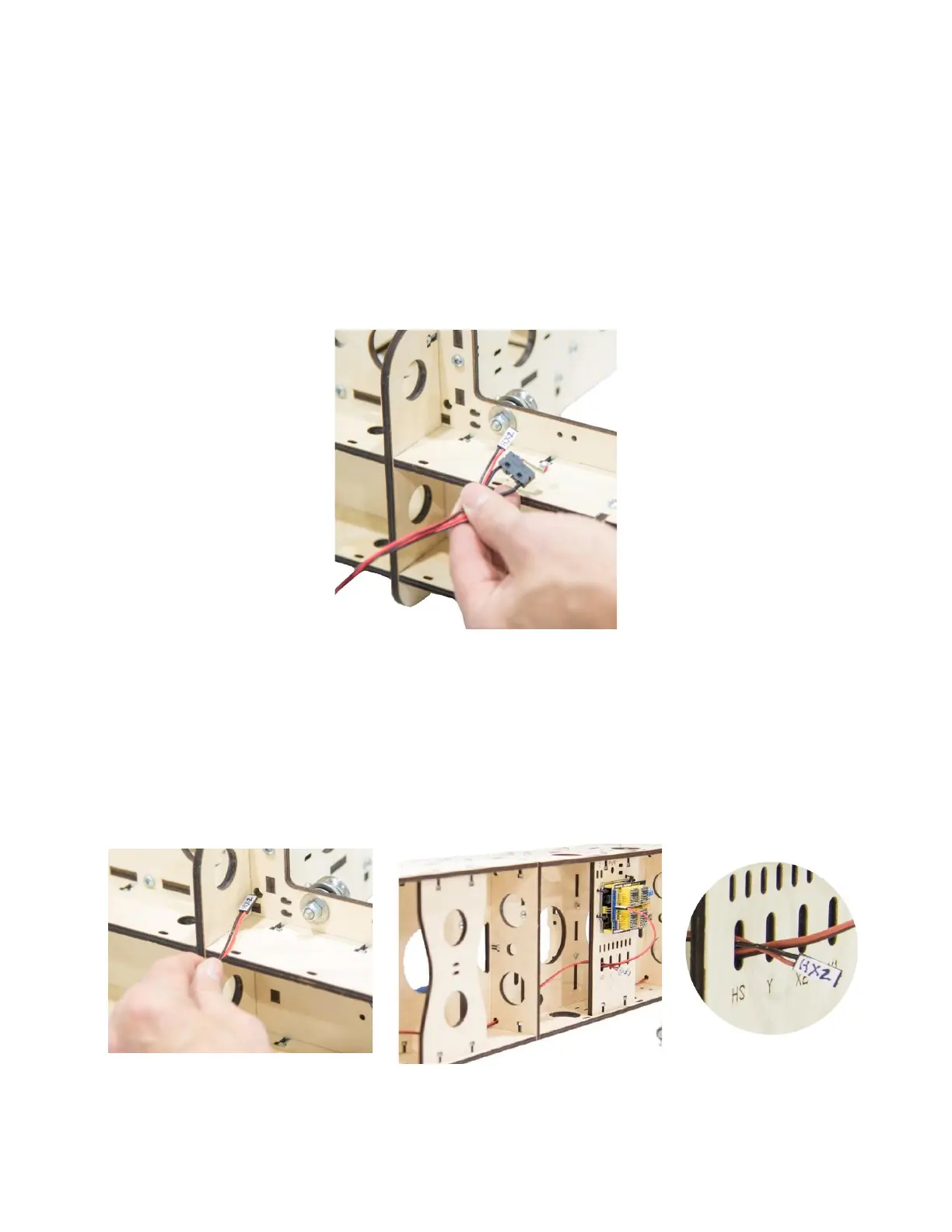
Step 22 Installing the X2 Home Switch.
22a The X2 Home Switch is located to the left of the
Controller when viewed from the back. Begin by
labeling the pin cover using easy to read tape or
other label material. Mark the label as “H X 2.”
22b Route the X2 Home Switch Wire through access hole
in the bottom of the Gantry Side Assembly, through
the access hole at the bottom of the Gantry Back
Brace(G7), and through the Home Switch (HS)
opening in the Controller Mount. The X2 plug will be
connected in a later step.


 To Next Page