EN
33
Operation
www.bora.com
Setting the acoustic signal volume:
Swipe upwards or downwards until the required
volume is reached
or
tap or
until the required volume is reached
Confirm and save the setting.
5.6.2 Menu item 2: Childproofing feature
INFO With menu item 2 the childproofing feature can
be permanently switched on or off. The setting
continues to apply next time the system is started
up.
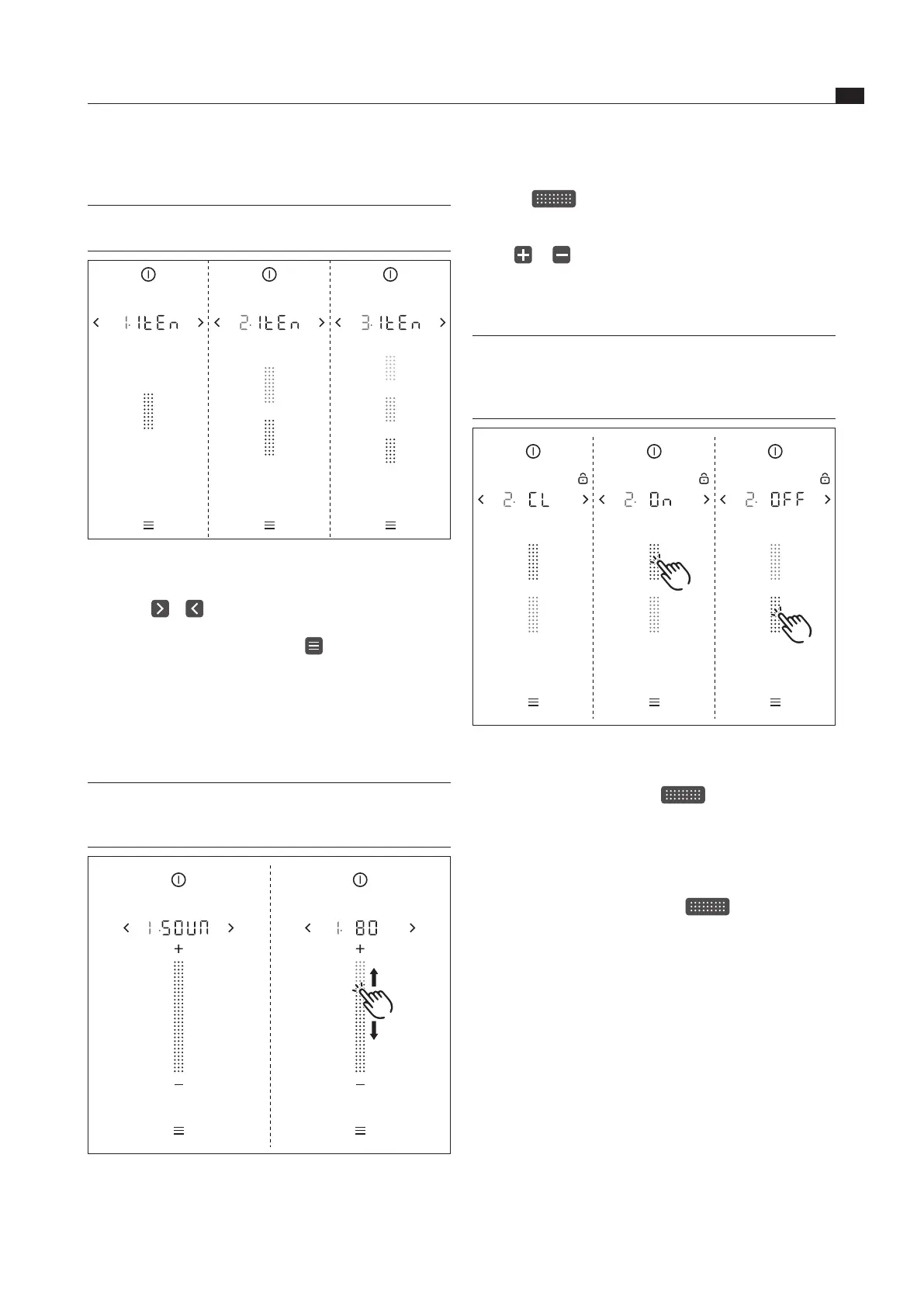
Fig. 5.4 Menu item 2: Childproong feature
Permanently activating the childproofing feature
Tap the top slider segment
The display shows
.
Confirm and save the setting.
The childproofing feature is permanently activated.
Permanently deactivating the childproofing feature
Tap the bottom slider segment
The display shows
.
Confirm and save the setting.
The childproofing feature is permanently deactivated.
Schematic diagram
INFO As a help setting, the menu shows the number of
optional settings (1 – 3) for each menu item.
Fig. 5.2 Schematic diagram of the number of options
Confirming and saving menu settings
Tap on or
or
Long press on the menu button
The system automatically adopts and saves set values
when you move to another menu item or exit the
menu.
5.6.1 Menu item 1: Volume of the acoustic
signals
INFO The current set volume is shown in the 7-segment
display above the slider when the menu item is
called up.
Fig. 5.3 Menu item 1: Volume of the acoustic signals



 To Next Page