EN
34
Operation
www.bora.com
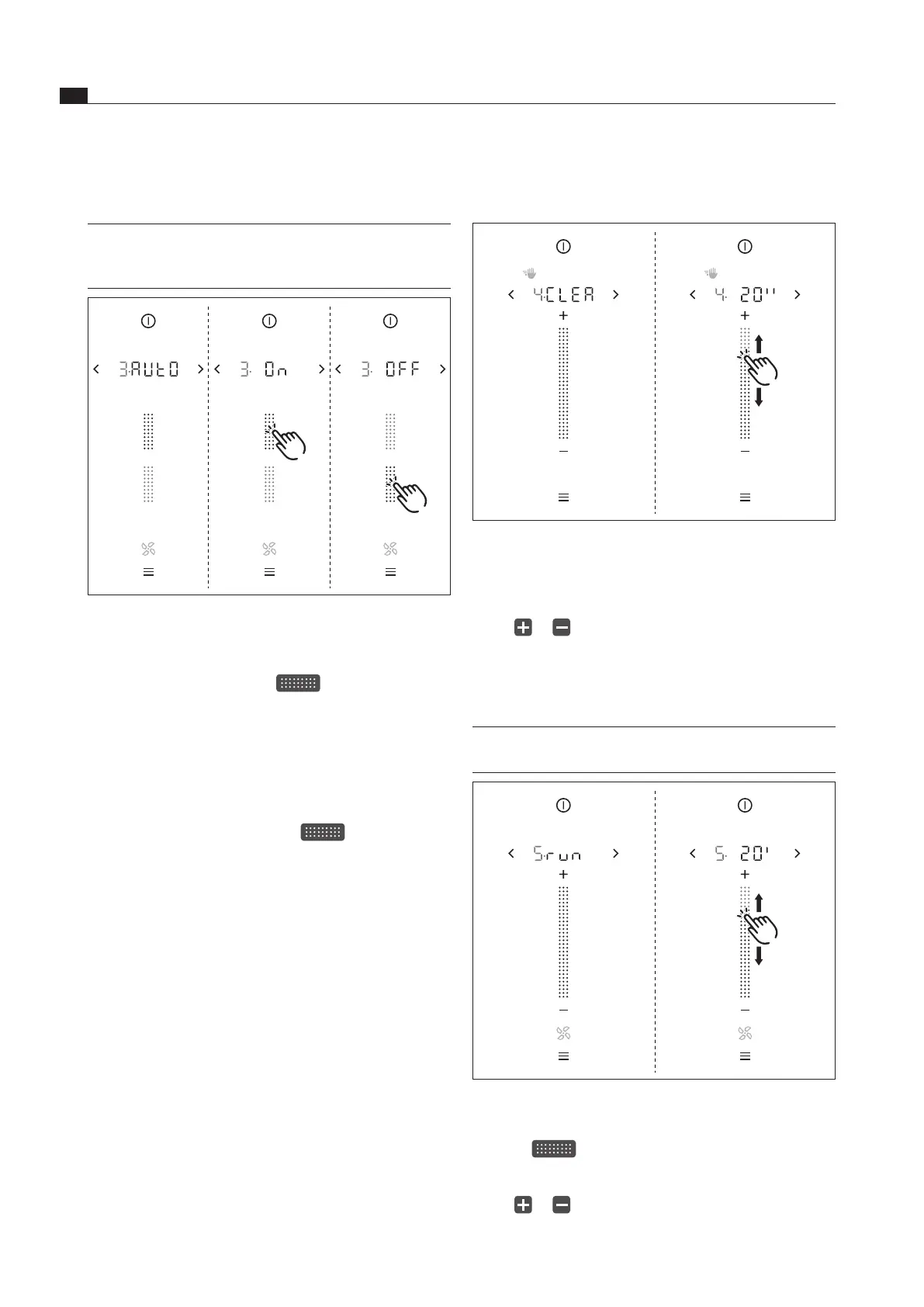
5.6.4 Menu item 4: Duration of the cleaning
lock (wipe function)
Fig. 5.6 Menu item 4: Duration of the cleaning lock
Setting the duration of the cleaning lock
Swipe to obtain the required duration (5–30 s)
or
tap or
until the required duration is reached
Confirm and save the setting.
5.6.5 Menu item 5: Duration of the
automatic after-run function
INFO Use of the cooktop extractor after-run function
makes sense and BORA expressly recommends it.
Fig. 5.7 Menu item 4: Duration of the cleaning lock
Setting the fan after-run time
Swipe to obtain the required duration
(10–30 min)
or
tap or
until the required duration is reached
Confirm and save the setting.
5.6.3 Menu item 3: Automatic extractor
control
INFO With menu item 3 the automatic extractor
function can be permanently switched on or off.
The setting is immediately adopted.
Fig. 5.5 Menu item 3: Automatic extractor function
Permanently activating the automatic extractor
function
Tap the top slider segment
The display shows
.
Confirm and save the setting.
The automatic extractor function is permanently
activated.
Permanently deactivating the automatic extractor
function
Tap the bottom slider segment
The display shows
.
Confirm and save the setting.
The automatic extractor function is permanently
deactivated.



 To Next Page