EN
37
Operation
www.bora.com
Selecting the filter type and resetting the filter service
life:
Top slider segment:
Filter type 1 (
)= BORA air cleaning box ULB1 (or
other manufacturer’s with 200 hr service life)
Bottom slider segment:
Filter type 3 (
)= BORA air cleaning box ULB3 (or
other manufacturer’s with 400 hr service life)
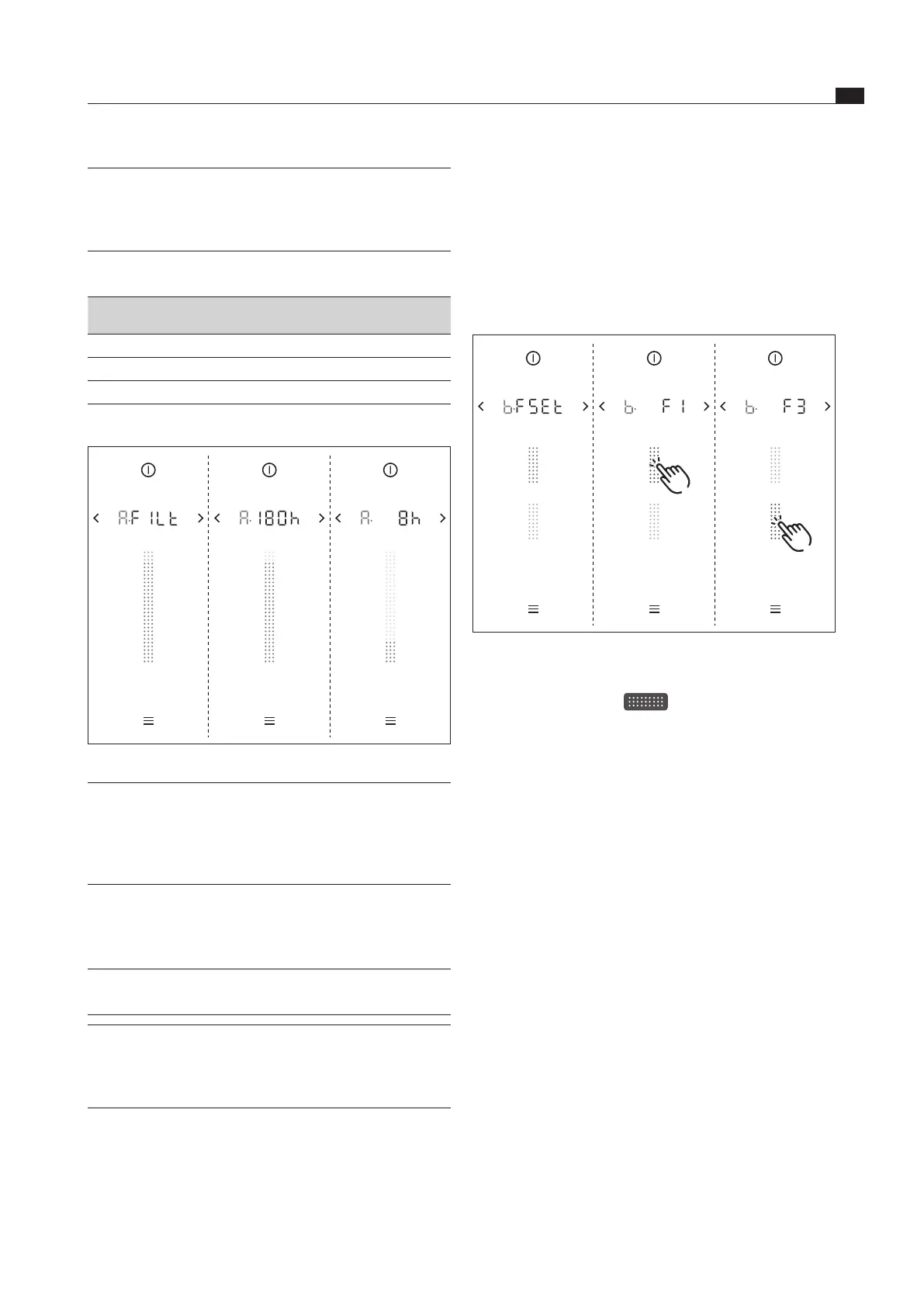
Fig. 5.14 Menu item B: Show lter type, change lter type and
reset lter service life
Tap a slider segment
The filter type is selected and the filter service life
reset.
The new remaining service life of the recirculation filter
is then shown.
INFO The remaining filter service life is shown to the
exact hour in the multi-function display and also
on the slider by the colours green, orange and
red.
Indicator:
Remaining
service life
Colour Meaning
> 20 h Green filter change not yet required
5 – 20 h Orange filter change due soon
< 5 h Red Filter must be changed (very soon)
Tab. 5.5 Recirculation lter service life indicator
Fig. 5.13 Menu item A: Show the recirculation lter service life
INFO If the service life of the activated carbon filter is
exceeded, the correct functioning of the system
may be affected. It is still possible to use the
cooktop extractor, however, the warranty and
guarantee claims shall then be invalid.
5.6.11 Menu item B: Show filter type, change
filter type and reset filter service life
(only in recirculation mode)
INFO If menu item B is called up, the last filter type
used will be displayed automatically.
INFO If a filter has reached the end of its service life,
the filter service indicator is shown in the menu
and the filter must be changed. After changing the
filter, the filter service life must be reset.



 To Next Page