INGENIO COMPACT ИБП руководство пользователя
INGENIO COMPACT UPS user manual
38 OMS90051 РЕД. / REV. A
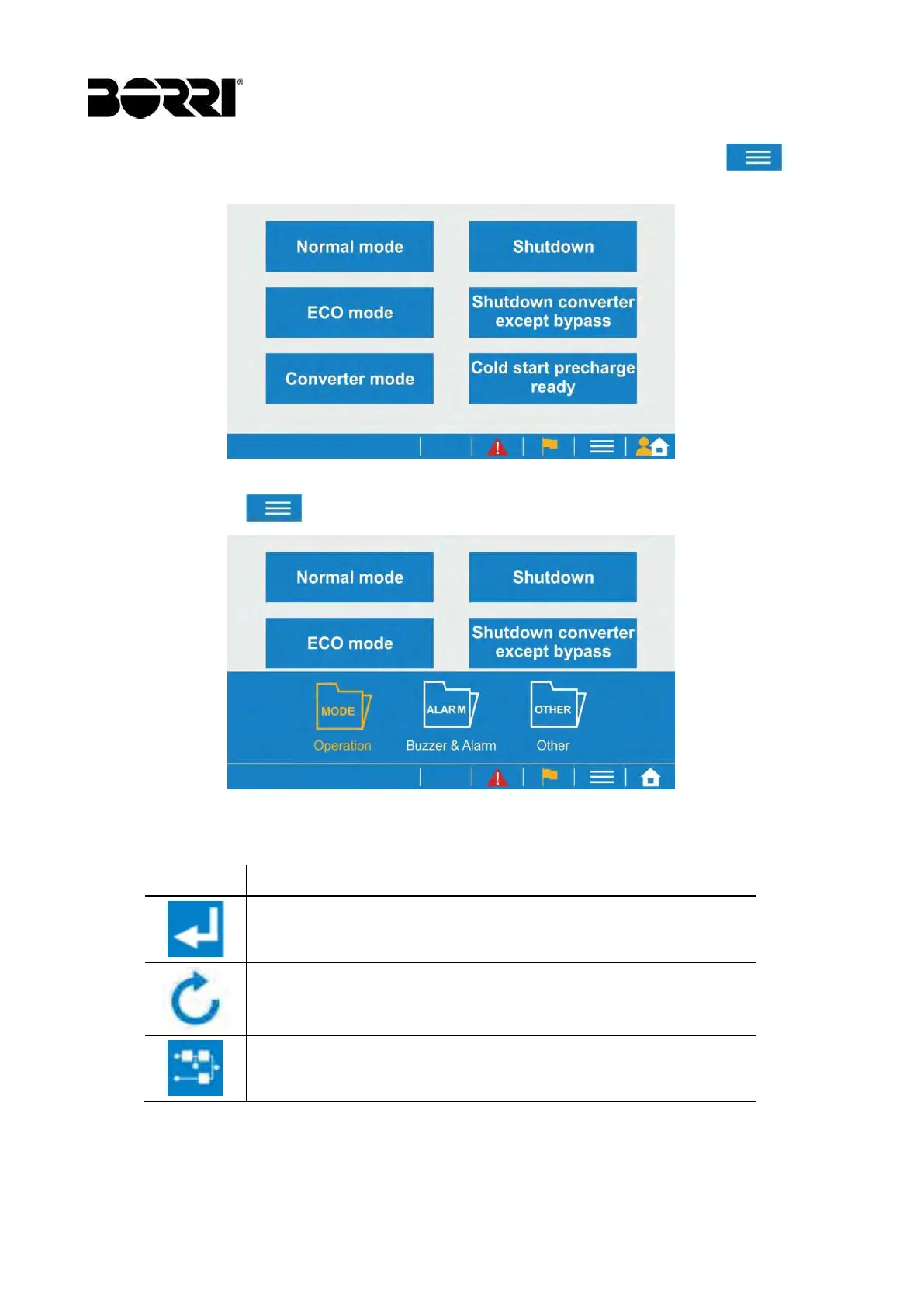
Each menu also contains sub-sections, which can be accessed by pressing the icon .
When entering the Command menu the following page is shown.
Picture 10 – Command menu
By pressing the icon the sub-sections can be shown or hidden.
Picture 11 – Sub-sections of the Command menu
Some function pages will also show command buttons.
Button
Assigned functions
Save the new settings
Reload the data
Go to mimic display
The structure of the menu and sub-menu is shown in the following table.








 To Next Page