INGENIO COMPACT ИБП руководство пользователя
INGENIO COMPACT UPS user manual
40 OMS90051 РЕД. / REV. A
Menu Sub-menu Functions
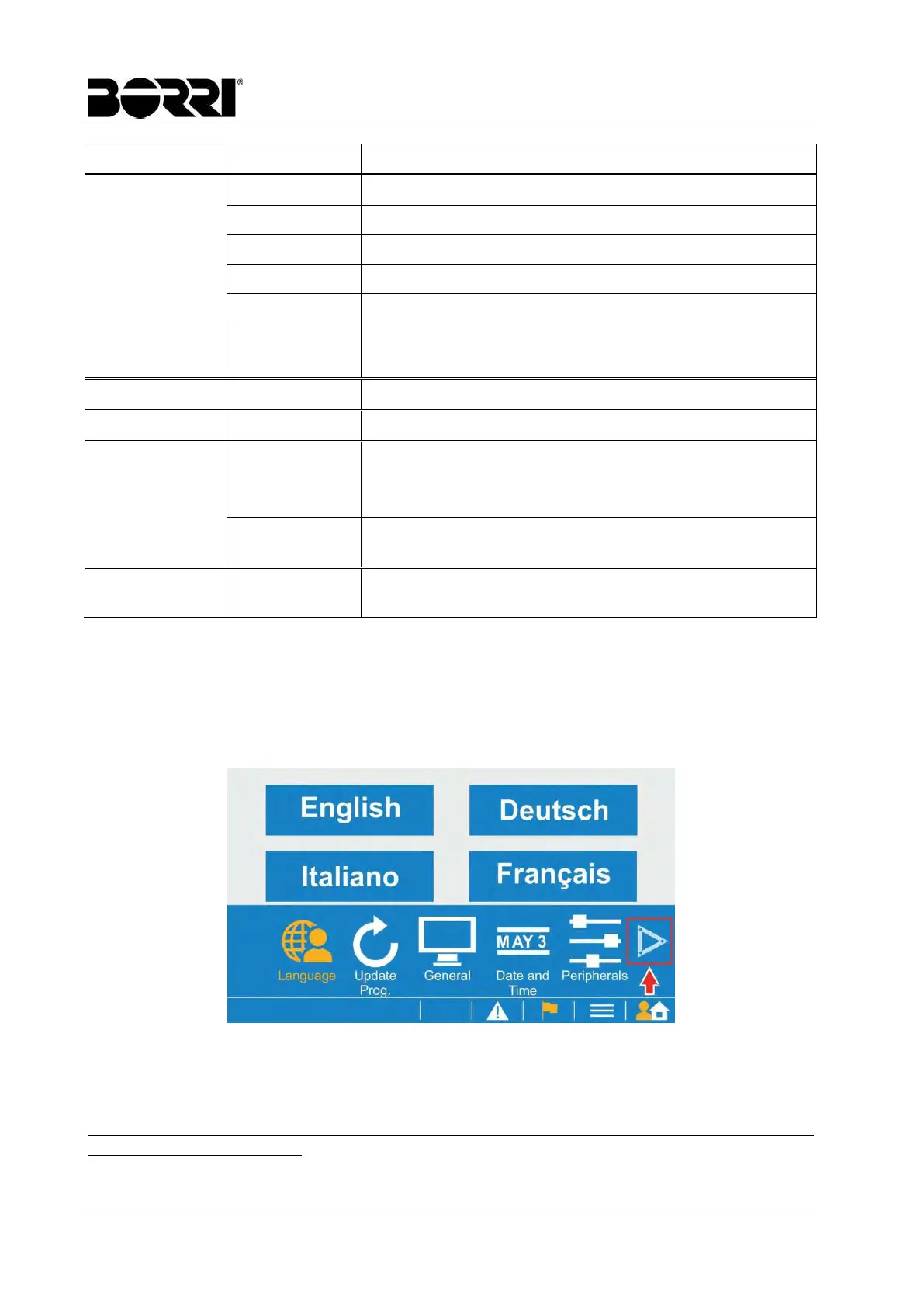
Setting
Language Select the display language
Update Prog. Upgrade the software of LCD touch display.
General Set the turn off time of LCD backlight.
Date and Time Set date and time.
Peripherals
1
Set communication card.
Parameters
1
Set the UPS parameters.
Refer to the parameters list table.
Event log
- Display the event log list of UPS.
Log on Load
- Display the history curve of loading. (Up to 7 days data).
Permission
setting
Login / Logout Login with the password.
2
Password
Modification
1
Change the user password.
Maintenance
1
Screen
Calibration
Calibrate the touch screen.
(1)
This function menu is only shown after login, refer to Permission Setting
(2)
Default password is 3366
4.2.1 Entering the Parameters section
The Parameters page is a sub-section of the Setting menu.
Locate the Setting icon on the home page and tap on it to open the relevant section; the
following page will appear.
Picture 12 – Setting page
Tap the arrow to scroll the sub-sections and select Parameters.
In the following page enter the password and press Enter to enable the modification of the UPS
parameters.
Note that the parameters can only be modified when the converters are turned off, so the UPS
must be in bypass operation.








 To Next Page