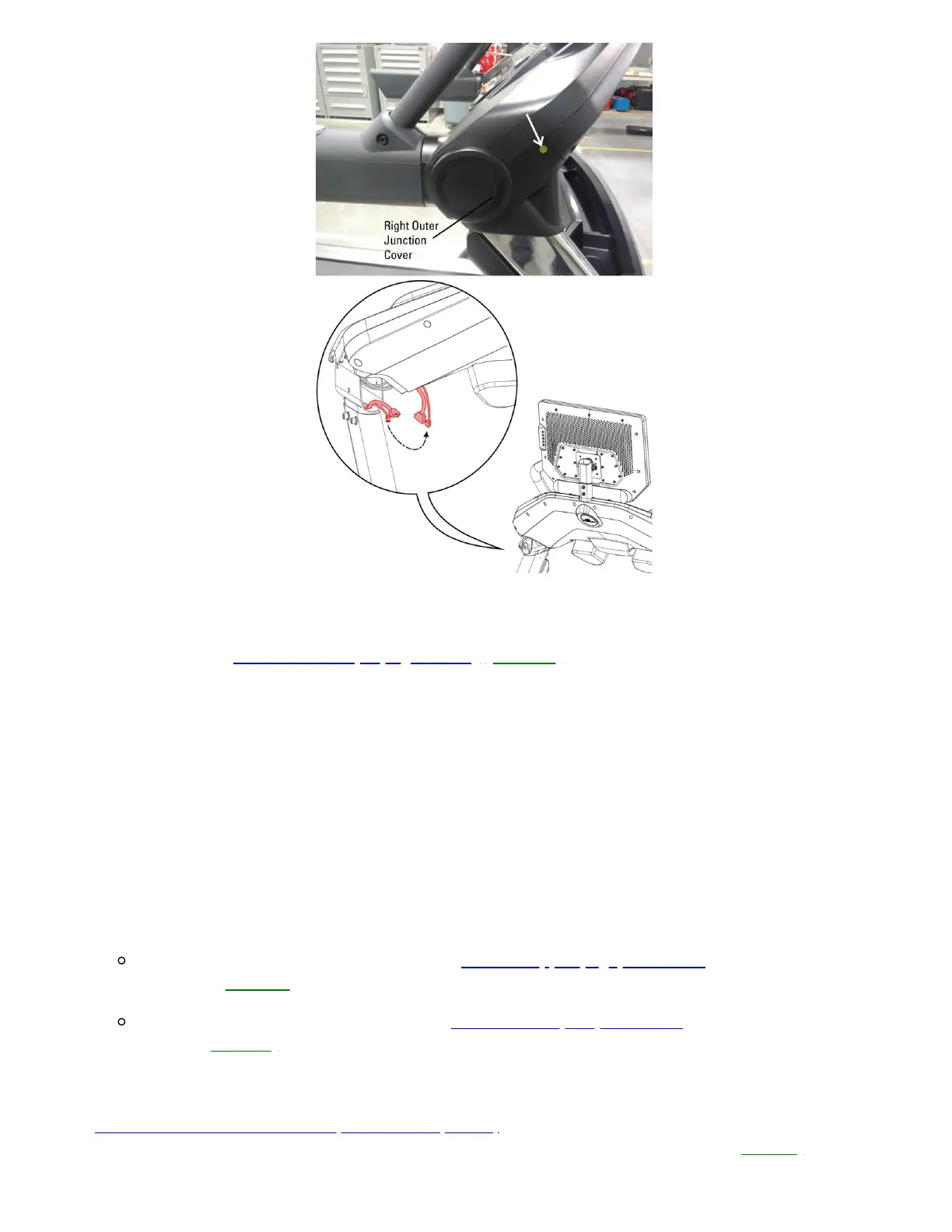
Treadmill 22 shown. Your treadmill may vary slightly.
Remove the right outer junction cover to access the 5-pin connector.
3. If the issue persists,order MCB to Top Upright Wiring[13656.C].
Speed Displayed is 0.0 MPH
1. When the speed displays 0.0 MPH, this indicates there is a shorted connection in a wire to one of the handlebars.This
is most commonly caused by either crimping/cutting a wire while assembling the handlebars, or a screw being
installed through the wire and making a connection.
2. Locate the damaged wire. Refer to the steps in the assembly manual in reverse to disassemble all handlebar
connections. Inspect each wire leading in and out of the handlebars for damage. If a wire is damaged, order a
replacement handlebar (for the affected side)
If the wire in an Upper Handlebar is damaged,order an Upper (Ergo) Handlebar(Right or Left, whichever side
is affected)[13656.D].
If the wire in a Lower Handlebar is damaged,order aLower (Arm) Handlebar(Right or Left, whichever side is
affected)[13656.E].
3. If no damaged wire could be located, please consult with the JRNY Support team. They can check for Stuck Button
errors in Asset Manager to determine which button(s) are affected. If a "stuck button" is identified, please see
Treadmill 10 and 22: Button Issues (Stuck or Unresponsive). You will need to order a replacement part from the
Replacement Part by Button ID Chart based on the Button ID provided by Asset Manager[13656.F].













 To Next Page