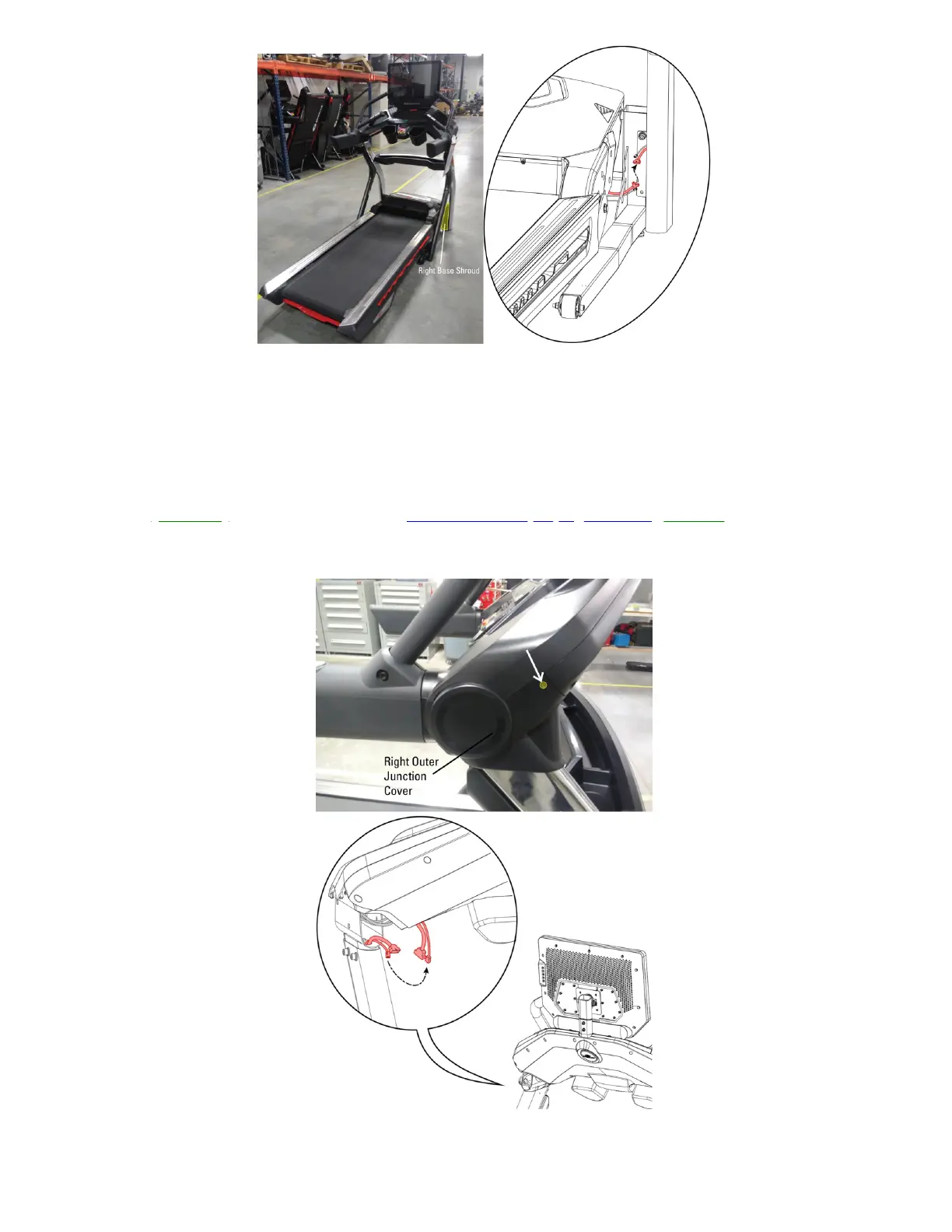
Treadmill 22 shown. Your treadmill may vary slightly.
Remove the right base shroud to access the 6-pin connector.
7. If the issue persists, use a Phillips head screwdriver toremove the outer junction cover from the top of the right
upright (reference 2.4) and inspect the white 6-pinconnector. Unplug the white 6-pin connector and check for
damage to the connector or cable. If undamaged, firmly reconnect the cable, ensuring the connector is oriented
properly; the tabs on top should line up and audibly click into place when firmly connected. Test if the issue
persists[11401.K].If the cable is damaged,order MCB to Top Upright Cables[11401.L].
(Reference 2.4)
Treadmill 22 shown. Your treadmill may vary slightly.
Remove the right outer junction cover to access the 6-pin connector.













 To Next Page