ENGLISH 45 / 77 CAP. 11 - AUTOMATIC CYCLES
M
ULTIGAS 8500 PLUS
11.2.4 Automatic cycle parameters configuration
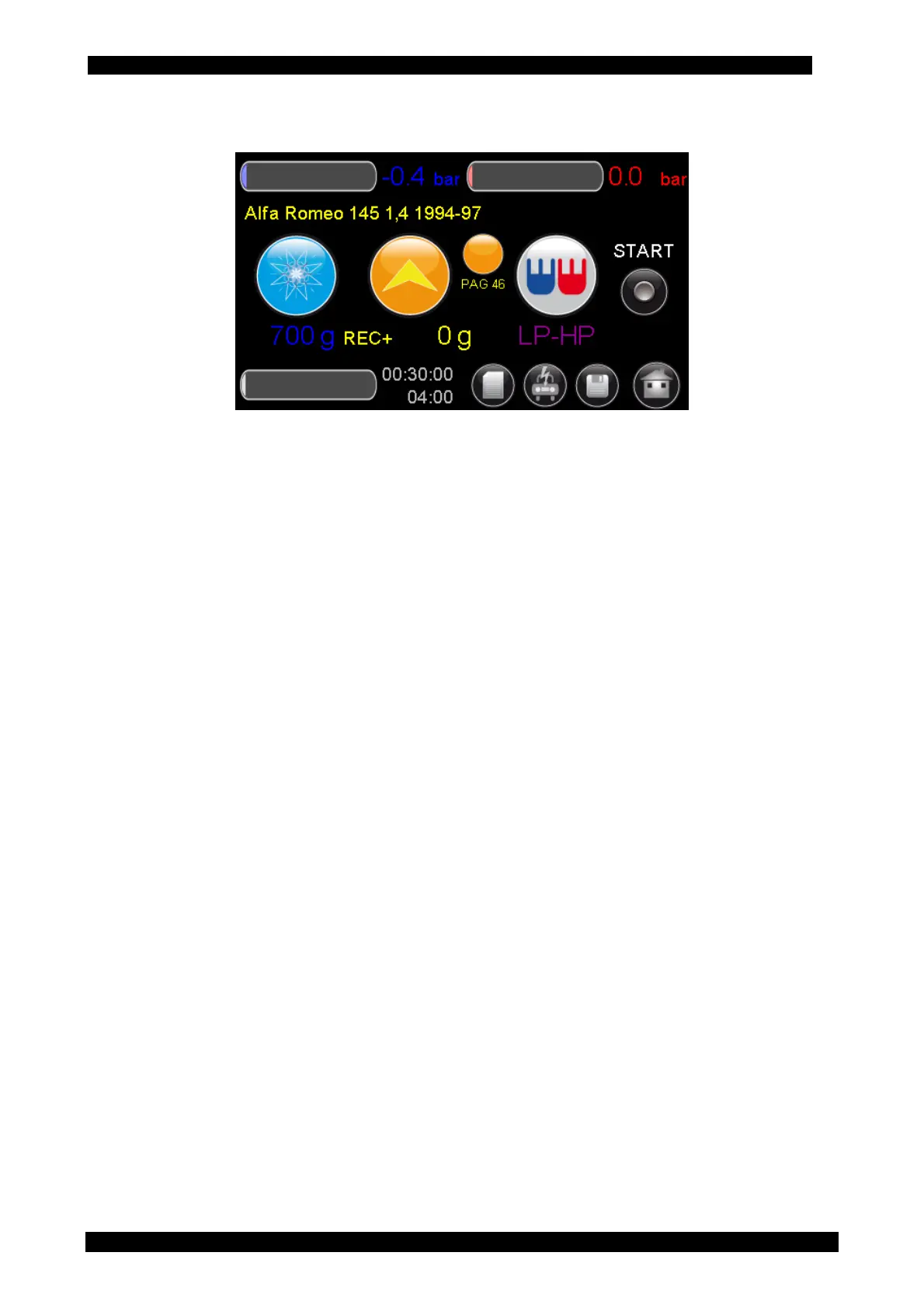
After selecting the type of A/C system the main page is shown with the following preset values:
• amount of refrigerant that will be charged into the system and the amount of refrigerant
contained in the inner tank of the UNIT.
• Injection mode and quantity of oil that will be injected into the system
o OIL: <value> g. It injects the quantity of oil that has been set.
o REC. + <value> g. It injects the quantity of recovered oil plus the quantity of oil that
has been set
o NO OIL. No oil is injected during the injection cycle
• Oil type: It sets the oil type being used. PAG (ISO46/100/150) or POE
• UV: Option for the injection of tracer
• Injection type: It allows selecting from which hose the service is carried out, according to the
type of system.
o Injection from HP hose (red)
o Injection from LP hose (blue)
o Injection from HP hose (red) and LP hose (blue)
o Injection from HP hose (red) on the system low pressure side. Specific for some
Renault models.
o Vacuum phase
Vacuum duration
Leak test duration
At the end of the setup, press the “START” button to start the automatic cycle.



 To Next Page