ENGLISH 57 / 77 CAP. 13 - MAINTENANCE
M
ULTIGAS 8500 PLUS
13.8 MULTIPASS
By selecting this function, you can start the multipass function, allowing for a further recycle, which is
internal to the station itself. This mode guarantees a higher level of the service quality.
13.9 SYSTEM INFORMATION
By selecting this function, you can display the identifying codes and the electronic boards software
version
13.10 MAINTENANCE OF PRINTER
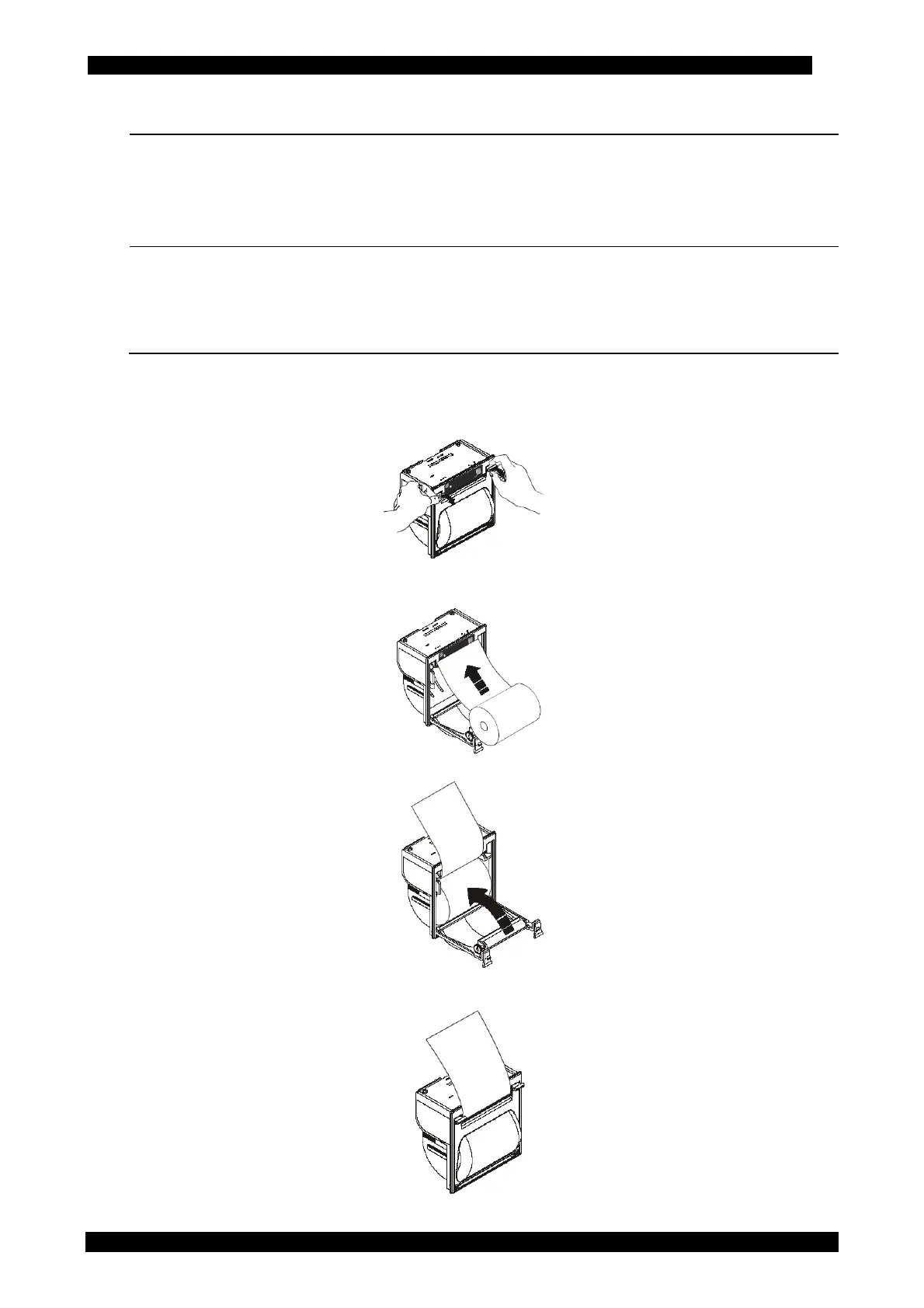
To change the roll of paper follow instructions below:
Open the lid of the printer as shown.
Position the roll of paper inside the housing in the rotation direction indicated in the picture;
Pull the paper out of the housing as indicated in the picture and close the lid ;
The printer is ready for printing.



 To Next Page