CAP. 11 - AUTOMATIC CYCLES 46 / 77 ENGLISH
M
ULTIGAS 8500 PLUS
11.2.5 OIL TYPE REPLACEMENT
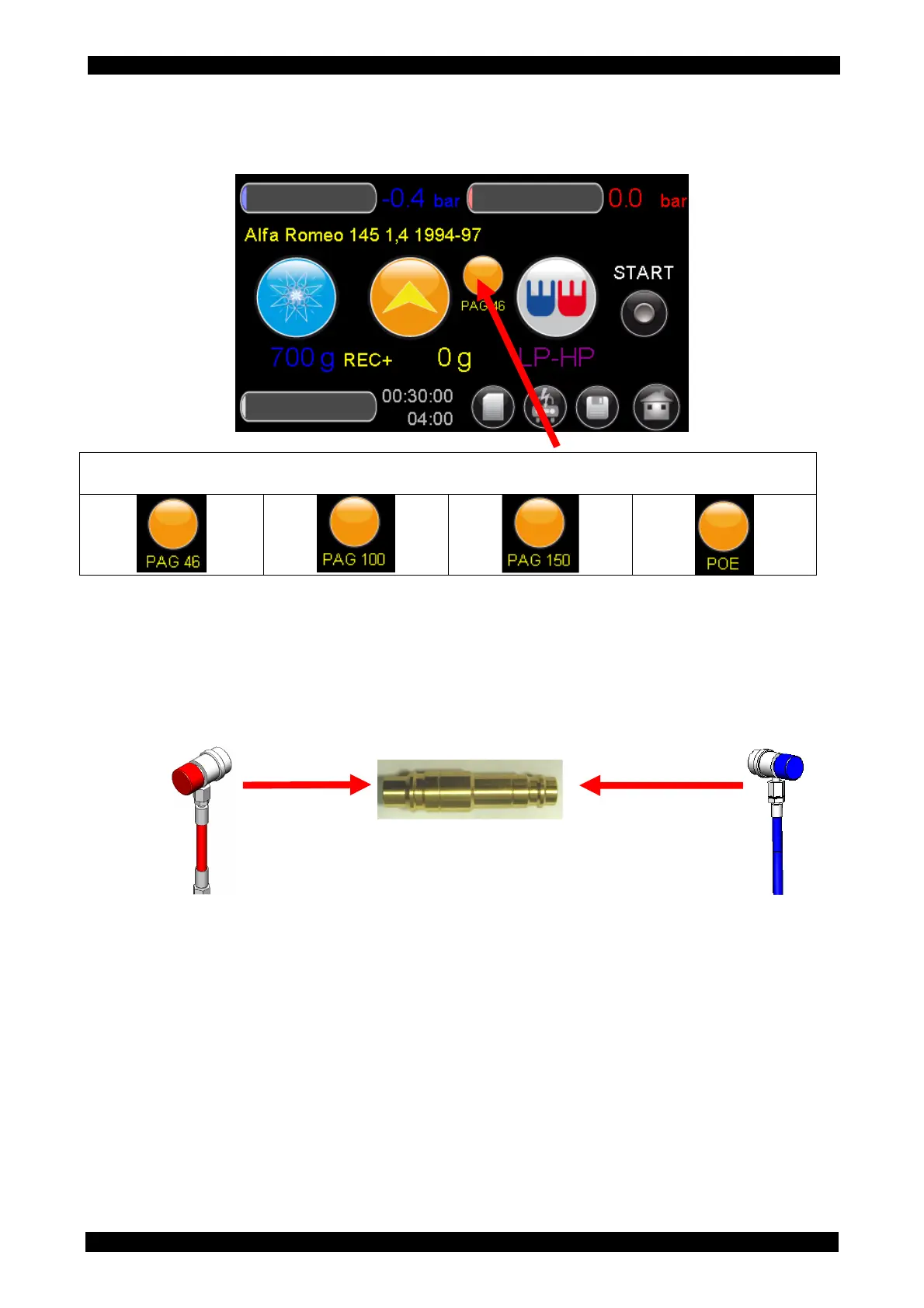
In order to set the oil type press several times the present icon until the icon that will be used for
the service will appear (you can set only the following 4 types ).
By selecting PAG oil as type, if different from that used for the previous service, at the START the
equipment will require the performance of the internal cleaning function called “Hybrid function” .
This function, in order to be performed, requires connecting the HP quick coupler to the LP quick
lock through the HP-LP connection represented in the following figure, which is part of the HYBRID
FUNCTION PRO (optional accessory).
Once the two couplers are connected together, follow the automatic procedure.



 To Next Page